For project and program managers
Keep every project's Azure cost, budget, and owner in view.
Cost groups map Azure charges to your projects. See each group's cost, budget, forecast, and owner. Open a group to check its team, history, and spend.
The project boundary
A project can cross subscriptions without losing its cost boundary.
Azure subscriptions and projects do not always line up. A cost group gives project and finance teams one view that can span more than one subscription.
- Period cost
- What the project has spent in the selected reporting period.
- Budget and forecast
- Where actual spend sits against the target and projected period end.
- Owner and last updated
- Who is accountable for the group and when its record last changed.
The review rhythm
Start the meeting with the exceptions, not a rebuilt spreadsheet.
Keep group cost, plan, and owner in one review trail. The group is only for reports. CloudMonitor does not change any Azure resources.
- 01
Collect the project's Azure charges.
Allocation rules send matching charges to the cost group. Costs with no match stay in Unallocated.
- 02
Read actual cost against budget and forecast.
Compare groups, then open a project that needs an explanation.
- 03
Take the question to the accountable owner.
The group detail keeps cost, budget, team, and history together. Owners can update the group or its team. They can also archive it when the work ends.
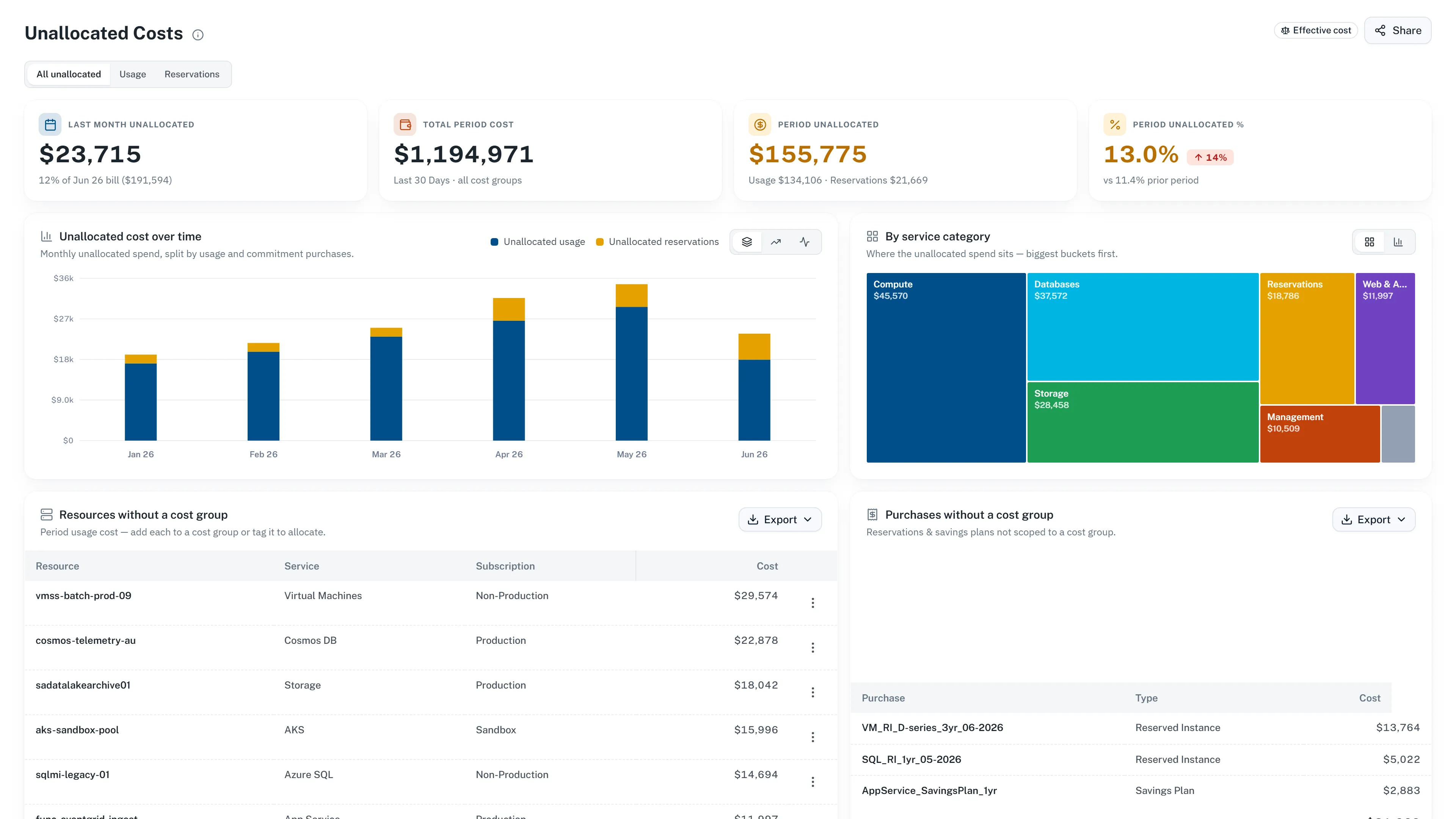
Before closeout
Unmatched charges stay visible until someone resolves them.
Check Unallocated before you share the project total or archive its cost group. CloudMonitor shows the gap instead of adding it to another project.
See how allocation rules workAccess boundary
A project role does not grant access to every cost group.
Workspace role and cost-group membership decide what each person can see and change.
- Admin
- Sees every group and can create groups, edit allocation rules, and manage workspace access.
- Cost-group owner
- Sees the groups they own and can edit each group's budget, team, and archive status.
- Cost-group member
- Sees groups they belong to and can triage anomalies and recommendations attributed to those groups.
Review project cost against the plan.
Connect Azure cost data, set up your project groups, and keep costs with no match in view.