
Controlling Costs Without Slowing Innovation
Artificial intelligence is rapidly becoming a core capability for modern organisations. From machine learning models and real‑time inference to data preparation and experimentation, AI workloads are driving significant value. At the same time, they are also driving some of the highest and most unpredictable cloud costs, especially when GPUs are involved.
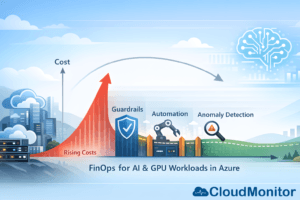
Azure GPU‑enabled services make it easy to innovate quickly, but without strong cost controls, AI initiatives can experience sudden spend spikes, budget overruns, and internal friction between engineering, finance, and leadership teams. This is where FinOps for AI workloads becomes critical.
FinOps is not about limiting innovation. It is about creating the financial visibility, accountability, and optimisation practices that allow AI teams to move fast without losing control of cloud spend. In this article, we explore a practical FinOps playbook for managing AI and GPU‑intensive workloads on Azure, with a focus on balancing speed, cost, and governance.
Why AI and GPU Workloads Demand a Different FinOps Approach?
Traditional cloud workloads already require cost optimisation, but AI workloads introduce new challenges that make FinOps even more important.
GPU resources are significantly more expensive than standard compute. Training jobs are often burst‑based and unpredictable. Experiments are repeated multiple times with slightly different configurations. Teams frequently spin up short‑lived environments, duplicate datasets, and create parallel pipelines across subscriptions.
On top of this, AI initiatives often involve multiple stakeholders. Data scientists care about speed and model accuracy. Engineers focus on reliability and scalability. Finance teams want predictability and accountability. Without a shared operating model, these priorities can clash.
FinOps provides that shared model. It creates a common language around cost and value, enabling teams to understand not just how much they are spending, but why they are spending it and what outcomes they are getting in return.
Common Azure AI and GPU Cost Pitfalls
Before applying optimisation techniques, it is important to understand where costs typically escalate.
One of the most common issues is always‑on GPU resources. GPU virtual machines or clusters are left running outside working hours, during weekends, or between experiments. Even when idle, these resources continue to incur high costs.
Another frequent problem is oversized GPU SKUs. Teams often select large GPU instances “just in case”, even when workloads could run efficiently on smaller or fewer GPUs. This leads to poor utilisation and unnecessary spend.
Storage sprawl is another major contributor. Training datasets, checkpoints, intermediate outputs, and snapshots accumulate quickly. Over time, storage costs quietly grow without clear ownership or lifecycle management.
There is also the challenge of data movement and egress. Large datasets moved across regions or services can introduce unexpected network costs, especially in distributed AI architectures.
Finally, many organisations lack real‑time visibility and anomaly detection. Cost issues are discovered at month‑end, long after corrective action could have been taken.
The FinOps Mindset for AI: Enable, Don’t Block
A successful FinOps strategy for AI starts with the right mindset. The goal is not to slow down experimentation or burden teams with approvals. The goal is to make AI workloads safe to run at scale.
This means replacing rigid controls with smart guardrails, automation, and fast feedback loops. Teams should be able to experiment freely within defined boundaries, while leadership retains confidence that costs are monitored and optimised continuously.
Phase 1: Visibility and Ownership
Every FinOps journey begins with visibility. If you cannot clearly see where money is being spent, optimisation is impossible.
The first step is defining clear ownership. Every AI workload should have an accountable owner, whether that is a team lead, product owner, or platform manager. Ownership should be explicit, not assumed.
Tagging plays a crucial role here. AI and GPU workloads should consistently use tags such as owner, team, environment, project, workload type, and cost centre. For experimental workloads, adding an expiration or review date is especially valuable.
Visibility should go beyond raw cost figures. Teams need to understand utilisation alongside spend. A GPU running at 10% utilisation is far more expensive than it appears on a cost report. Usage patterns, idle time, and trends over time provide the context required for informed decisions.
CloudMonitor supports this stage by analysing real‑time utilisation patterns and highlighting oversized or unused resources, helping teams connect cost data to concrete optimisation opportunities.
Phase 2: Guardrails That Support Innovation
Once visibility is in place, guardrails can be introduced without disrupting delivery.
A practical approach is to define budget tiers based on workload maturity. Early‑stage experiments should have smaller budgets and stricter controls, while production workloads can have higher limits aligned with business value.
Time‑based controls are one of the fastest ways to reduce waste. Automatically shutting down non‑production GPU resources outside business hours can significantly reduce costs without impacting productivity. Teams should still have the ability to extend runtimes when needed, but the default should favour efficiency.
Approval processes should focus on exceptions rather than everyday usage. Large GPU SKUs, always‑on clusters, or cross‑region data movement may require review, while standard experimentation proceeds without friction.
Policy‑based controls can further reduce risk by enforcing tagging requirements, limiting resource creation in specific regions, or restricting high‑cost SKUs to approved subscriptions.
Phase 3: Optimising AI and GPU Spend on Azure
With guardrails in place, optimisation becomes an ongoing practice rather than a one‑time exercise.
Right‑sizing is a key area of focus. By analysing utilisation data, teams can identify GPU instances that are consistently underused and move to smaller SKUs or fewer nodes. In some cases, inference workloads may not require GPUs at all and can run efficiently on CPU‑based services.
Training workflows also offer significant optimisation potential. Repeated experiments, inefficient data pipelines, and poorly managed checkpoints can dramatically increase costs. Improving experiment tracking, using early stopping techniques, and refining data preparation processes can reduce unnecessary compute usage.
Storage optimisation should not be overlooked. Implementing lifecycle policies to move older data to lower‑cost tiers or automatically delete temporary artifacts helps prevent silent cost growth over time.
Network and data movement costs can be reduced by keeping compute and data in the same region, avoiding unnecessary transfers, and caching frequently used datasets.
For stable, predictable workloads such as production inference, commitment‑based pricing models can provide substantial savings once resources have been properly right‑sized.
Phase 4: Anomaly Detection as a Safety Net
Even with strong governance and optimisation practices, AI workloads can behave unpredictably. A misconfigured training loop, unexpected demand spike, or scaling issue can cause costs to rise rapidly.
This is why cost anomaly detection is essential. An effective anomaly detection strategy identifies unusual spending patterns early and provides enough context to act quickly.
Alerts should be based on both percentage changes and absolute thresholds, and they should be scoped to meaningful dimensions such as project, environment, or resource group. Notifications must reach the right people, with clear guidance on where to investigate first.
CloudMonitor helps by continuously monitoring cloud spend and utilisation, flagging anomalies, and surfacing cost‑saving opportunities before issues escalate into major budget overruns.
Establishing a Sustainable FinOps Operating Rhythm
FinOps for AI works best when it is embedded into regular operating rhythms rather than treated as an emergency response.
Weekly reviews can focus on recent anomalies, top cost drivers, and quick optimisation actions. Monthly sessions allow teams to compare forecasts with actual spend, review unit economics, and prioritise optimisation initiatives. Quarterly reviews provide an opportunity to reassess commitments, policies, and long‑term trends.
This cadence keeps cost discussions constructive and forward‑looking, reinforcing collaboration between engineering, finance, and leadership.
Measuring Success with the Right KPIs
Clear metrics help teams understand whether their FinOps strategy is delivering results.
Efficiency metrics such as GPU utilisation rates, idle time, and cost per training run provide insight into technical optimisation. Governance metrics like tagging compliance and non‑production spend ratios highlight process maturity. Financial metrics such as forecast accuracy and realised savings demonstrate business impact.
Tracking a small, consistent set of KPIs ensures alignment without overwhelming teams with data.
How CloudMonitor Supports FinOps for AI Workloads
CloudMonitor is designed to help organisations pay only for what they need by continuously analysing cloud consumption patterns.
For AI and GPU‑intensive workloads, this means improved visibility into where costs originate, early detection of anomalies, and clear identification of oversized or unused resources. By turning raw usage data into actionable insights, CloudMonitor enables teams to optimise continuously while maintaining confidence in their cloud spending.
Conclusion
AI and GPU workloads are powerful drivers of innovation, but they also introduce significant financial risk if left unmanaged. FinOps provides the structure and discipline needed to control costs without slowing progress.
By establishing visibility and ownership, implementing supportive guardrails, optimising continuously, and detecting anomalies early, organisations can scale AI initiatives with confidence. The result is not just lower cloud bills, but a healthier relationship between innovation, engineering, and finance.
With the right FinOps practices and tools like CloudMonitor, AI teams can focus on delivering value, knowing that cloud costs are under control.

- Observability for AI-Powered Cloud - April 24, 2026
- FinOps Framework 2026 Explained for Azure Users - April 17, 2026
- Azure Cost Controls in CI/CD Pipelines: Shift-Left FinOps for Azure - April 8, 2026