Skip to content

Executive summary for finance leaders

Make Azure spend predictable and track what changes.

Use billed cost for invoice review and effective cost for amortized analysis. Finance can track ownership and potential savings while engineering controls every change.

Fixed plan price · No share of savings · Read-only recommendations
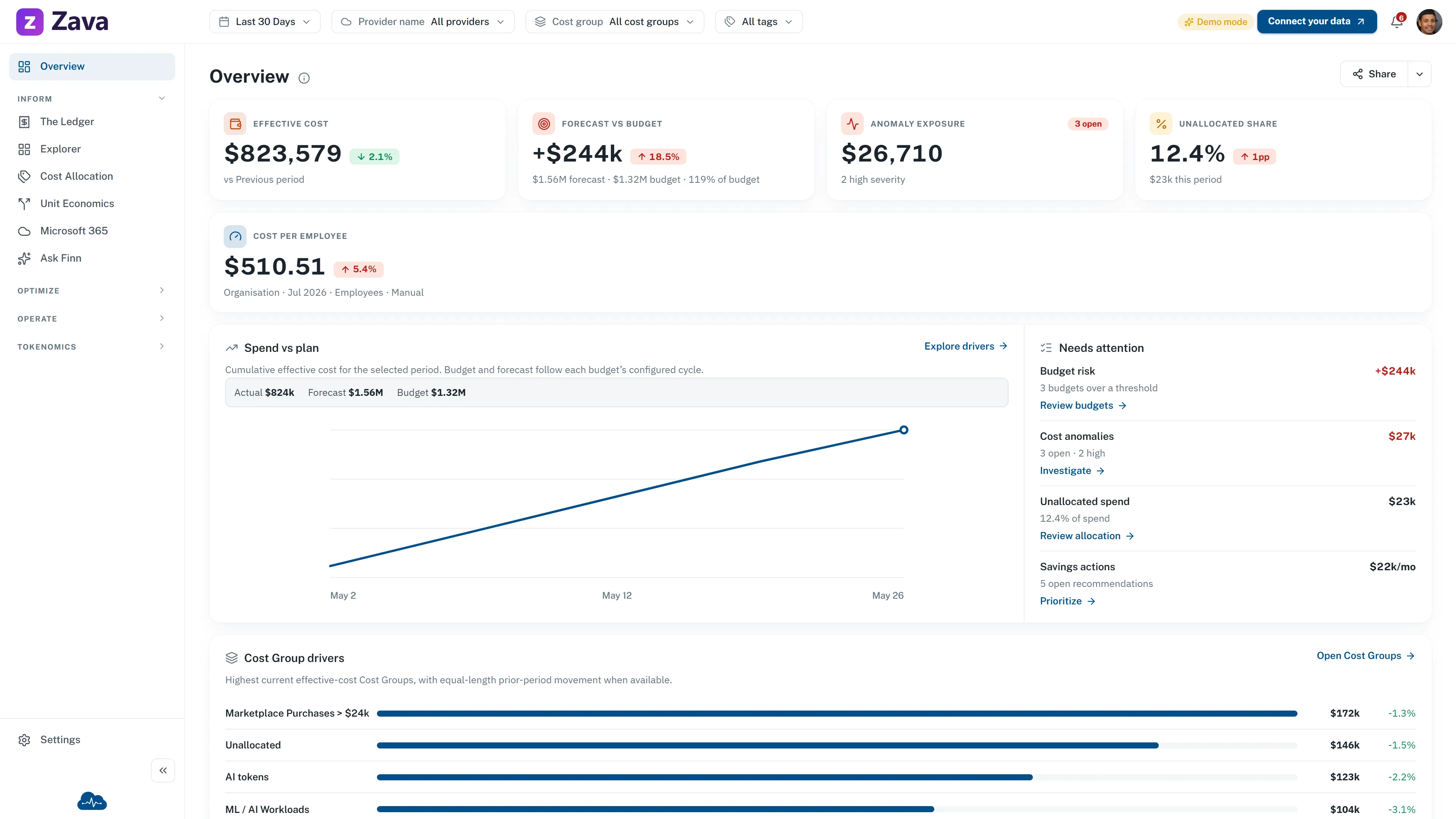
CloudMonitor sample Overview showing effective cost, forecast against budget, anomaly exposure, unallocated share, and cost per employee
Sample data. Effective cost, forecast against budget, anomaly exposure, unallocated share, and cost per employee. Open the CFO demo

The operating rhythm

From Azure bill to a finance-ready decision trail.

CloudMonitor turns billing data into a shared review process. Finance gets a baseline and ownership view; engineering gets prioritized opportunities and remains in control of every change.

  1. 01

    Establish the baseline

    Start with billed and effective cost across the period finance is reviewing.

  2. 02

    Assign ownership

    Map charges to cost groups that reflect business units, projects, or customers.

  3. 03

    Review the opportunity

    Engineering assesses delivery risk and the estimated saving before acting in its existing change process.

  4. 04

    Verify the movement

    Return to billed cost after the change and carry the evidence into the next review.

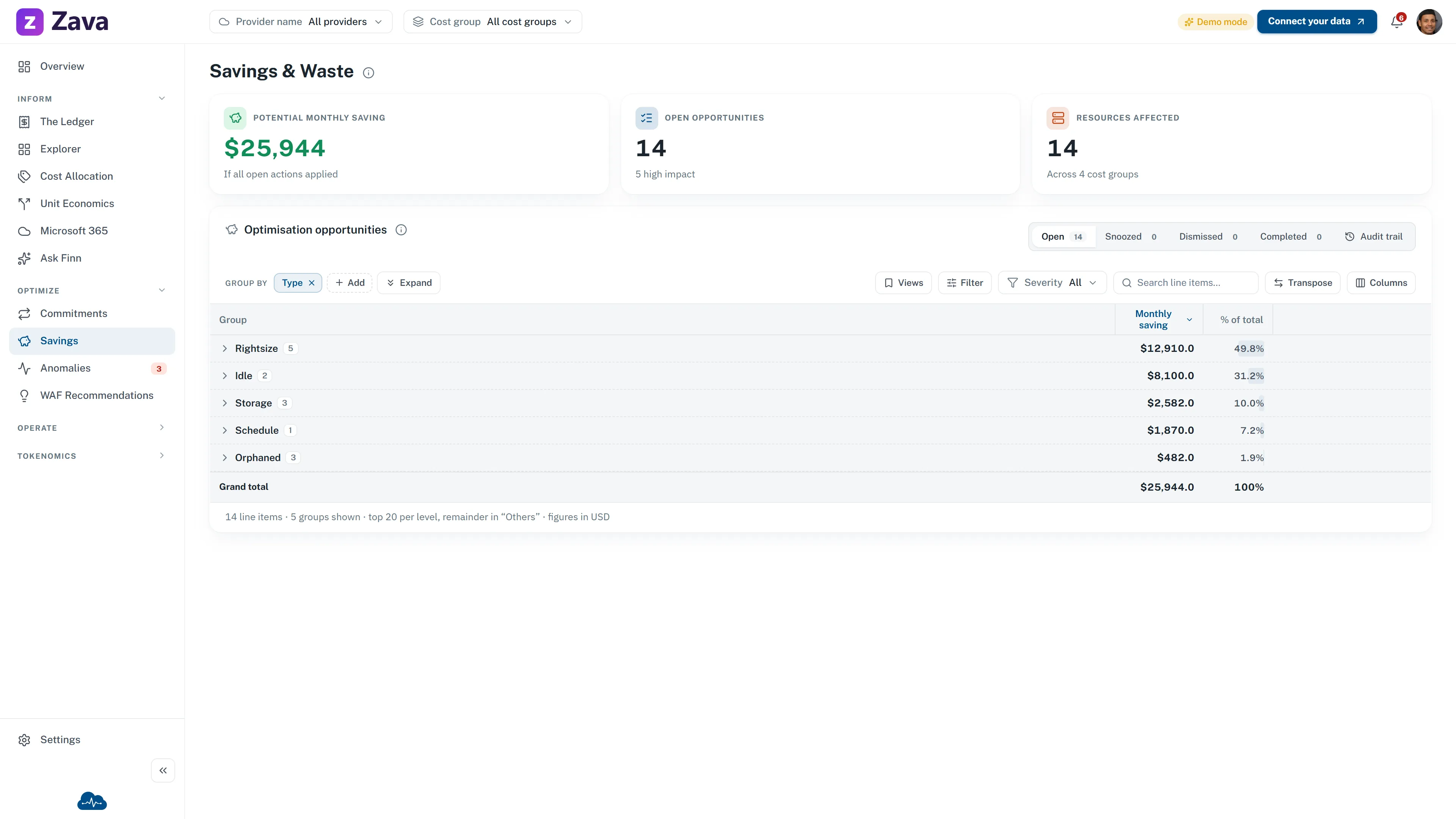
CloudMonitor sample Savings and Waste screen showing potential monthly savings and opportunities grouped by rightsize, idle, storage, schedule, and orphaned resources
Sample data. Potential savings remain opportunities until an owner decides what to do. Open Savings & Waste

The commercial model

Fixed annual pricing; no share of savings.

CloudMonitor matches a fixed plan price to your annual Azure consumption. The price stays fixed for the purchased Marketplace term and is never a share of savings.

Public plans from $6,000 per year can also be bought on a one-month Marketplace term. Lower bands are annual-only.

The platform surfaces potential savings and routes them to owners. It does not make infrastructure changes. Approval and execution stay in your engineering process, while finance keeps the baseline and subsequent cost movement in view.

Potential
An estimated opportunity, not booked savings.
Decision
An owner postpones or dismisses it, or takes action outside CloudMonitor. Completed items are detected from cost data.
Evidence
Billed cost remains the source for the follow-up review.
Review the fixed annual pricing
Rafic Habib, CEO of Clinic to Cloud

A customer result

46% Azure spend reduction

“Data-Driven did a comprehensive audit of our Azure infrastructure and DevOps processes with CloudMonitor. They identified and improved several areas, saving our company thousands of dollars each month in subscription costs.”

Rafic Habib · CEO, Clinic to Cloud

Case-study result measured over a two-week implementation window.

Read the Clinic to Cloud case study

What finance sees

The numbers arrive with ownership and context.

Dense billing exports become reviewable questions: what remains unallocated, where ownership is still blank, and which exceptions need a decision before the next close.

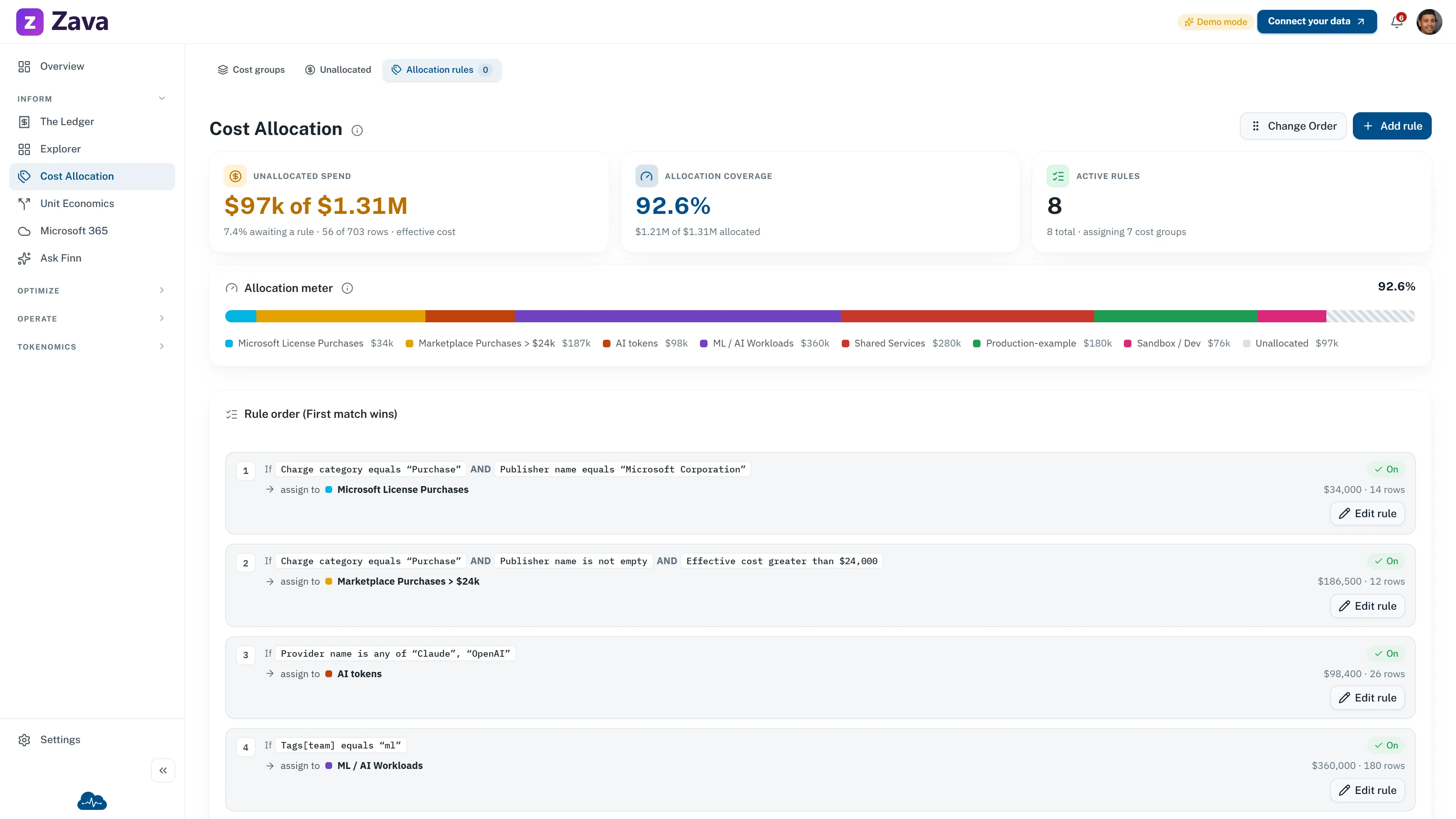
CloudMonitor sample Cost Allocation screen showing allocation coverage, unallocated spend, active rules, and first-match rule order
Sample data. Cost Allocation shows 92.6% coverage, $97k unallocated, and eight active rules. Open Cost Allocation

01 / Allocation

See what is allocated and what still needs an owner.

Cost Allocation shows coverage, unassigned spend, cost groups, and first-match rules. Ownership can remain blank until your team assigns it.
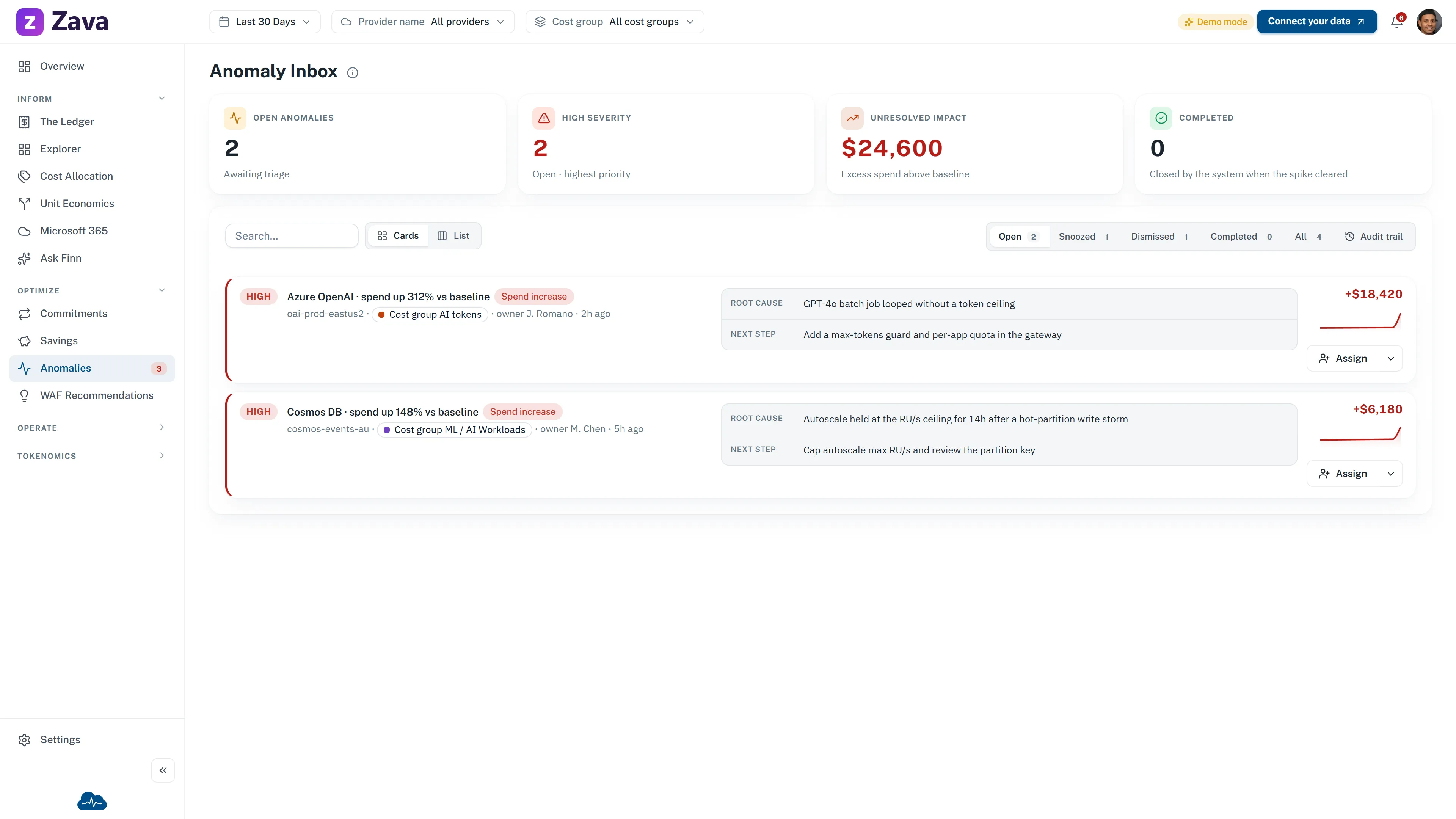
CloudMonitor sample Anomaly Inbox showing two open high-severity anomalies with dollar impact, owner, likely root cause, and next step
Sample data. Two open high-severity anomalies appear with financial impact, owner, root cause, and next step. Open Anomaly Inbox

02 / Exceptions

Review the high-severity exceptions first.

The sample view shows open high-severity anomalies with dollar impact, owner, likely root cause, and next step beside each movement.

Governance and assurance

Dedicated workspace, read-only recommendations, shared evidence.

CloudMonitor keeps the analysis visible to finance and the authority to change Azure resources with your team.

Read-only recommendations
No automatic changes to your Azure resources.
Dedicated customer workspace
Isolated within CloudMonitor's Microsoft Fabric tenancy.
Shared evidence
Cost groups, owners, potential savings, and anomaly impact stay visible to finance and engineering.

Build the baseline

Start with the Azure numbers you already have.

Use annual Azure consumption and current FinOps maturity to create a range finance and engineering can review together.

Live chat didn’t load

This browser blocked our chat widget, so the support button can’t open. A privacy shield or content blocker is the usual cause.

  1. Click the Brave Shields icon (the lion) beside the address bar.
  2. Turn Shields off for cloudmonitor.ai.
  3. Reload this page. The chat icon returns bottom right.
  1. Open your content blocker or privacy extension.
  2. Allow cloudmonitor.ai.
  3. Reload this page. The chat icon returns bottom right.

Rather leave the blocker on? Send us a message or search the help desk.

Live demo Open in new tab