Domain 4 · Manage the FinOps Practice
Put cost evidence beside the technology decision.
Give leaders a clear view of Azure spend, forecast risk, ownership gaps, and change history. CloudMonitor prepares the evidence. Your people decide what to fund, change, or stop.
The executive brief
Move from the total to the decisions that need leadership.
The Overview brings current cost, plan risk, anomalies, and allocation gaps into one starting point. Leaders can choose where the next question belongs.
- Current position
- Read effective cost against the previous reporting period.
- Plan risk
- See forecast against budget and which thresholds have been crossed.
- Open questions
- Take anomalies, unallocated spend, and savings actions to the right review.
The decision path
Connect a strategic priority to a repeatable cost review.
CloudMonitor keeps the plan, accountable group, and recorded action together. It does not approve the investment or change a cloud resource.
- 01
Define the cost boundary.
Map the workload or initiative to a cost group that reflects how the business reviews it.
- 02
Set the plan and alert points.
Add a budget and thresholds, then compare accrued cost with the period-end forecast.
- 03
Take the variance to its owner.
Use the cost group and resource detail to find the accountable team or expose a missing assignment.
- 04
Record the action and return date.
Keep comments and status changes in the activity trail so the next review starts with context.
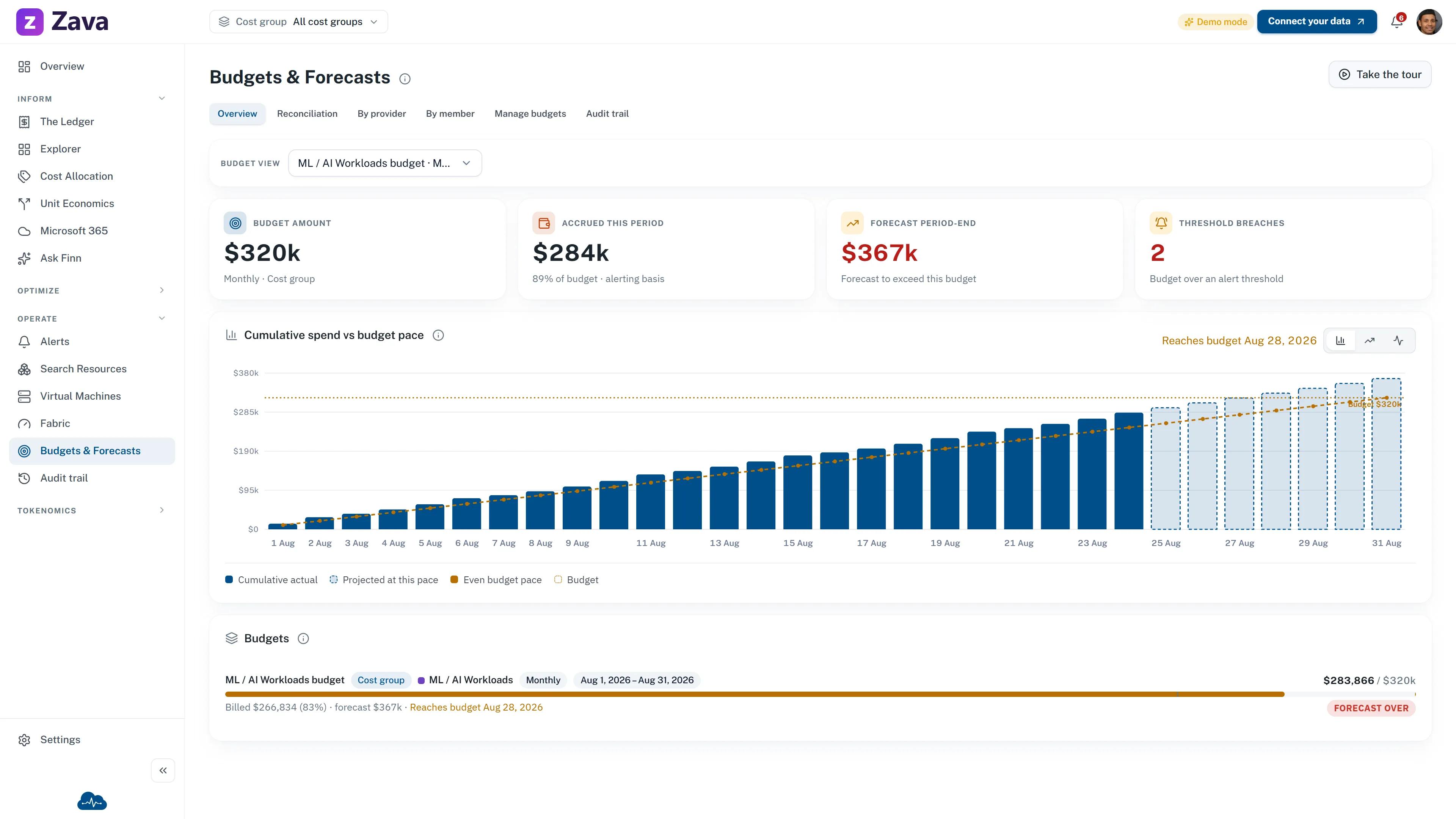
Plan signal
A threshold starts a conversation. It is not a spending lock.
Compare actual and forecast cost with the budget pace. When a configured threshold is crossed, CloudMonitor alerts the team.
Ownership check
Make missing assignment part of the review.
Assign an owner to each business cost group. Resource ownership and creation details appear where source data is available. Resources without a mapped group remain visible as Unassigned.
See cost allocation and governance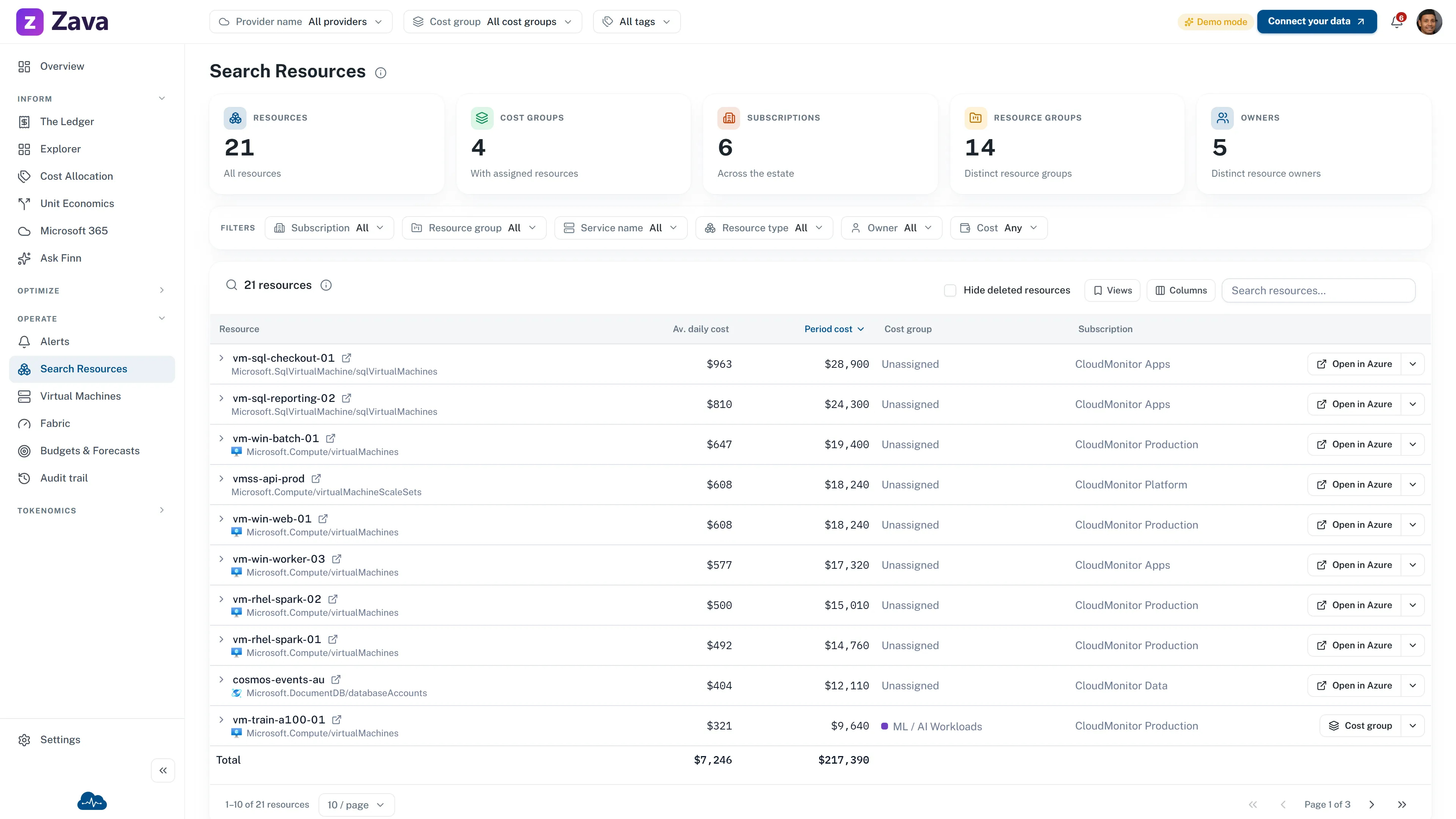
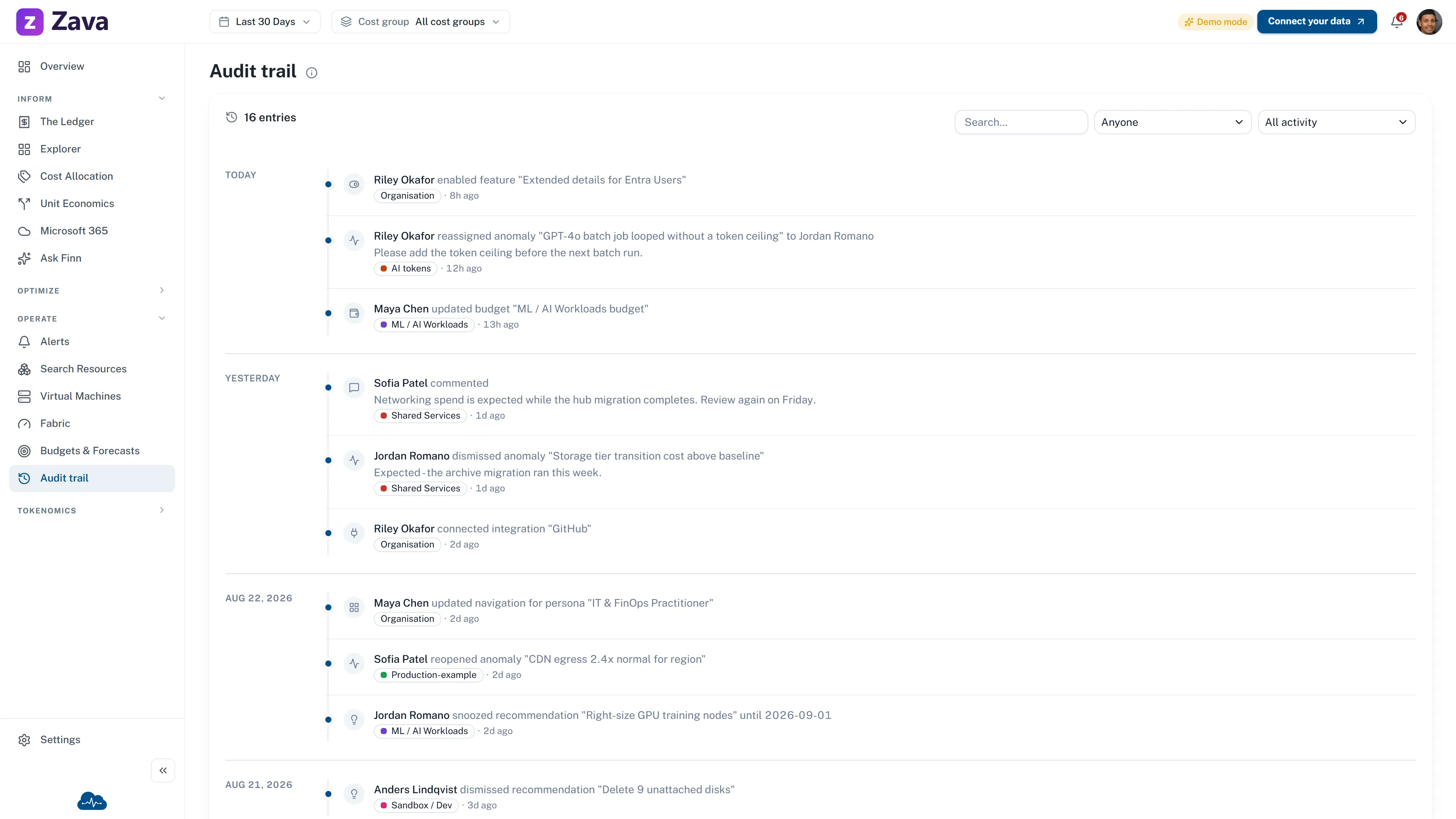
Decision context
Keep the rationale with the change.
Budget updates, anomaly actions, membership changes, and comments are recorded with who and when. The history gives the next reviewer context without pretending to make the decision for them.
Source: this page interprets the Executive Strategy Alignment capability published by the FinOps Foundation, licensed under CC BY 4.0. The wording, examples, and product mapping on this page are CloudMonitor’s own.
Bring cost evidence to the next strategy review.
Connect Azure cost data, define the business cost groups, and keep plan risk and ownership gaps in view.




