The cost unit changed
Cloud spend may use a vCPU-hour or GB-month. GitHub may use tokens, premium requests, agent sessions, provisioned capacity, or seats. The billing model determines the right cost unit.
Connect GitHub Copilot Business or Enterprise. CloudMonitor brings adoption, seat utilization, and user-level usage into the reports your engineering and FinOps teams review.
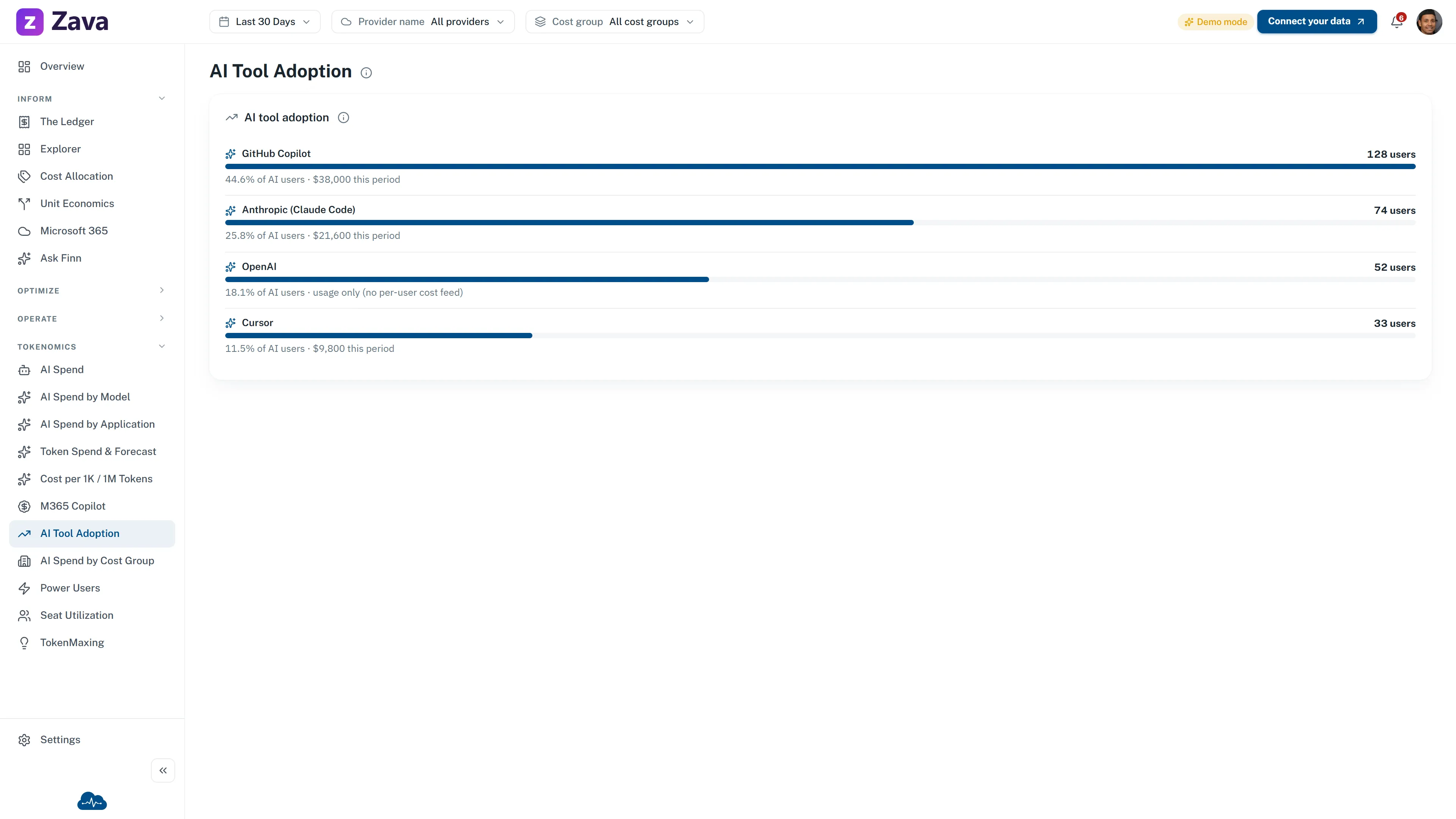
CloudMonitor reads supported GitHub Copilot usage and billing data through an authorized GitHub token. The live reports show which tools are active, how many assigned Copilot seats are used, and which Copilot users are generating usage. GitHub remains the source of truth for current pricing and invoice totals.
Adoption
AI Tool Adoption ranks connected tools by active users and share of AI users. For GitHub Copilot, the report can also show period spend when the connected billing data supports it.
Seat utilization
Seat Utilization compares active users with assigned GitHub Copilot seats and shows the license value associated with the idle gap for the selected period. It provides evidence for a seat decision; it does not cancel or reassign licenses.
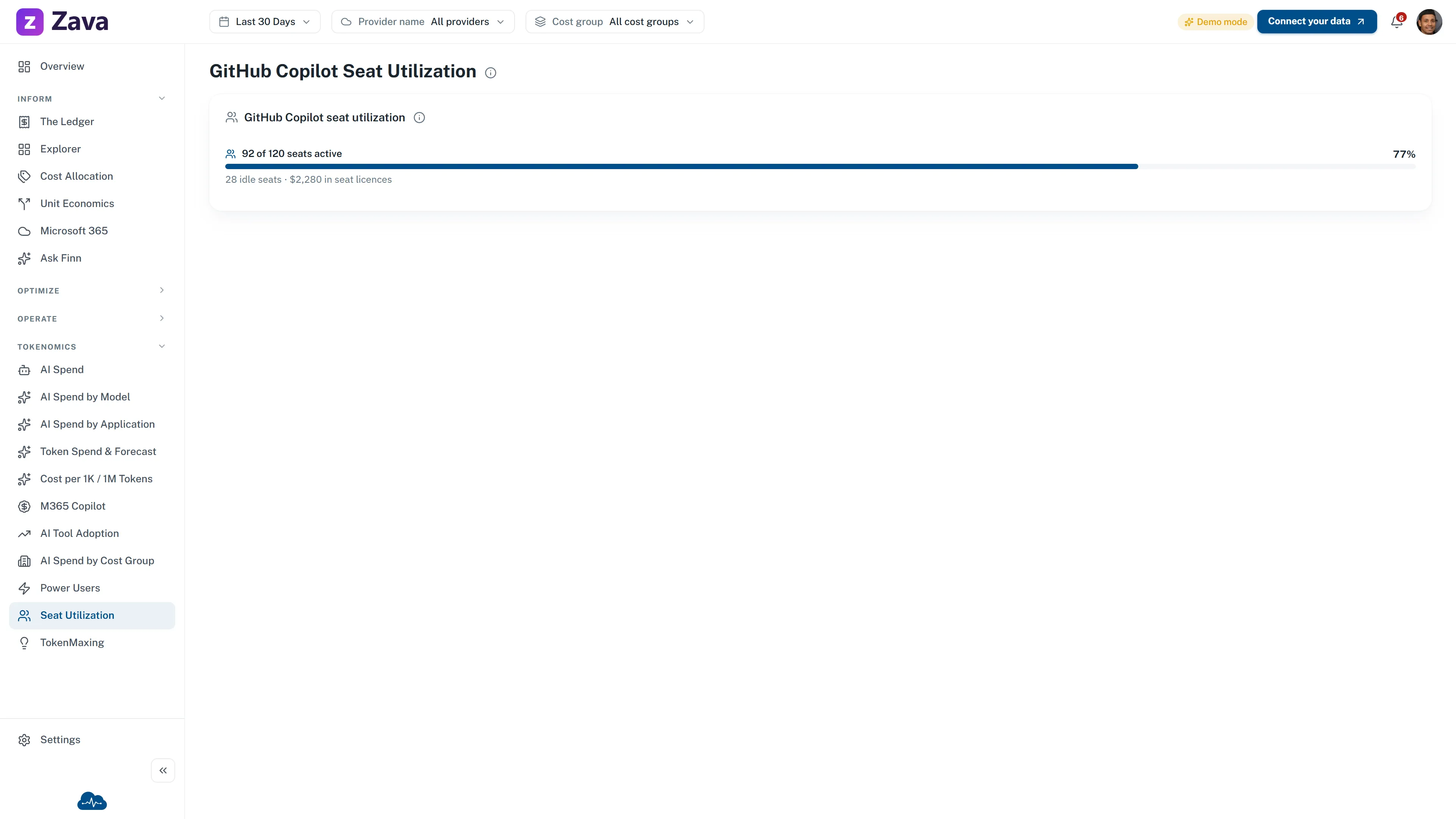
Public demo · sample data
User review
Power Users lists GitHub Copilot users with usage and reported spend. Use it to investigate outliers, then reconcile decision-bound currency in GitHub billing because usage metrics are not invoice totals.
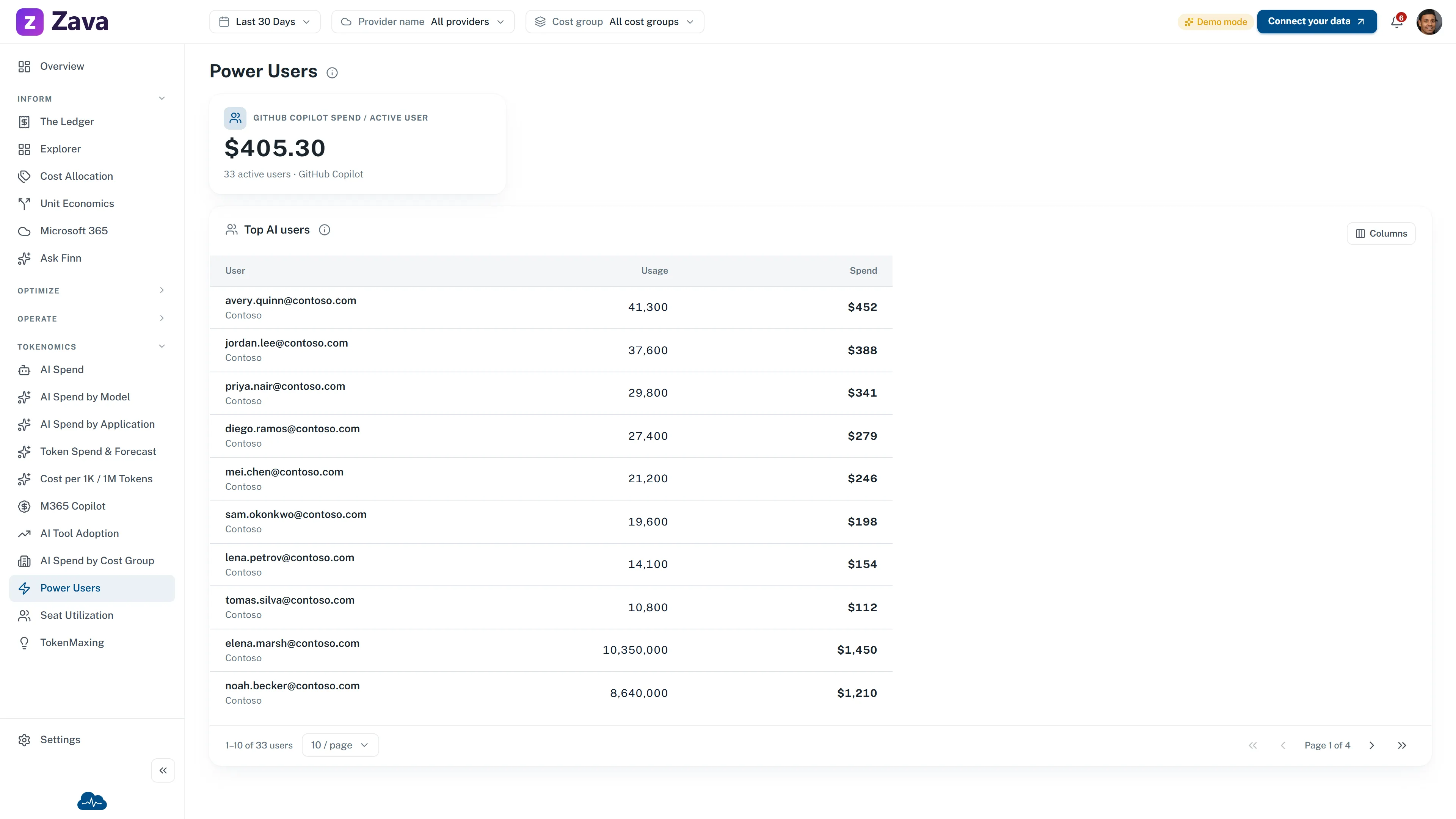
Public demo · sample data
Token economics
AI cost can change when a request runs or a seat renews. Depending on the source, tokens, premium requests, agent sessions, provisioned capacity, or seats drive the bill. CloudMonitor uses available billing and usage data as cost signals you can allocate and review.
The cost unit changed
Cloud spend may use a vCPU-hour or GB-month. GitHub may use tokens, premium requests, agent sessions, provisioned capacity, or seats. The billing model determines the right cost unit.
Allocate before you spend
Preserve product, team, environment, and cost-group context when a request runs. The provider charge alone may not contain enough information to allocate the cost later.
Cost per workload, not totals
A single invoice number cannot explain which work drove the spend. Connected data can show cost by team, feature, or workload. Business outcomes must come from the system that records them; Unit Economics provides the cost-per-measure view once you supply the monthly quantity.
Billing model
Vendor-controlled: plan seats and any metered AI-credit usage are billed by GitHub. CloudMonitor reports the connected data; GitHub remains the pricing and invoice source of truth.
What drives the bill
What CloudMonitor does show
CloudMonitor's approach aligns with the FinOps Foundation's Token Economics & SaaS working group, the emerging discipline for governing pay-per-token cost. See how GitHub spend fits into AI cost, efficiency, and ROI.
Start with seat utilization before renewal. An assigned license is not evidence of active use, and an active user count alone does not explain who is driving the usage. CloudMonitor keeps both questions in the same reporting area without changing the GitHub plan or its seat assignments.
The per-user report is not a team chargeback report. It does not allocate Copilot users into CloudMonitor cost groups today. Confirm access scopes and data availability during connection, and use GitHub billing for rates, allowances, and invoice reconciliation.
More ai & llm
Connect GitHub Copilot, review active use and the idle-seat gap, then confirm any currency decision in GitHub billing.




