Monitor Service Principals in your tenant
Step 1
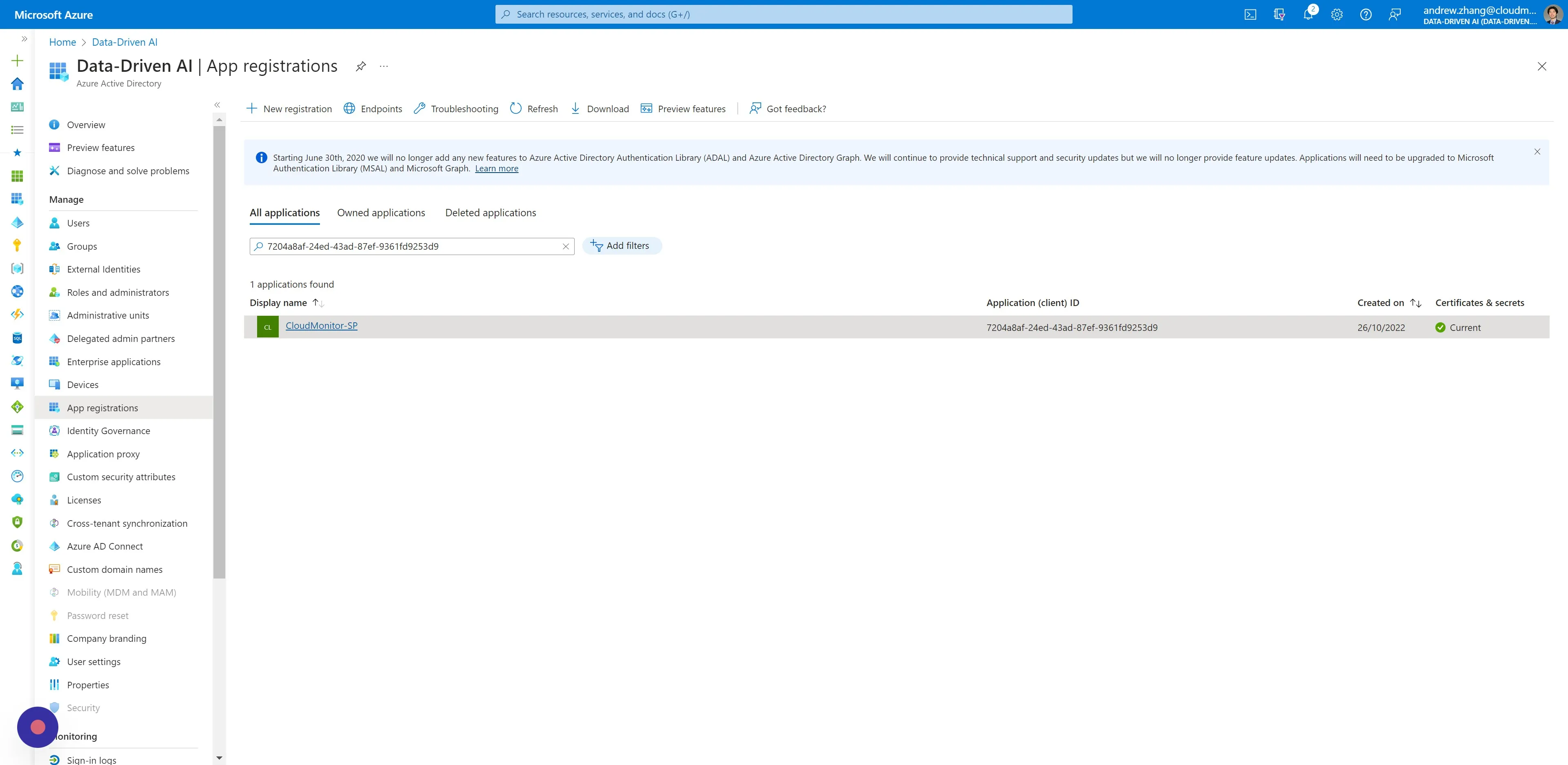
Section titled “Step 1”Navigate toAzure Active Directory > App Registrations, and click your CloudMonitor Service Principal by name or ClientId under the “All applications” tab.
Step 2
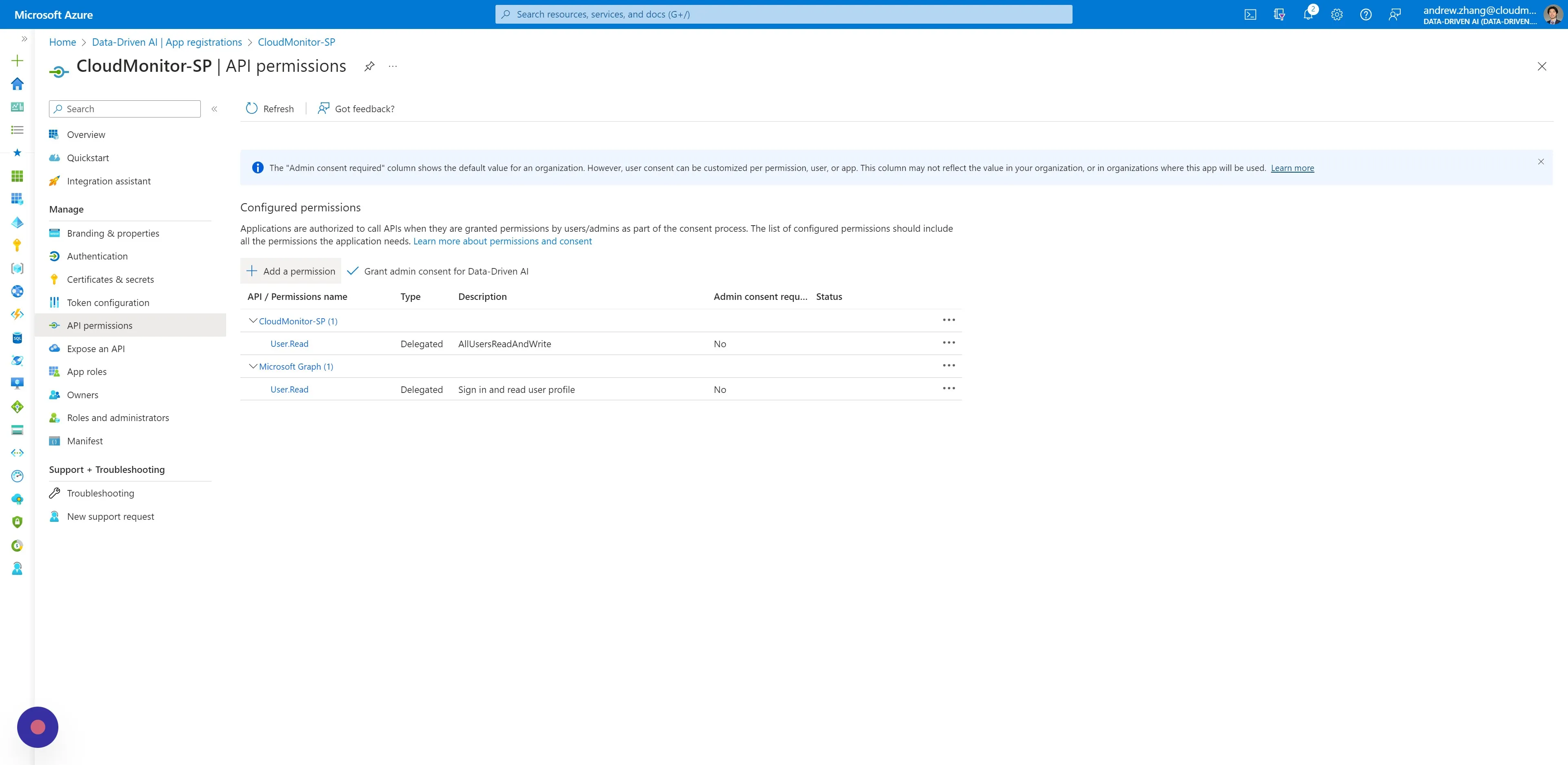
Section titled “Step 2”On the side menu, under Manage, click “API permissions” and then click “Add a permission”.
Step 3
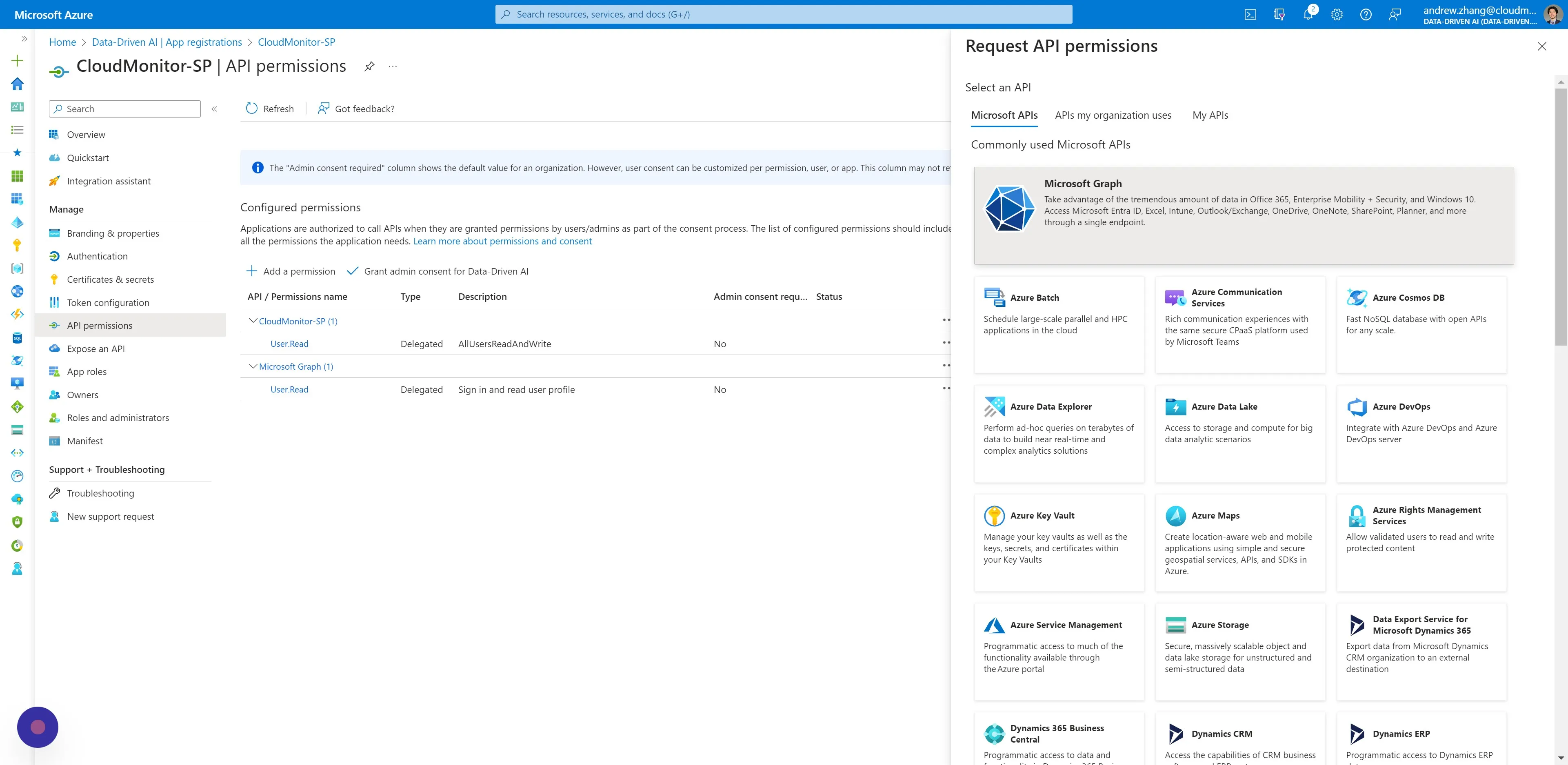
Section titled “Step 3”In the modal window that opens, click “Microsoft Graph”.
Step 4
Section titled “Step 4”Click “Application permissions” and search for [[Application.Read.All]] in the select permissions input field. Then add the read permission by clicking “Add permissions” below.
![Click “Application permissions” and search for [Application.Read.All]] in the select permissions input field
![Application.Read.All]] in the select permissions input field](../../../../assets/docs/getting-started-cloudmonitor/set-up-cloudmonitor-monitor-your-service-principals-within-azure-tenant-04.jpeg)
Step 5
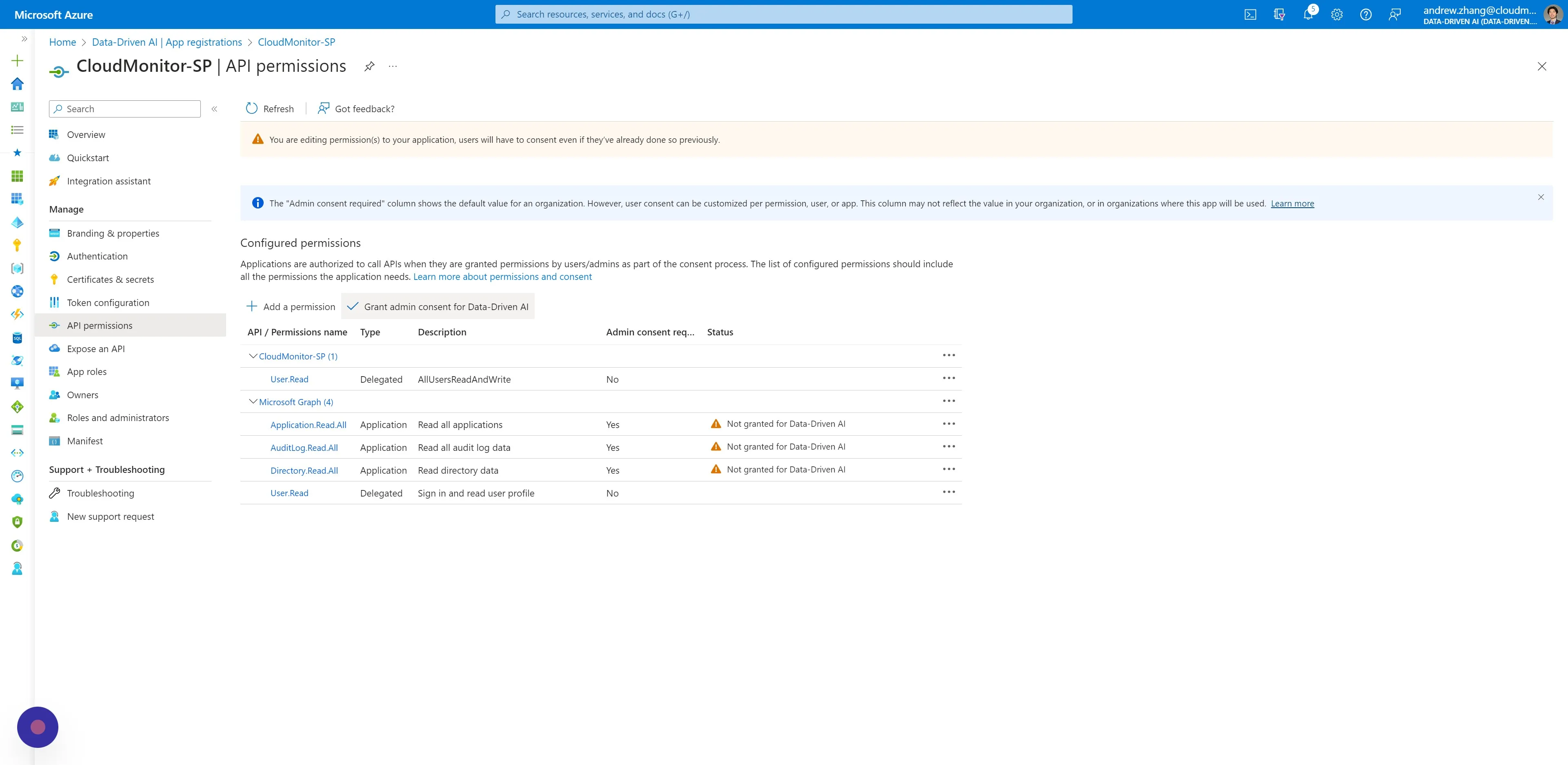
Section titled “Step 5”Repeat the last step for the same Service Principal, adding these read permissions:
• [[AuditLog.Read.All]]
• [[Directory.Read.All]]
![Repeat the last step for the same Service Principal, adding these read permissions:\ • [[AuditLog.Read.All]]\ • [Directory.Read.All]]
![Directory.Read.All]]](../../../../assets/docs/getting-started-cloudmonitor/set-up-cloudmonitor-monitor-your-service-principals-within-azure-tenant-05.jpeg)
Step 6
Section titled “Step 6”Click “Grant admin consent for …”. This action requires a user with Admin rights.