Enable managed upgrade for your app workspace
The managed upgrade service allows CloudMonitor to seamlessly upgrade your app to the latest version and refresh your dataset automatically with no effort from you.
In order to enable this feature you need to allow the Service Principal you created for CloudMonitor access to your CloudMonitor app workspace.
Step 1
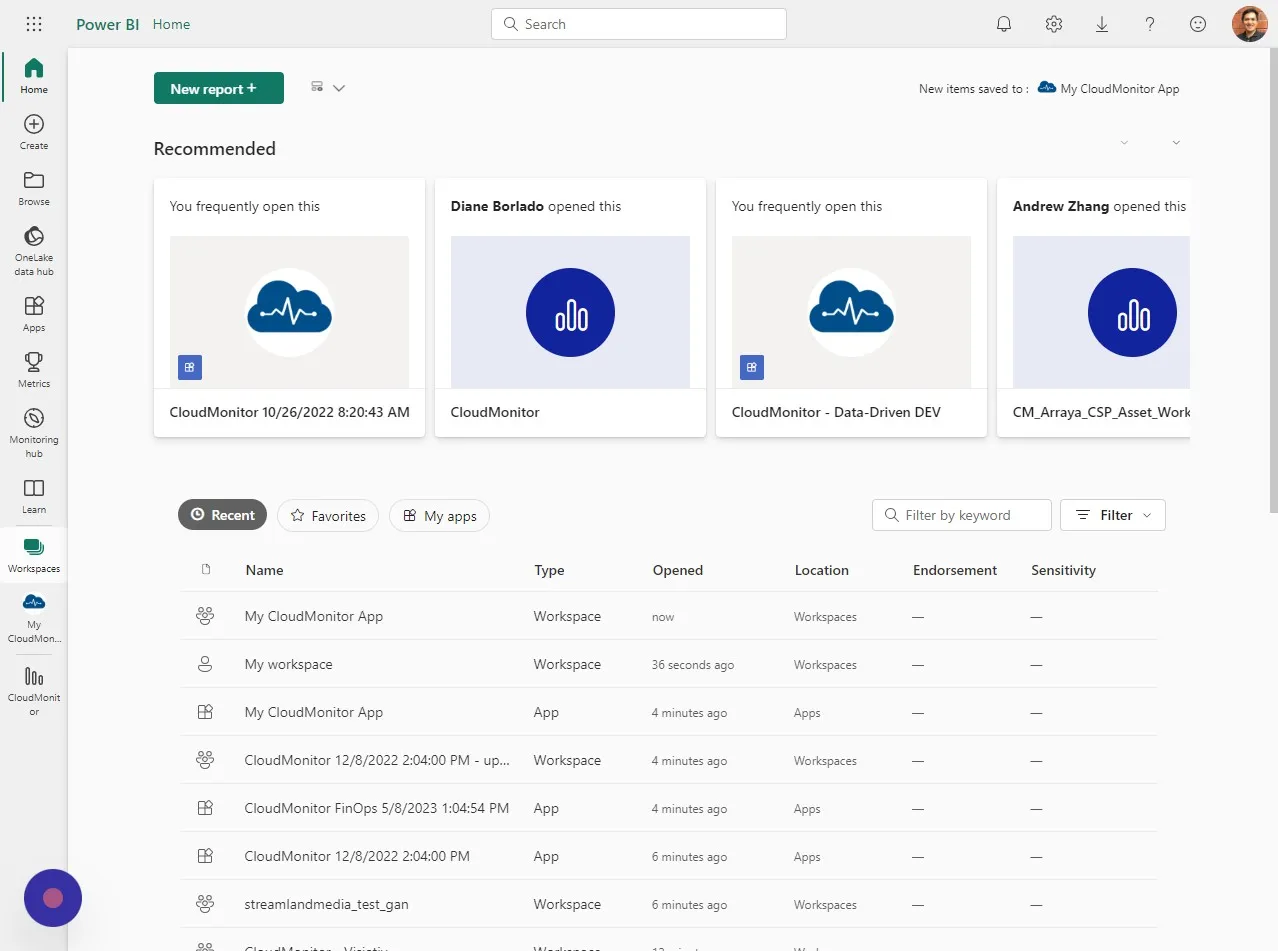
Section titled “Step 1”Click “Workspaces”
Step 2
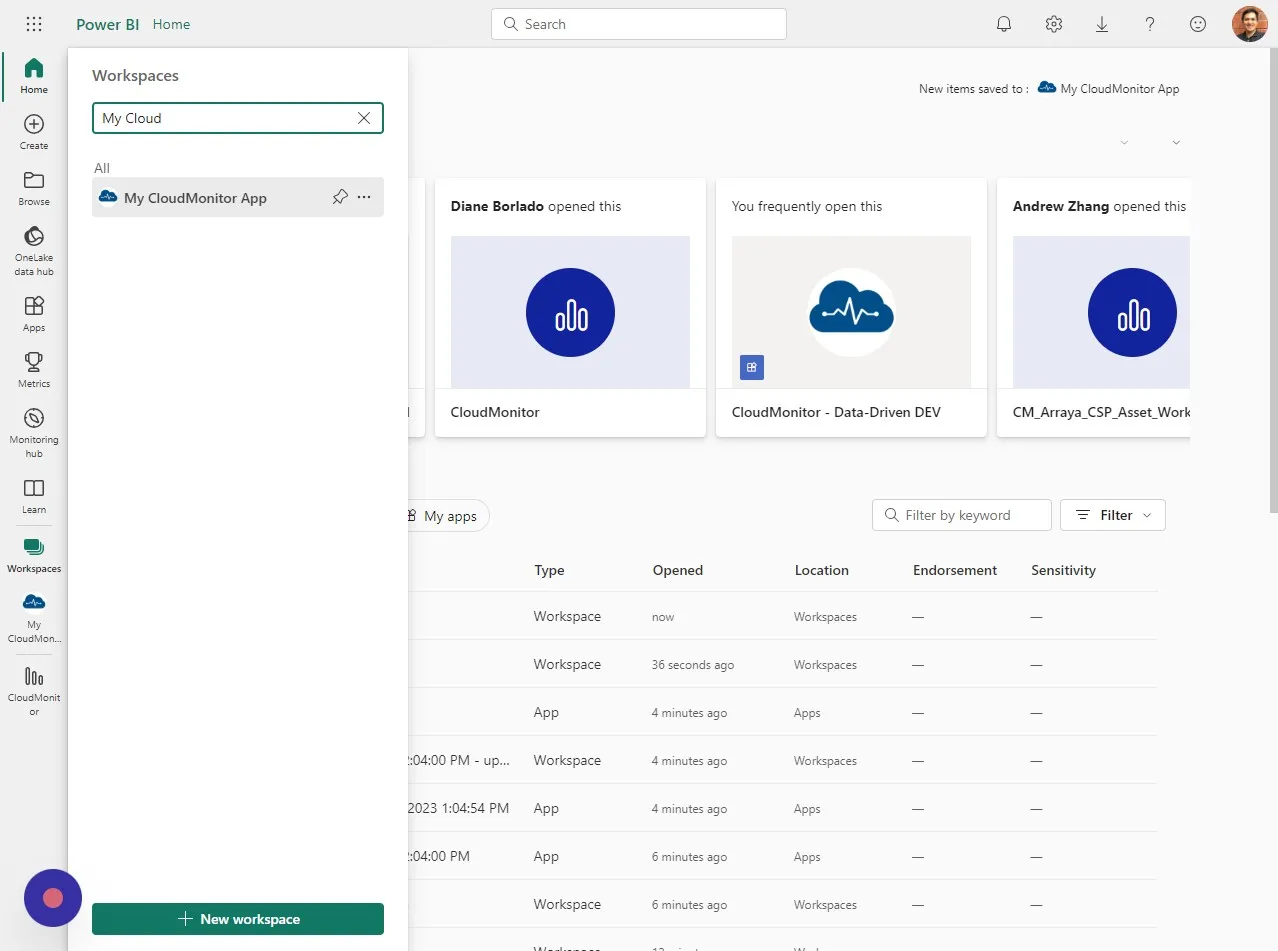
Section titled “Step 2”Type in the name of the workspace you chose for CloudMonitor App. In this example it’s called “My CloudMonitor App”
Step 3
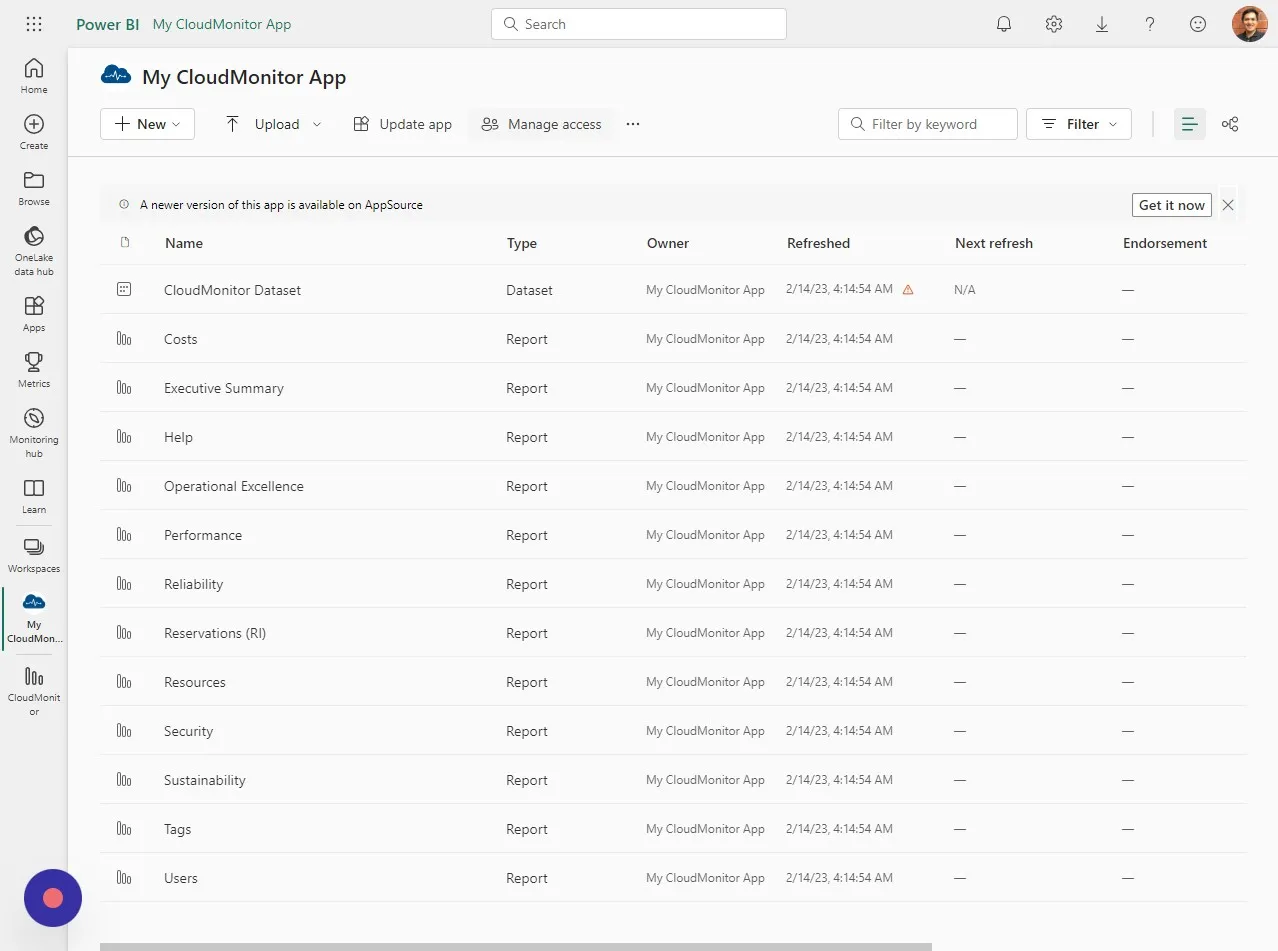
Section titled “Step 3”On the workspace page click “Manage access”
Step 4
Section titled “Step 4”Click “Add people or groups”
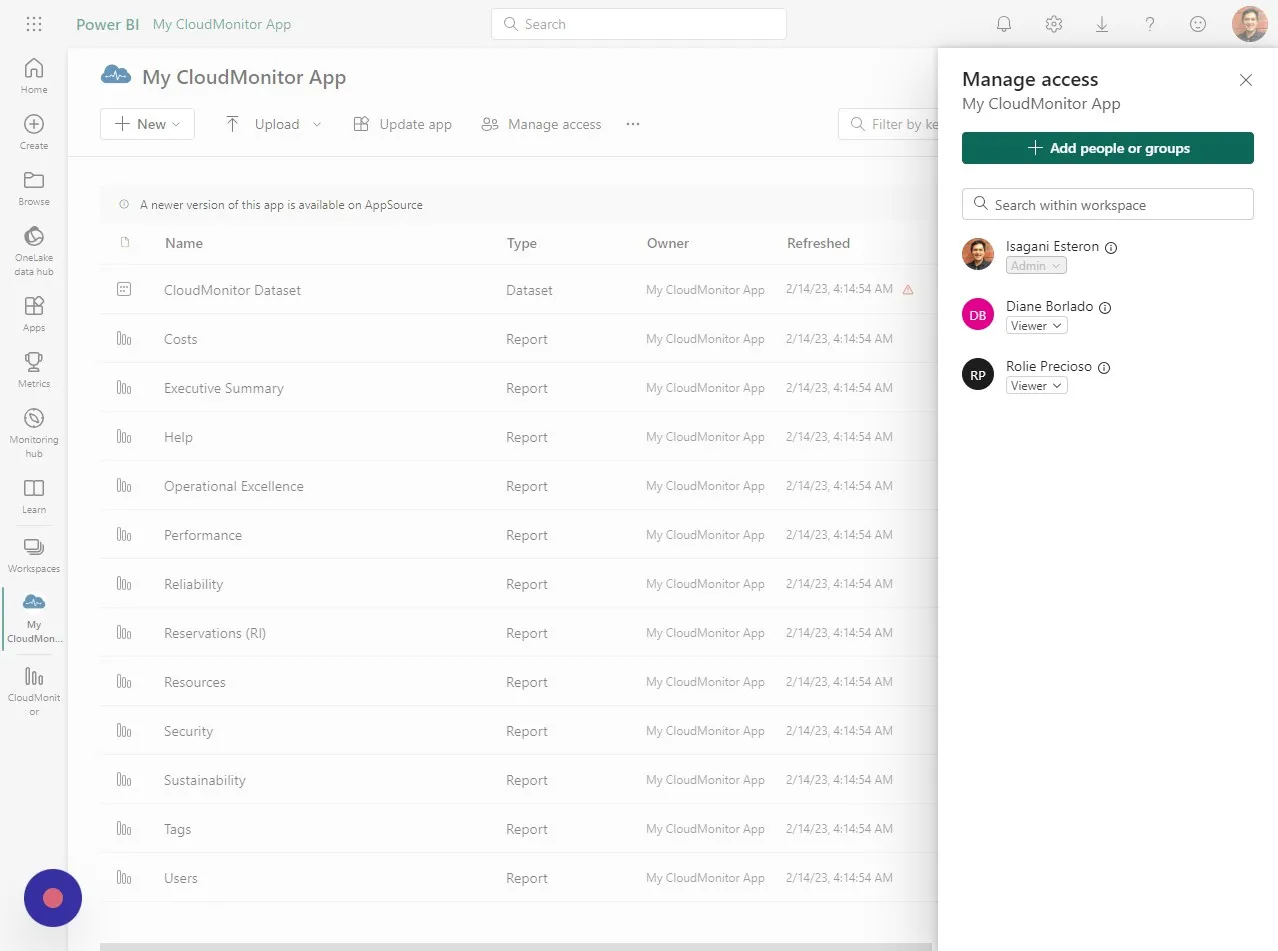
Step 5
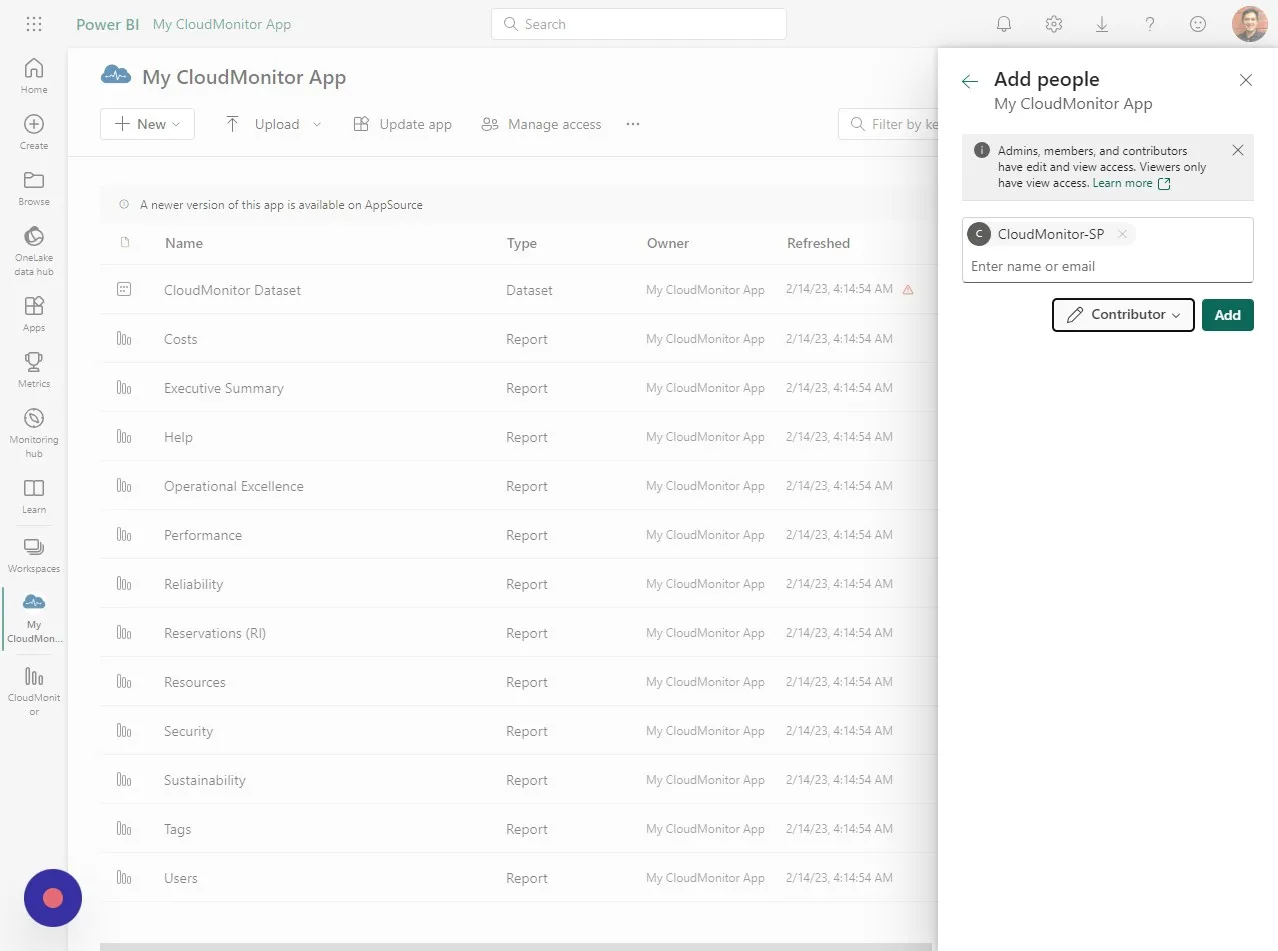
Section titled “Step 5”Type in the name of the Service Principal you created for CloudMonitor.
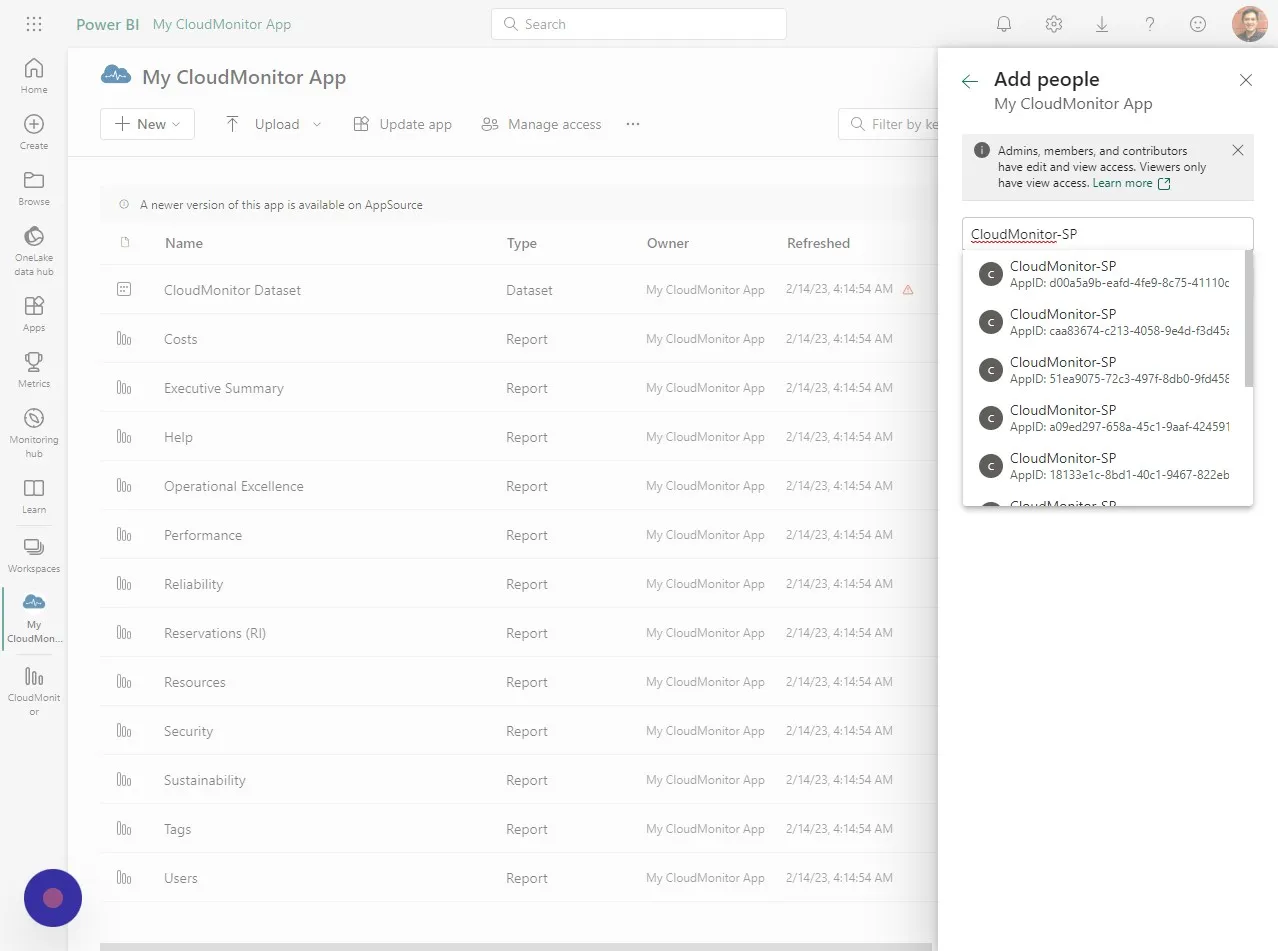
Step 6
Section titled “Step 6”Select the Service Principal you created earlier for CloudMonitor. To know you’re choosing the correct SP from the list make sure that AppID is correct.
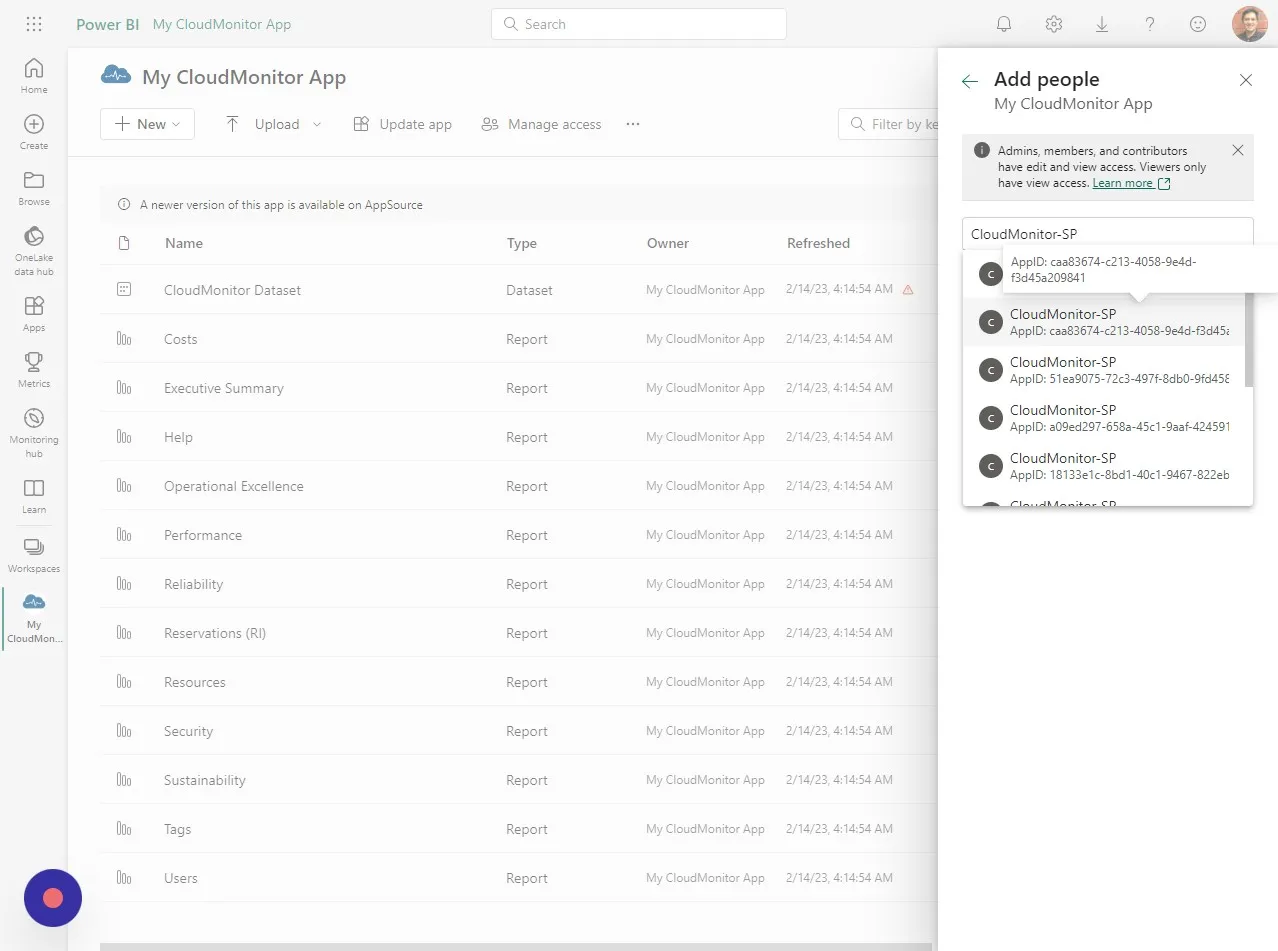
Step 7
Section titled “Step 7”Select “Contributor” from the list of roles.
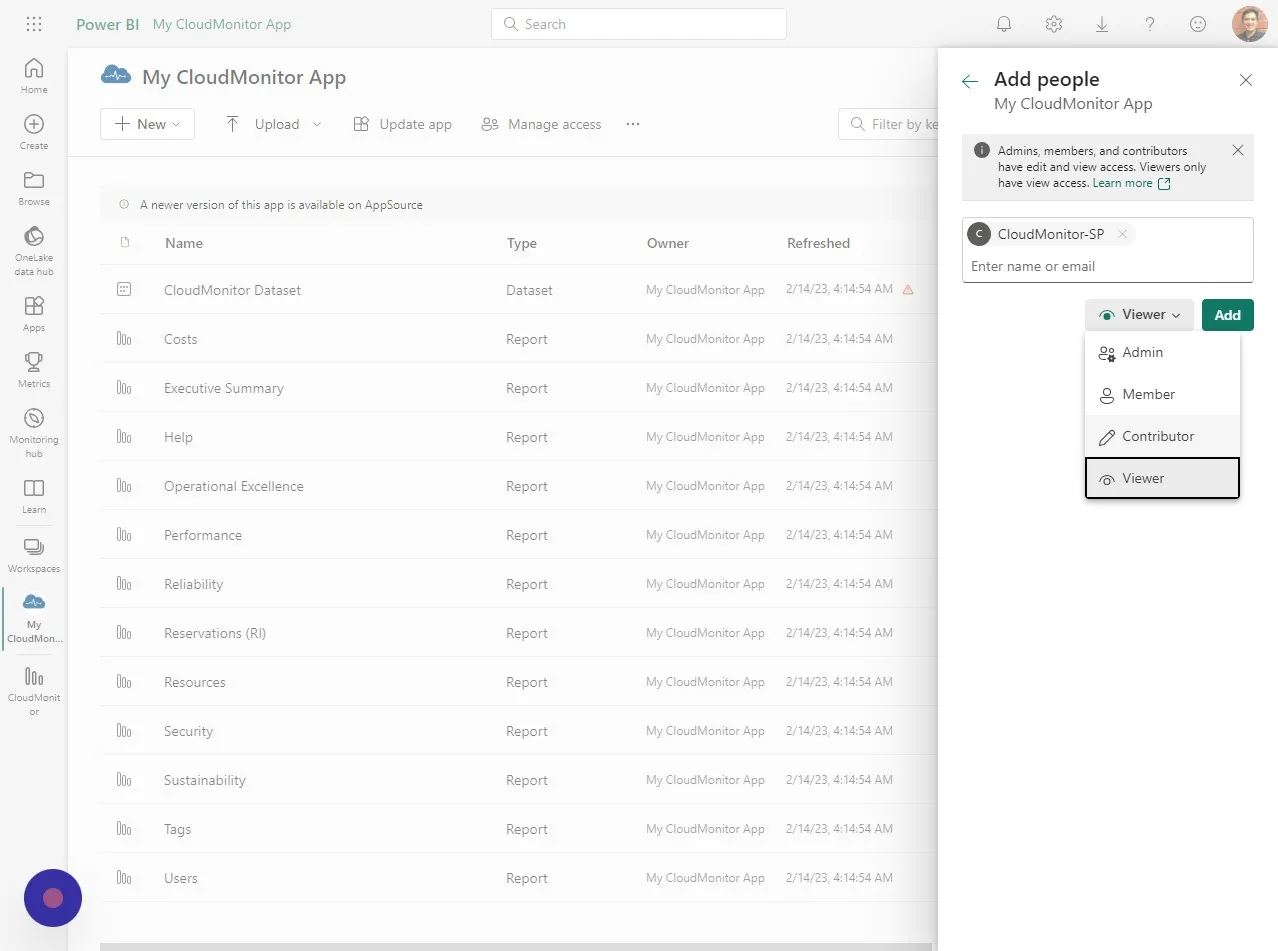
Step 8
Section titled “Step 8”Click “Add”
Step 9
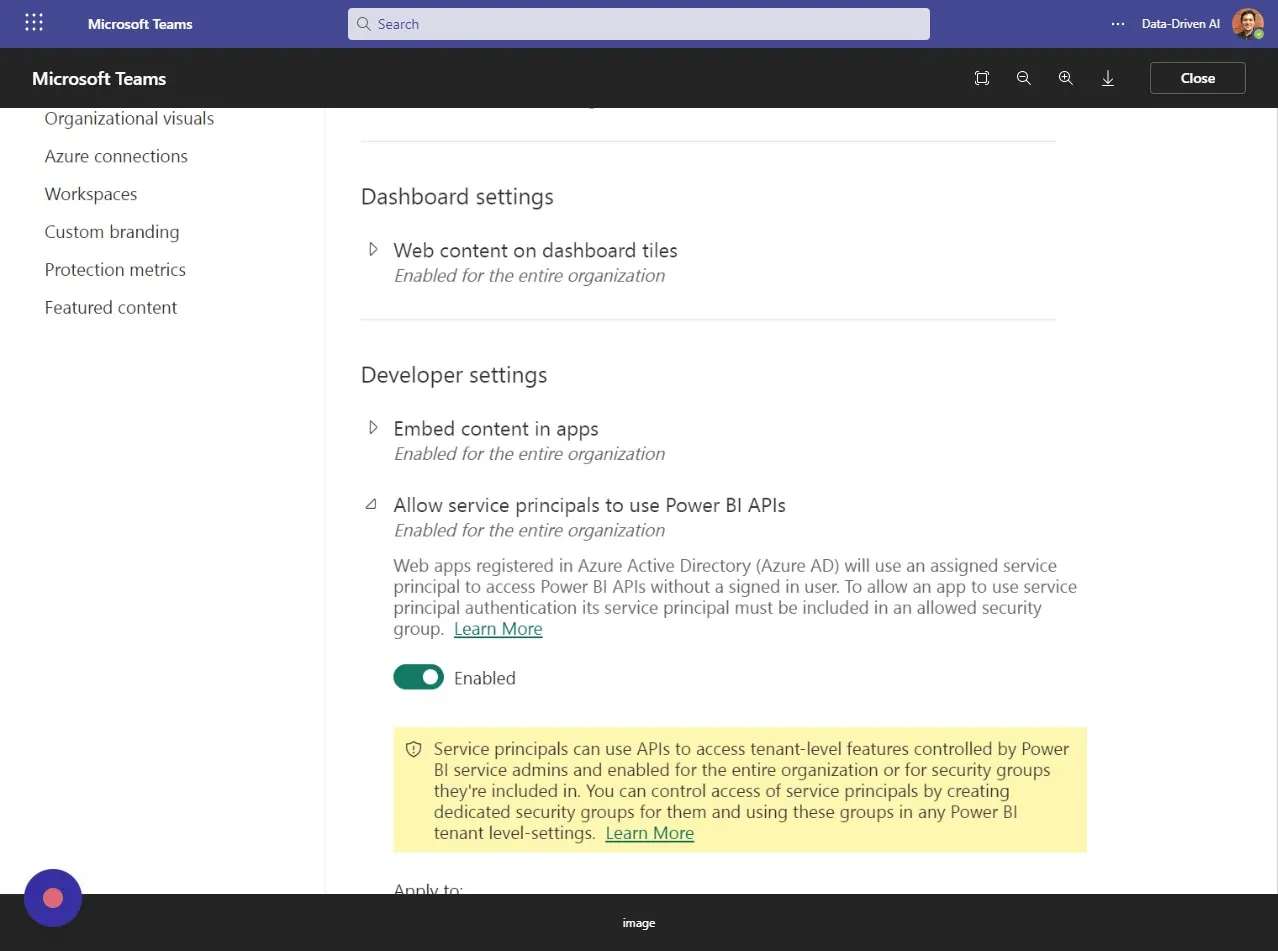
Section titled “Step 9”“Allow service principals to use Power BI APIs” should be enabled as shown below.