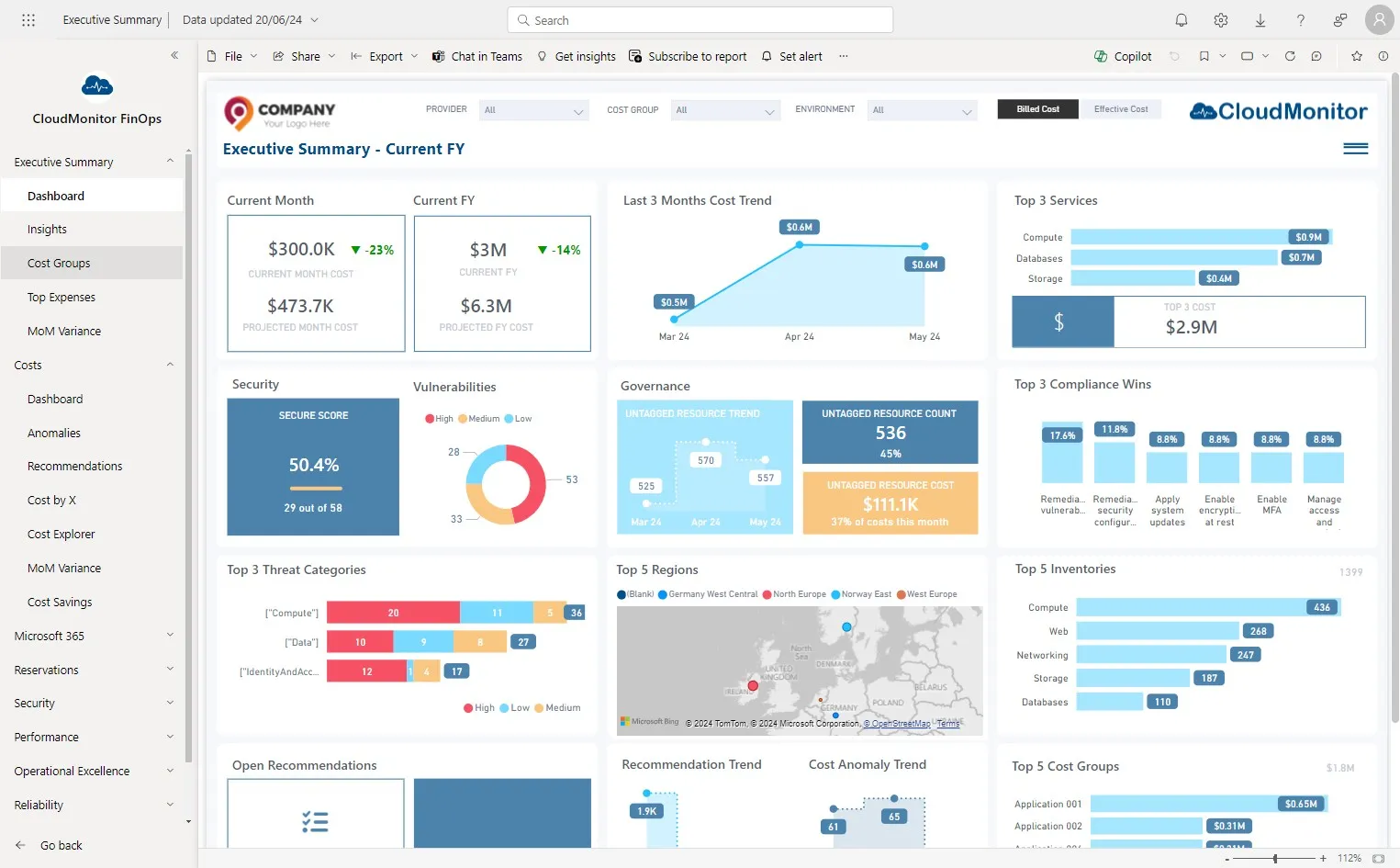
Monthly snapshot of Project Costs
Step 1
Section titled “Step 1”Navigate to Power BI app and Click “Cost Groups”
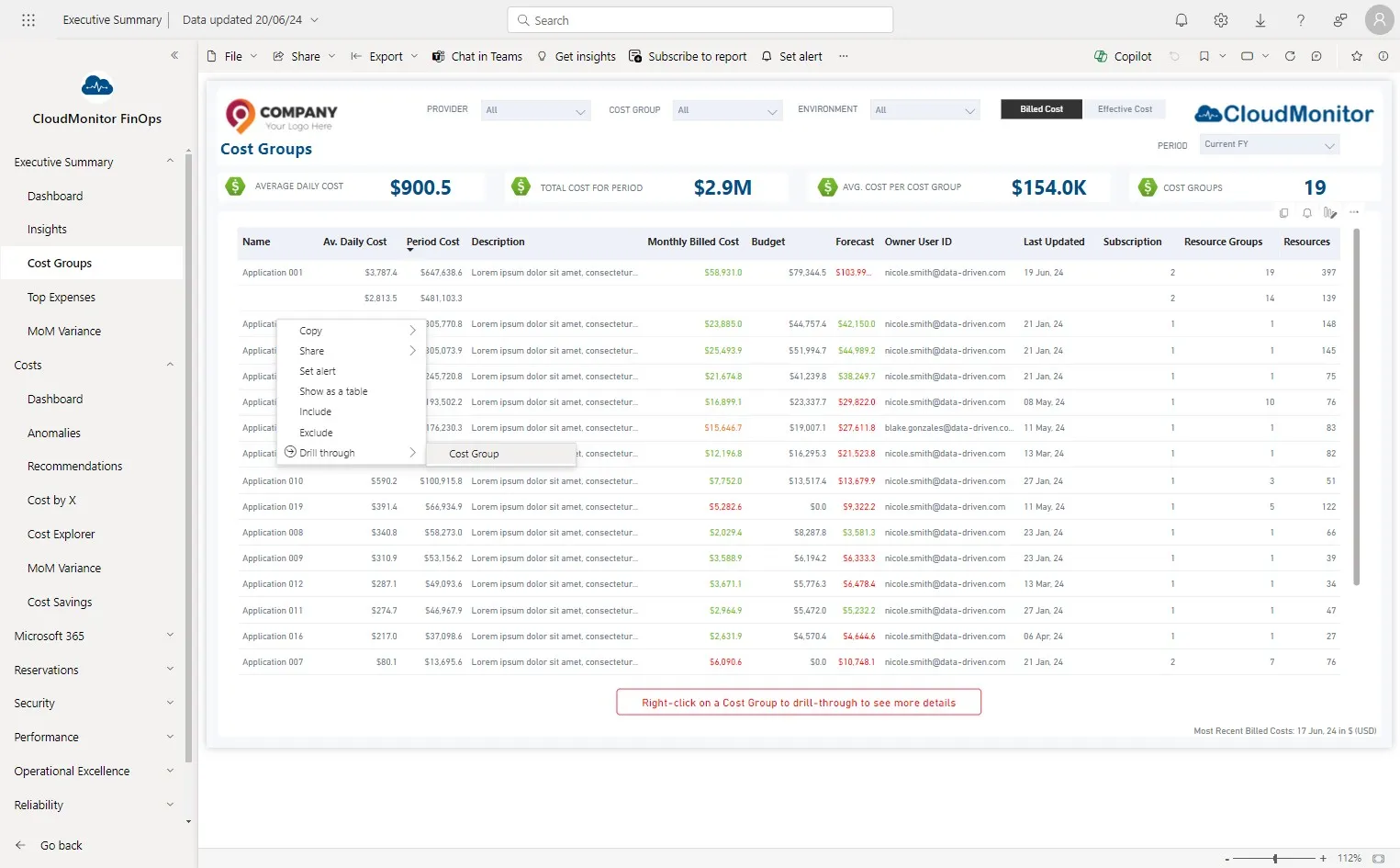
Step 2
Section titled “Step 2”Right-click the cost group to be used and select “Cost Group” from the drill-through menu.
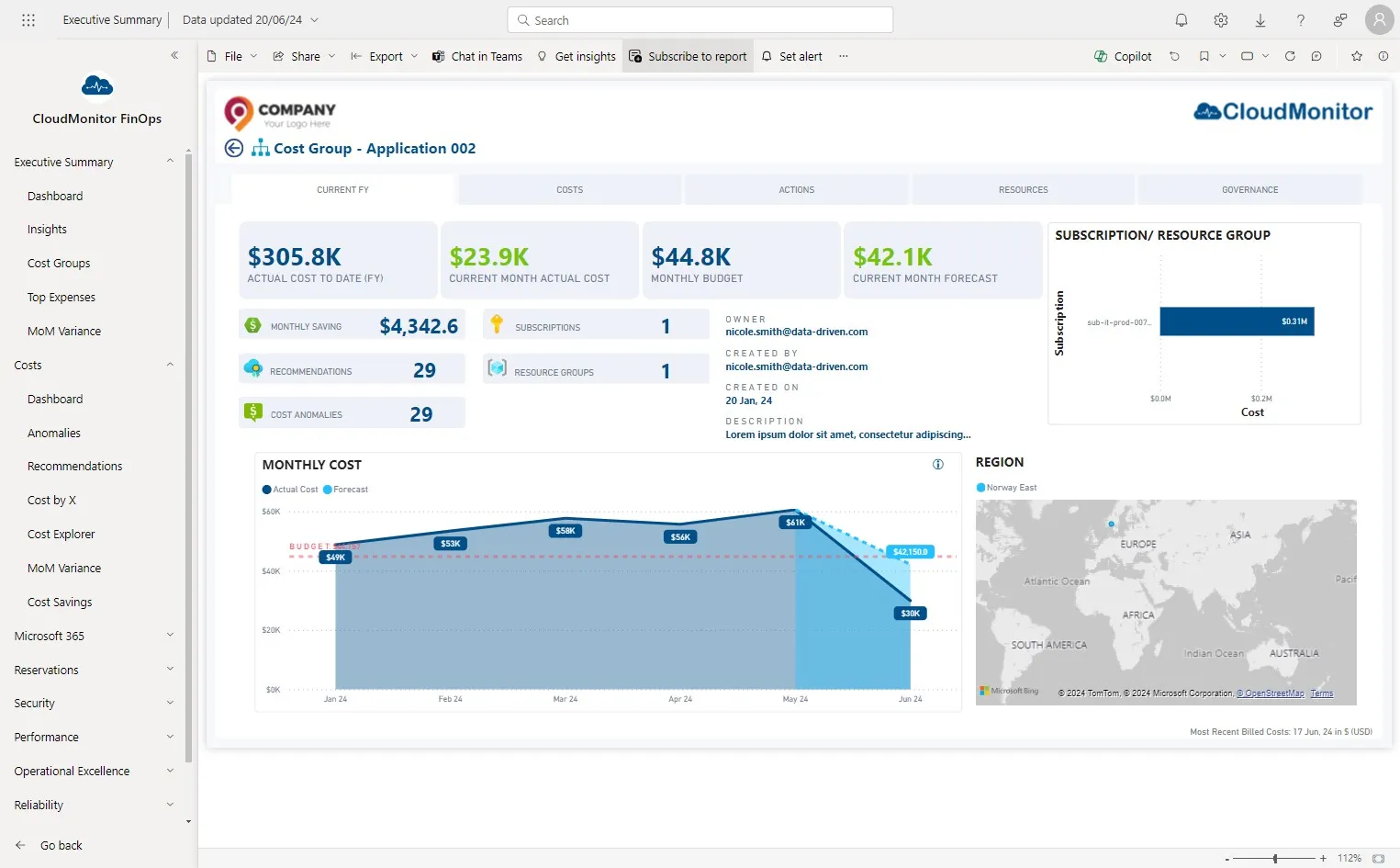
Step 3
Section titled “Step 3”Click “Subscribe to report”
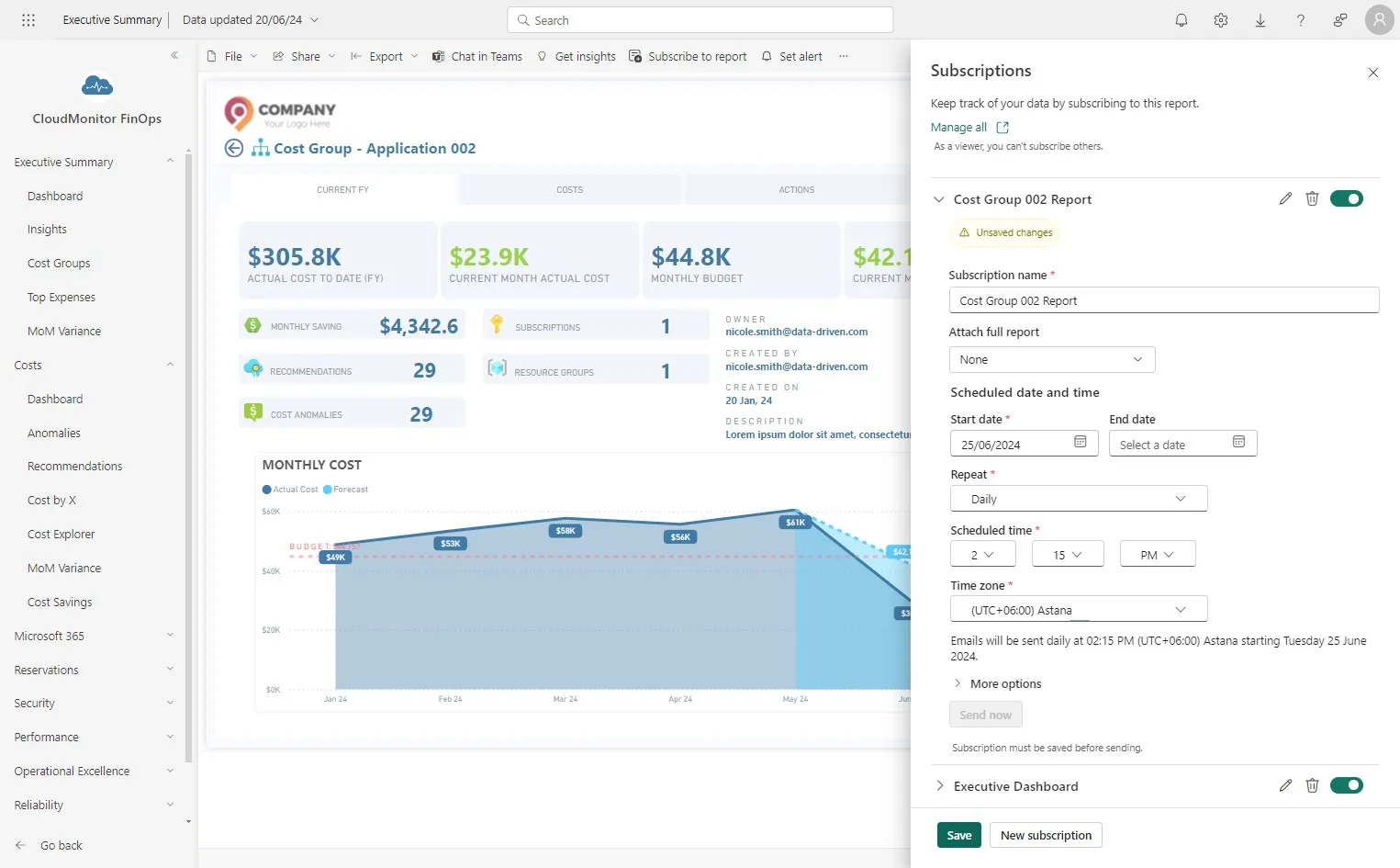
Step 4
Section titled “Step 4”Click “New subscription”
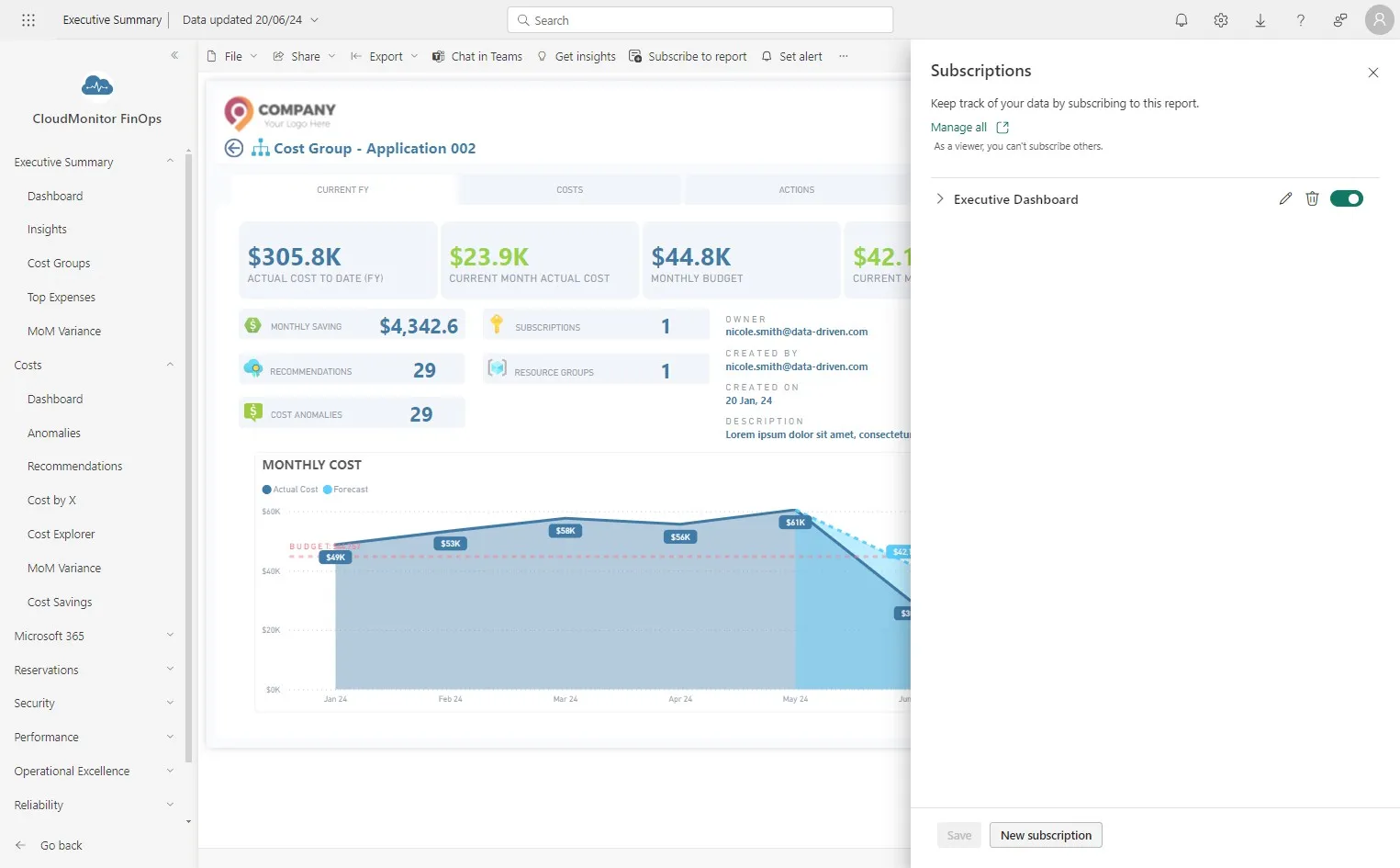
Step 5
Section titled “Step 5”Enter a name to the subscription and add the recipients
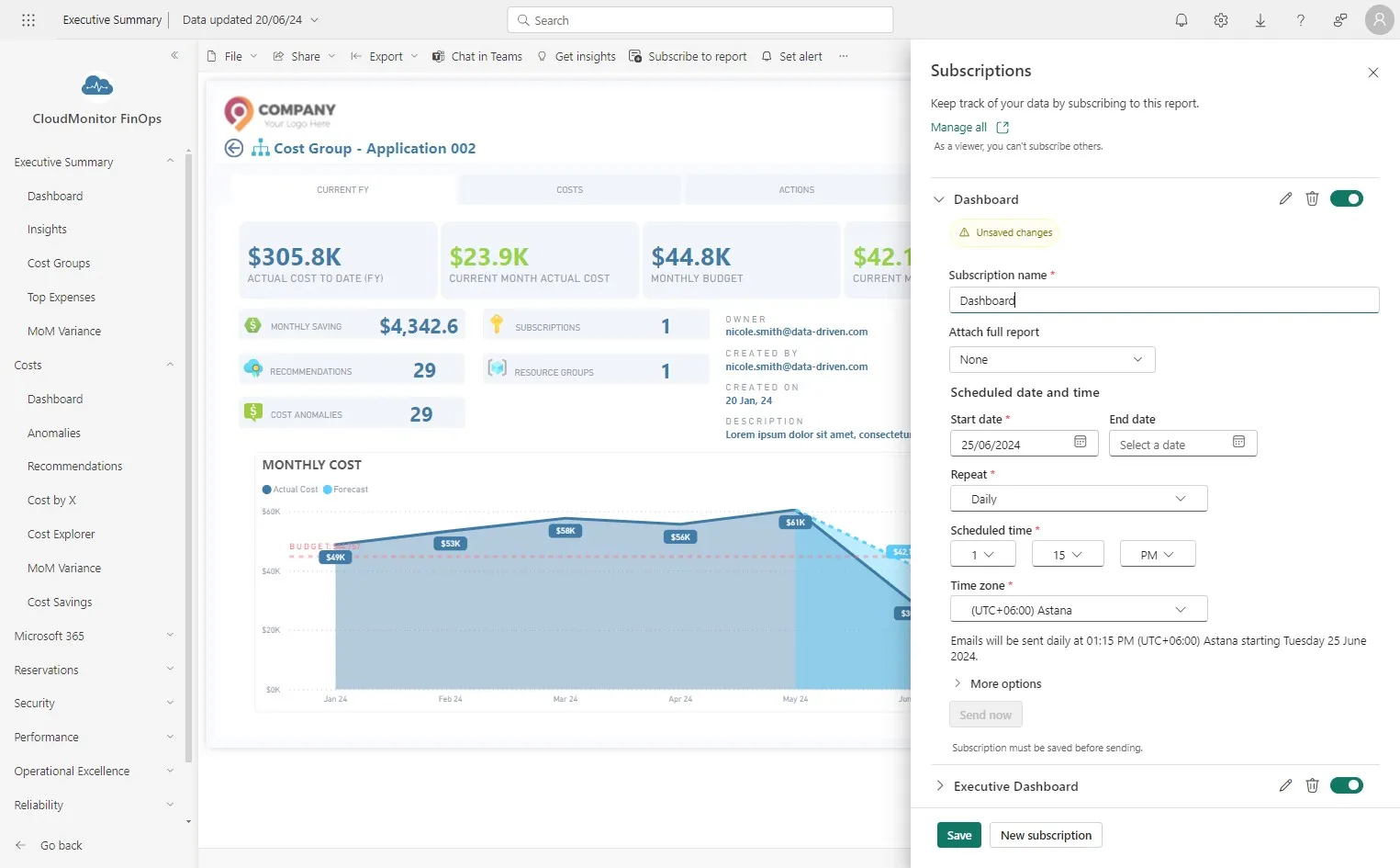
Step 6
Section titled “Step 6”Enter the start date and frequency for the report to be emailed.
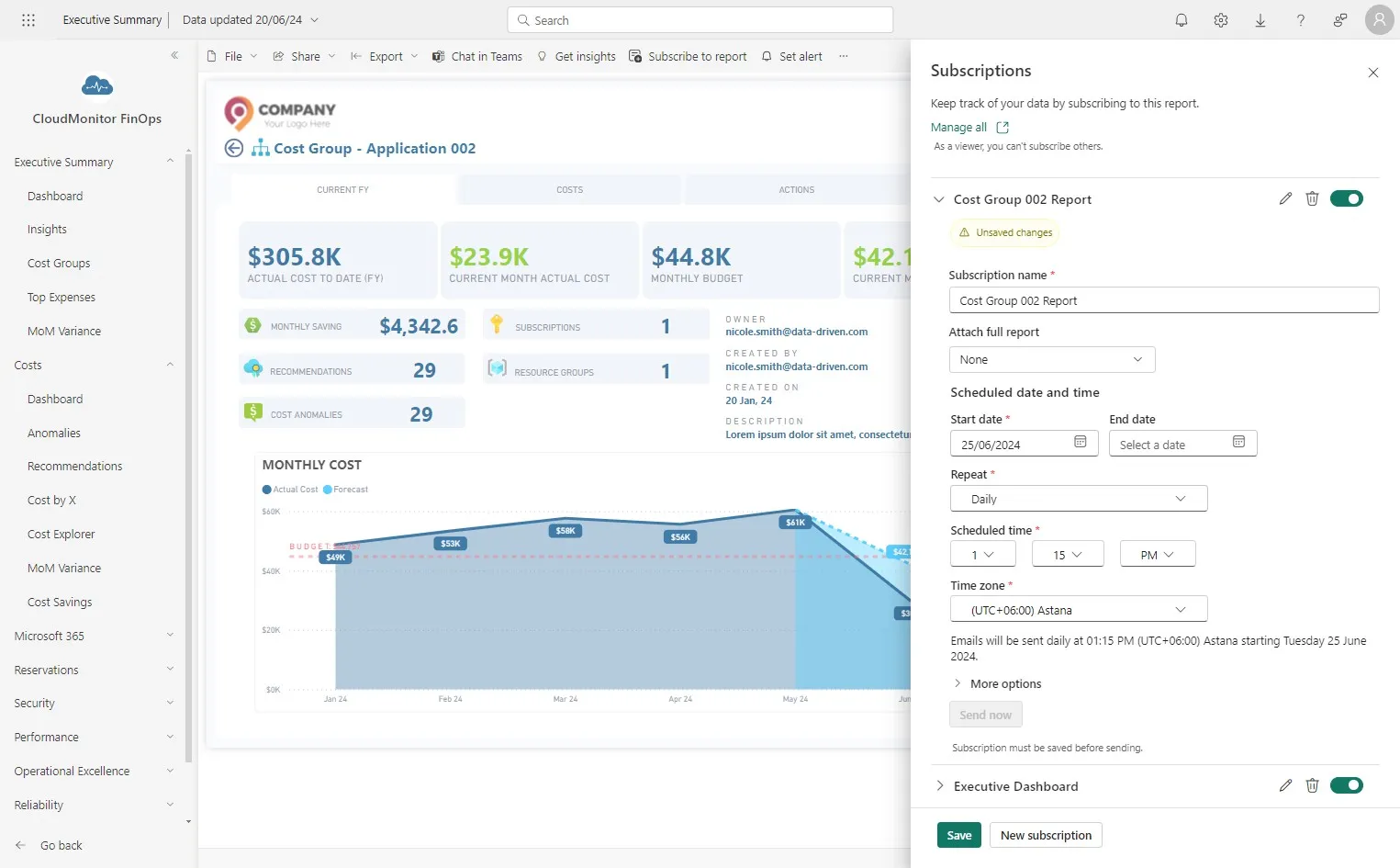
Step 7
Section titled “Step 7”Enter the time and timezone for the report to be emailed.
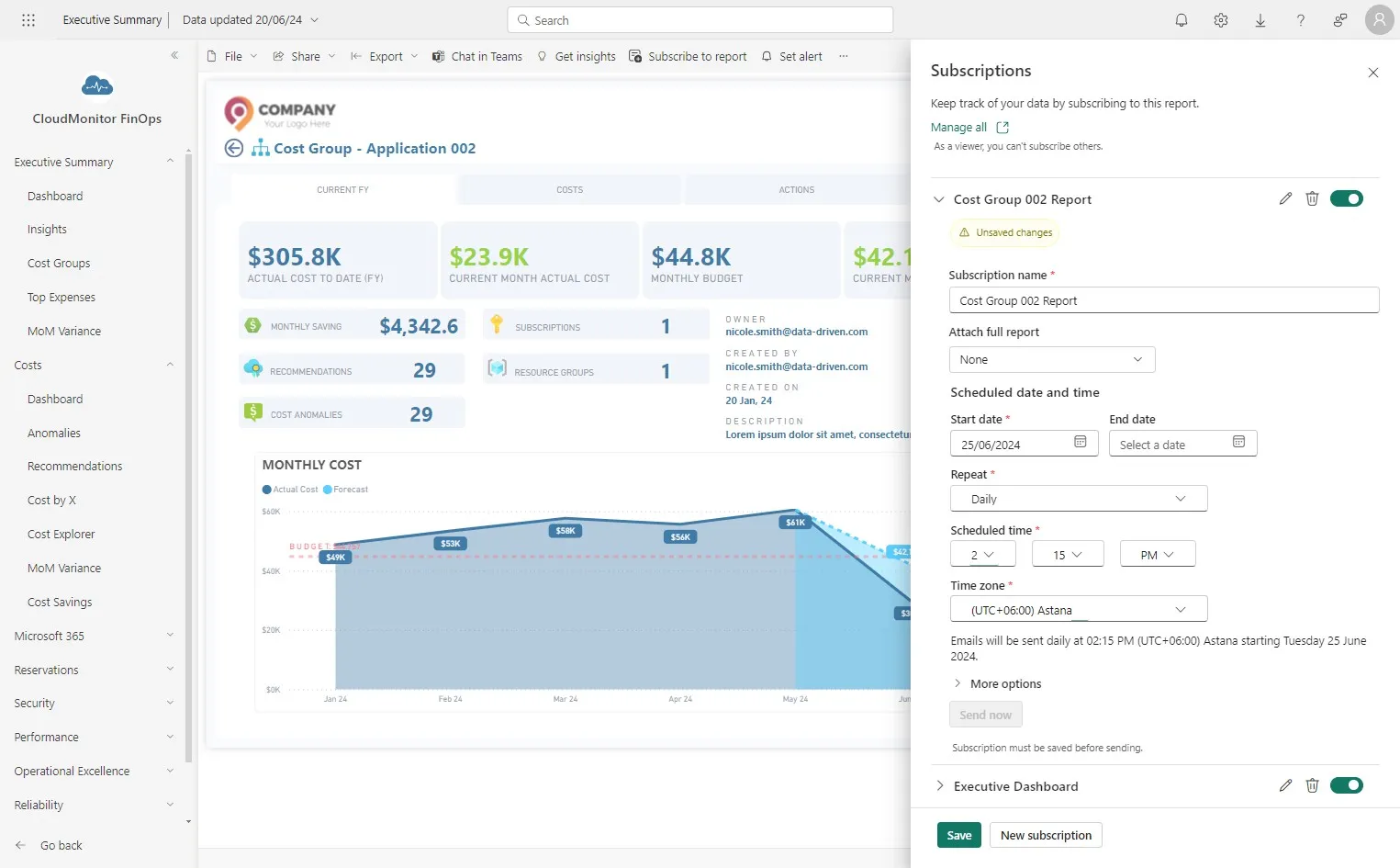
Step 8
Section titled “Step 8”Click “Save”