Billing access for MCA customers legacy
Follow these steps to allow CloudMonitor to access and view Billing Information for Microsoft Customer Agreement customers.
Step 1
Section titled “Step 1”Open the Azure Portal.
Step 2
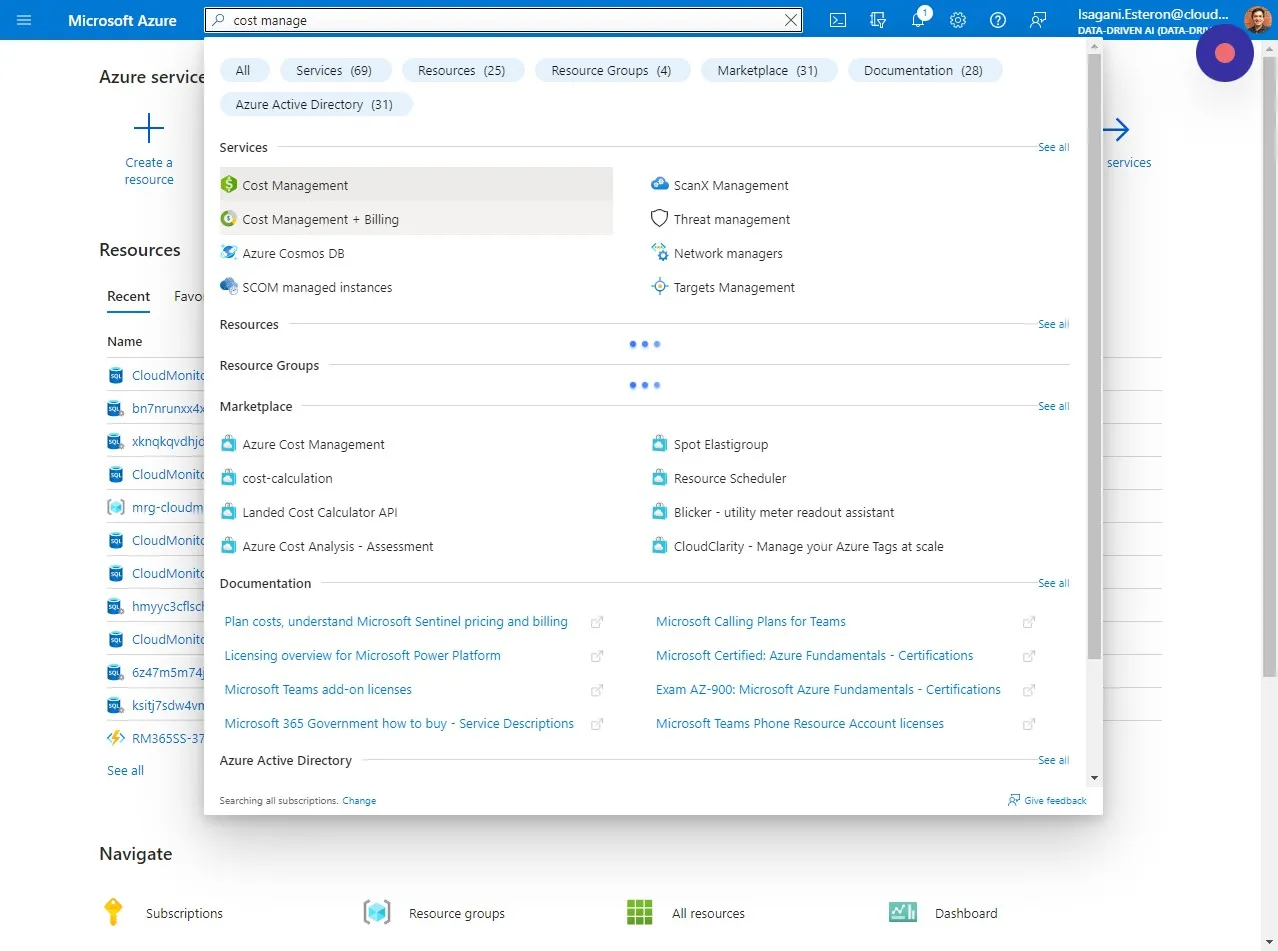
Section titled “Step 2”Open the “Cost Management + Billing” section in the Azure Portal. Note: This is not at the Subscription level and you will need to be a Global Azure Admin to do this.
Step 3
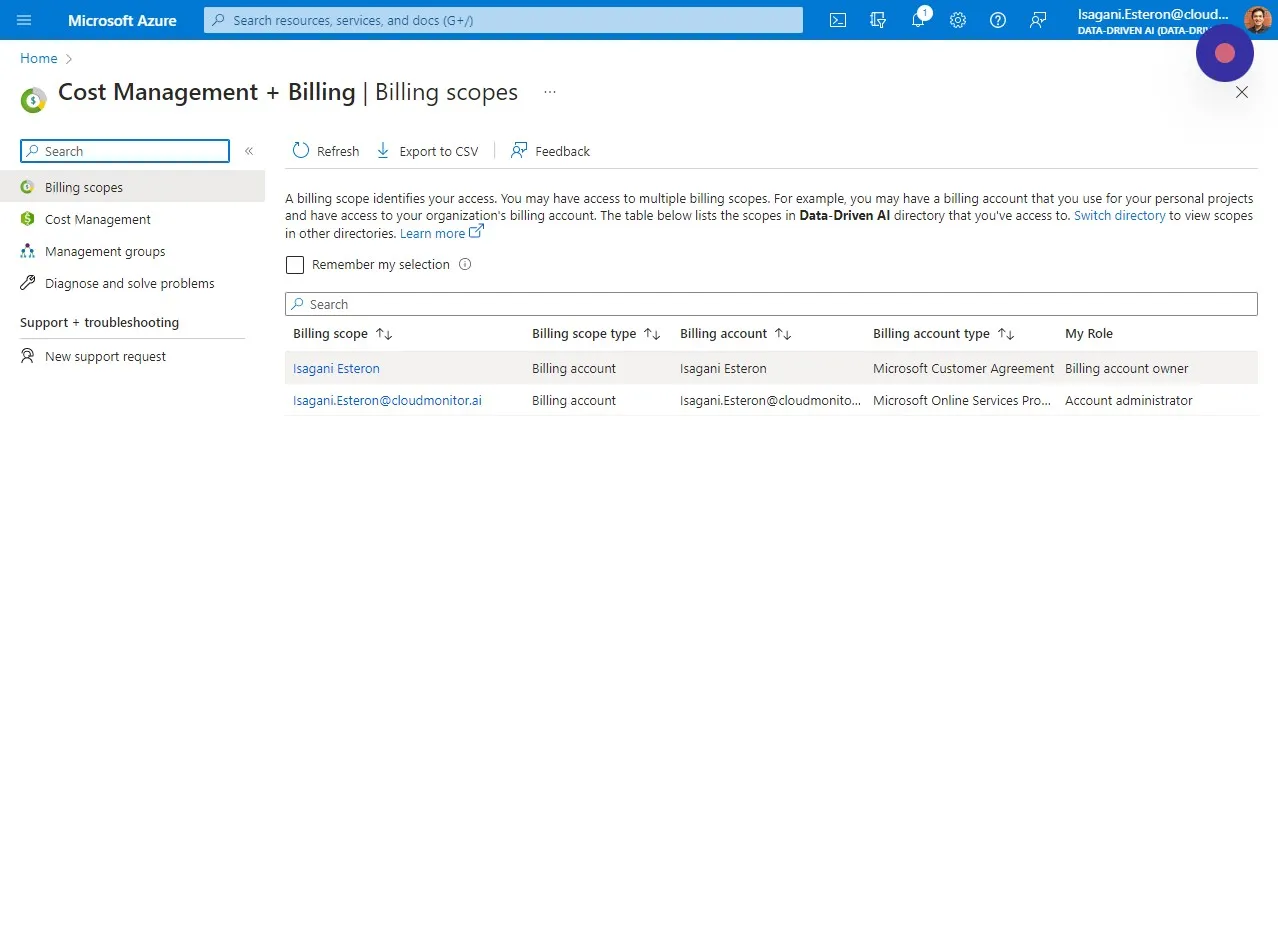
Section titled “Step 3”Select the Billing scope you want to grant a Billing account reader role to.
Step 4
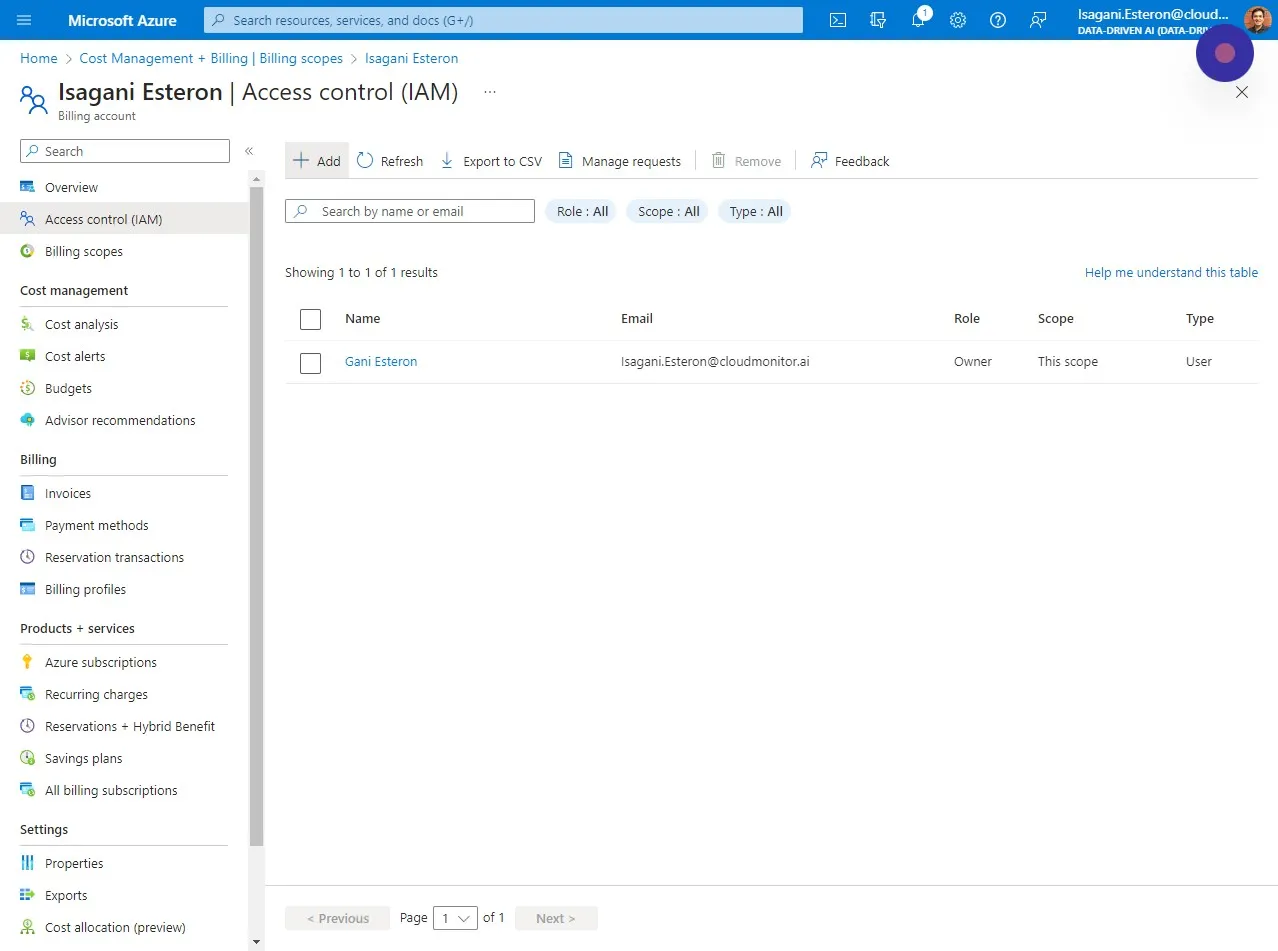
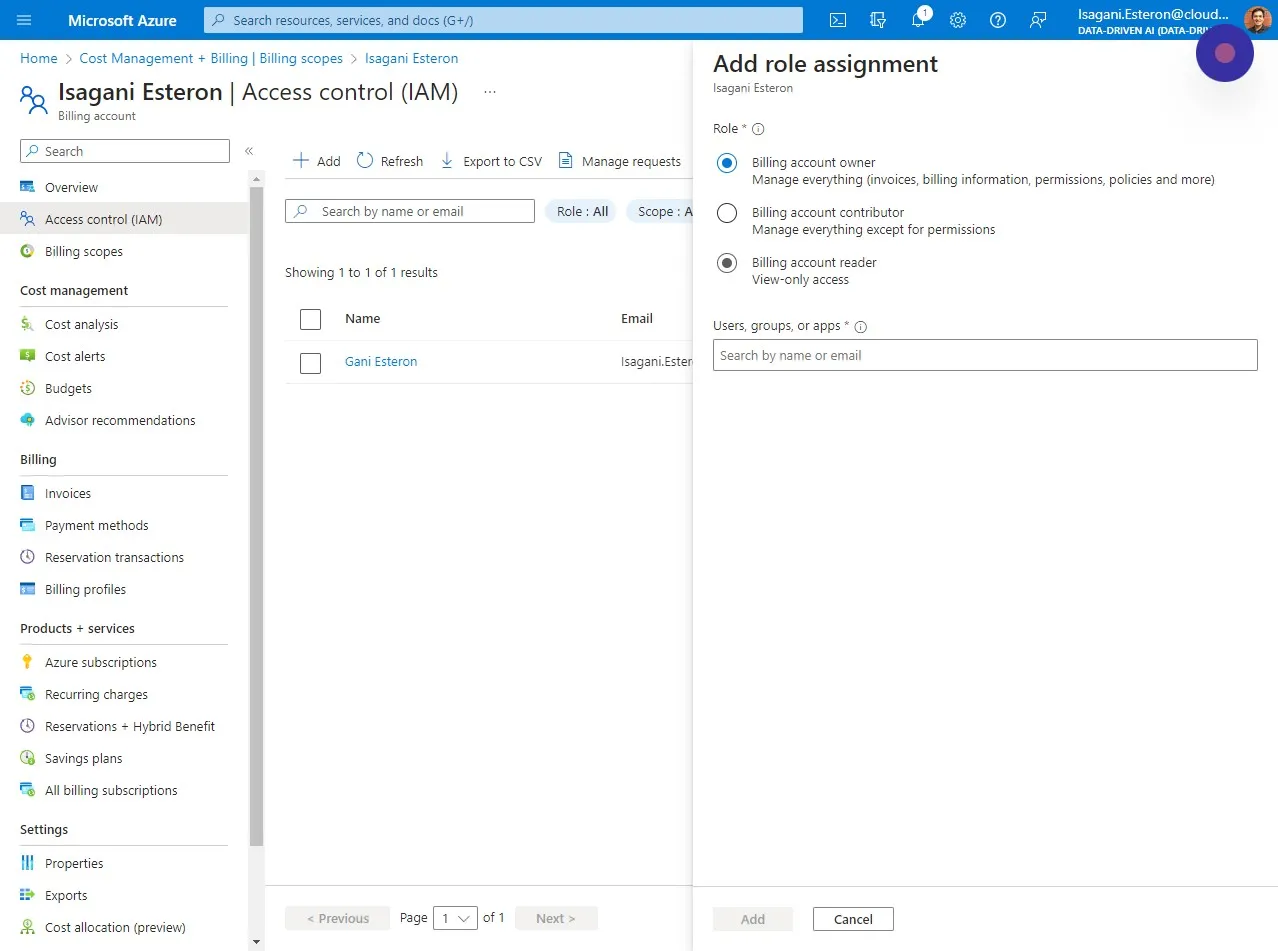
Section titled “Step 4”Click “Access control (IAM)” and click ” + Add”
Step 5
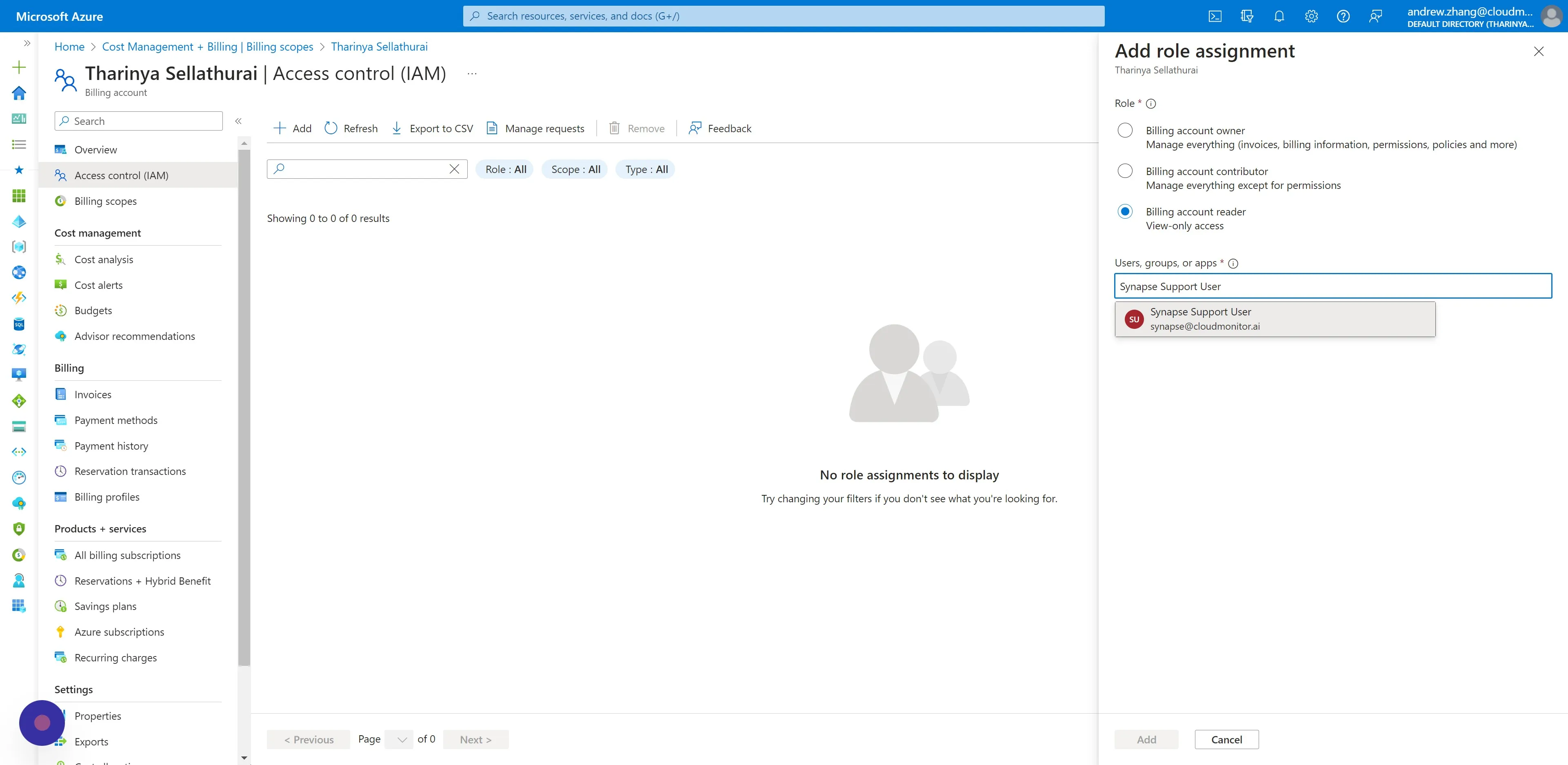
Section titled “Step 5”Choose “Billing account reader”. This does not have any permissions to write any data.
Step 6
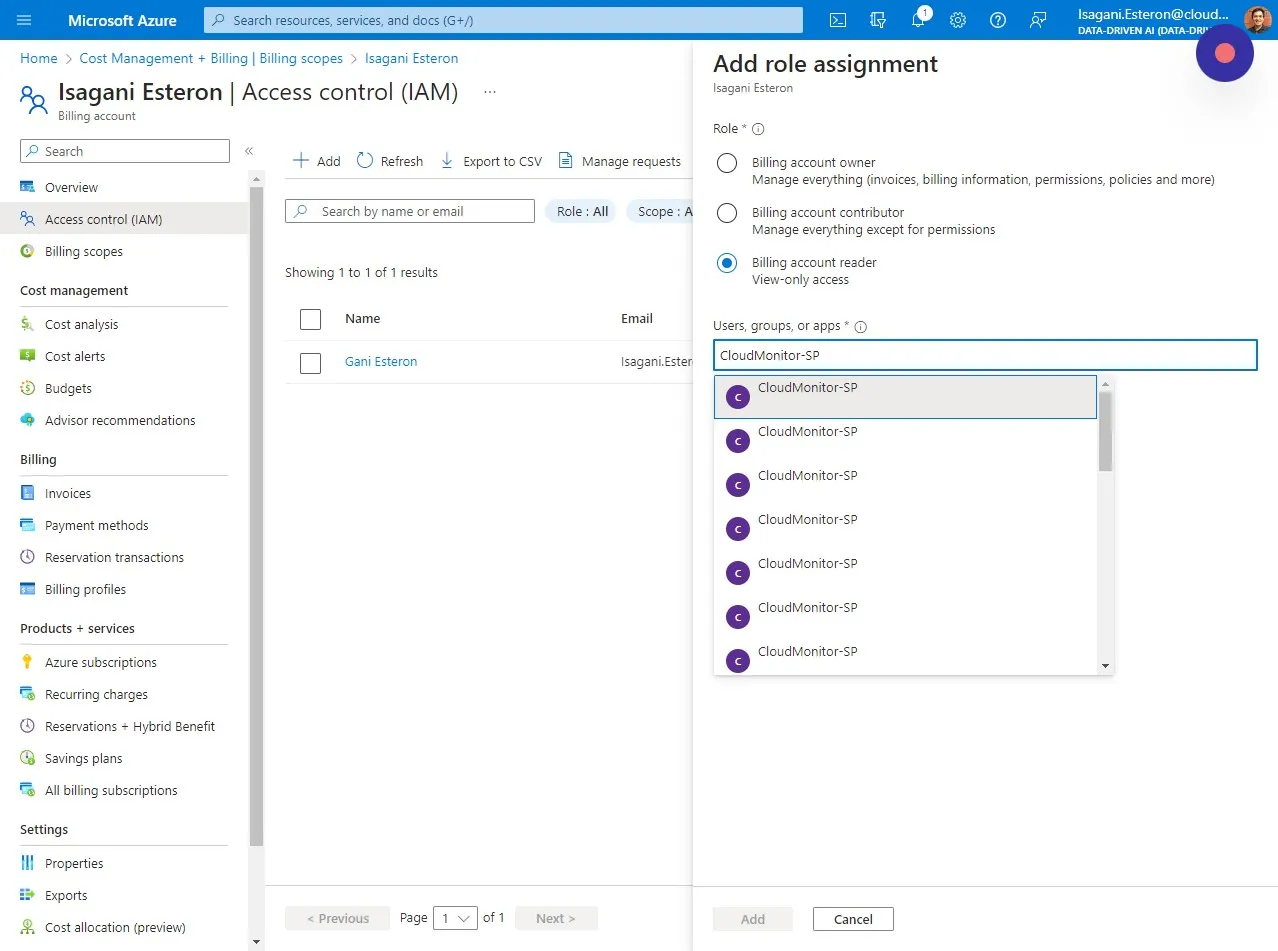
Section titled “Step 6”Select the Service Principal you created for CloudMonitor and click on Add.
Step 7
Section titled “Step 7”Lastly, select the B2B Synapse User you added for CloudMonitor and click on Add.