Apply Azure Hybrid Benefit to every VM
Step 1
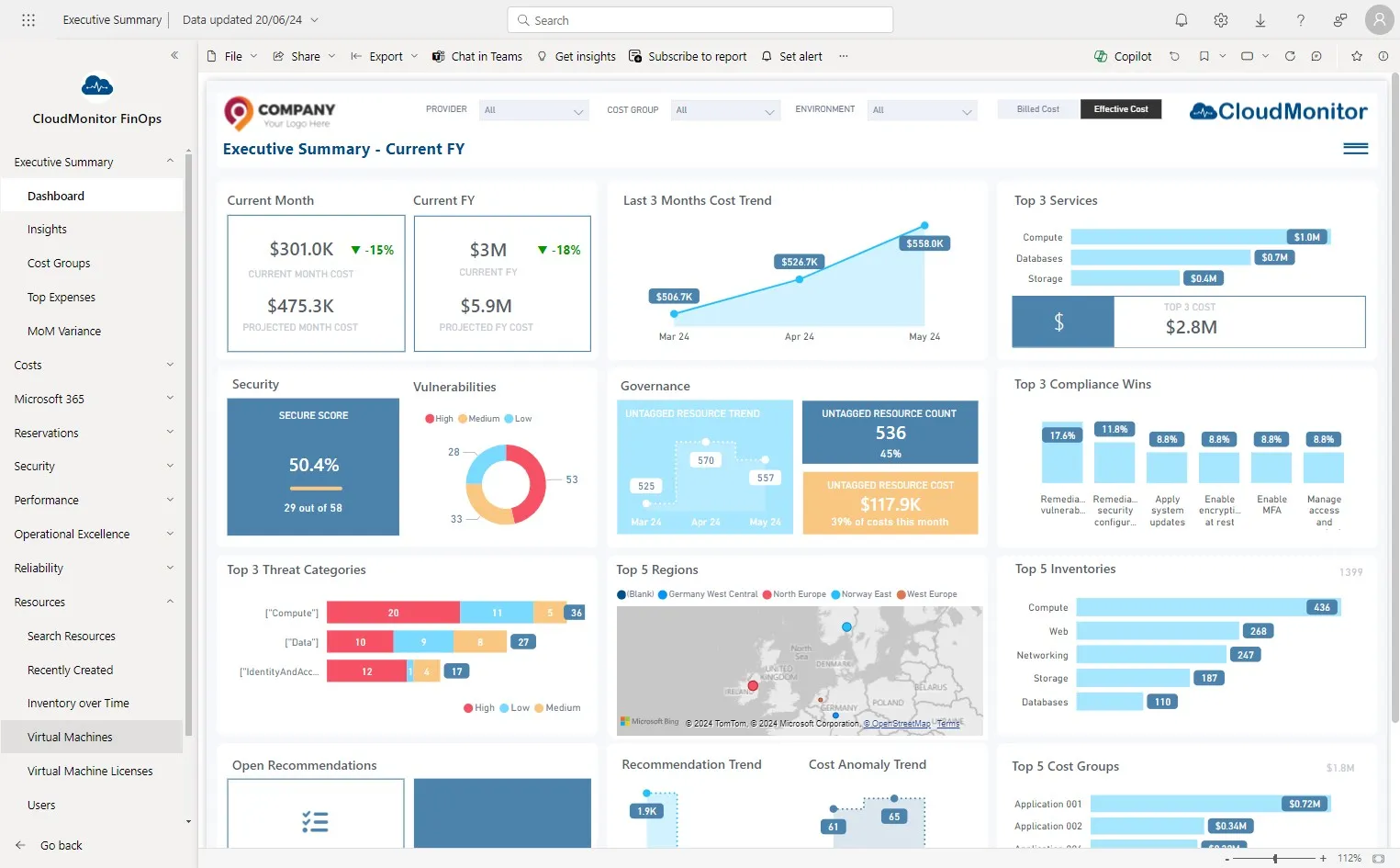
Section titled “Step 1”Click “Resource” and then “Virtual Machines”
Step 2
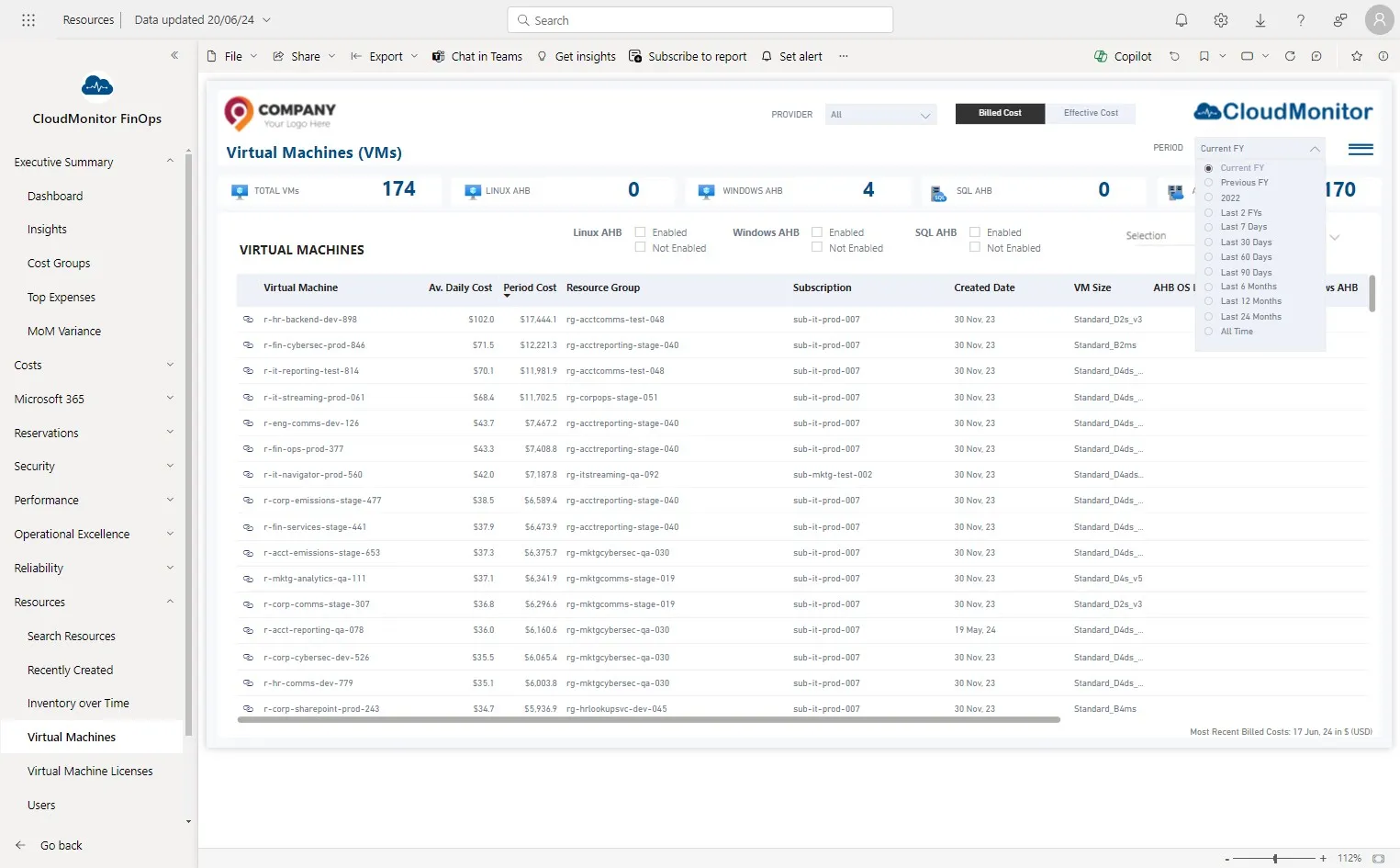
Section titled “Step 2”Select the date period which needs to be analyzed
Step 3
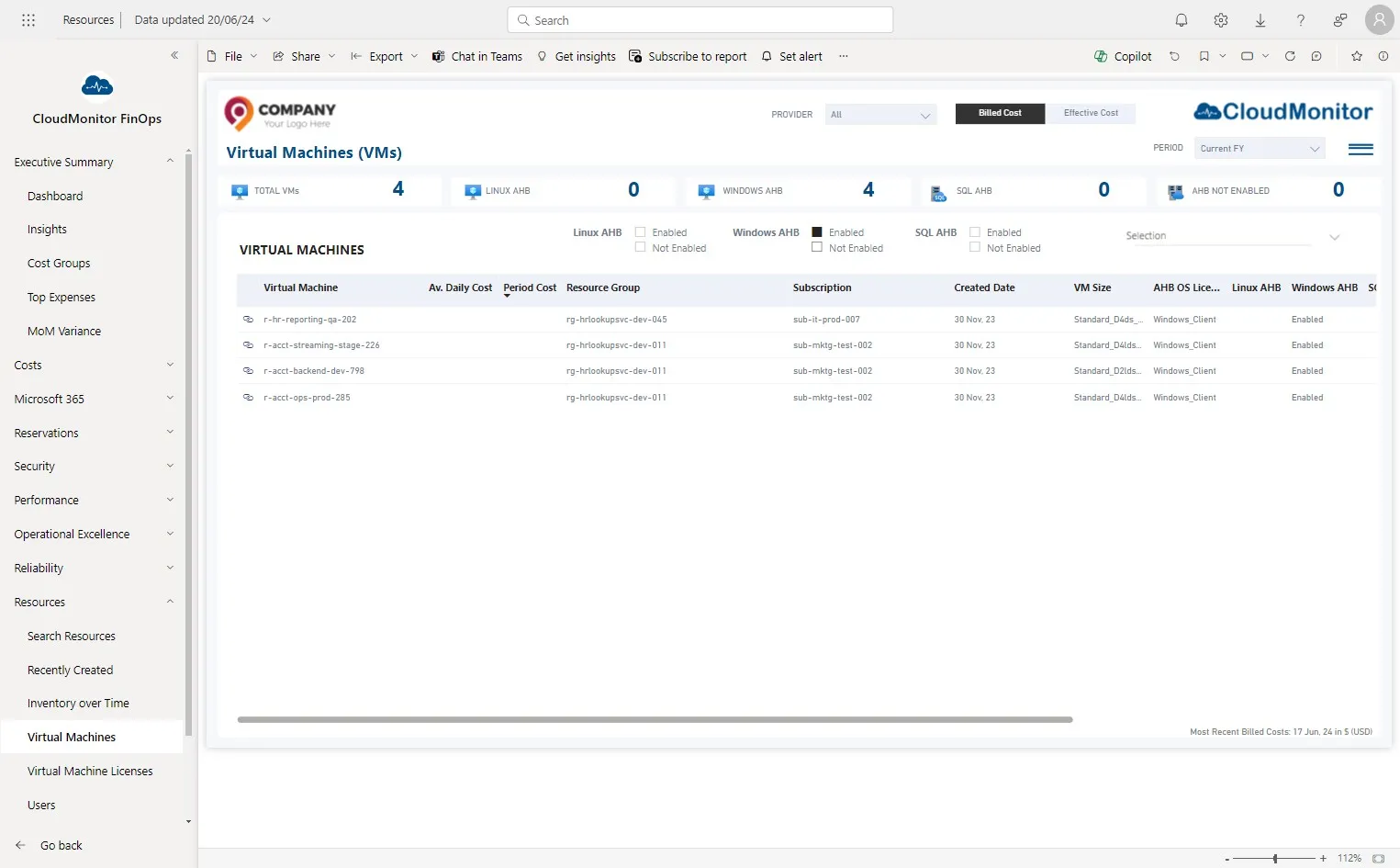
Section titled “Step 3”This filter can be used to filter the VMs that are using Azure Hybrid Licenses
Step 4
Section titled “Step 4”Users can click on this icon to view the VM in Azure Portal.
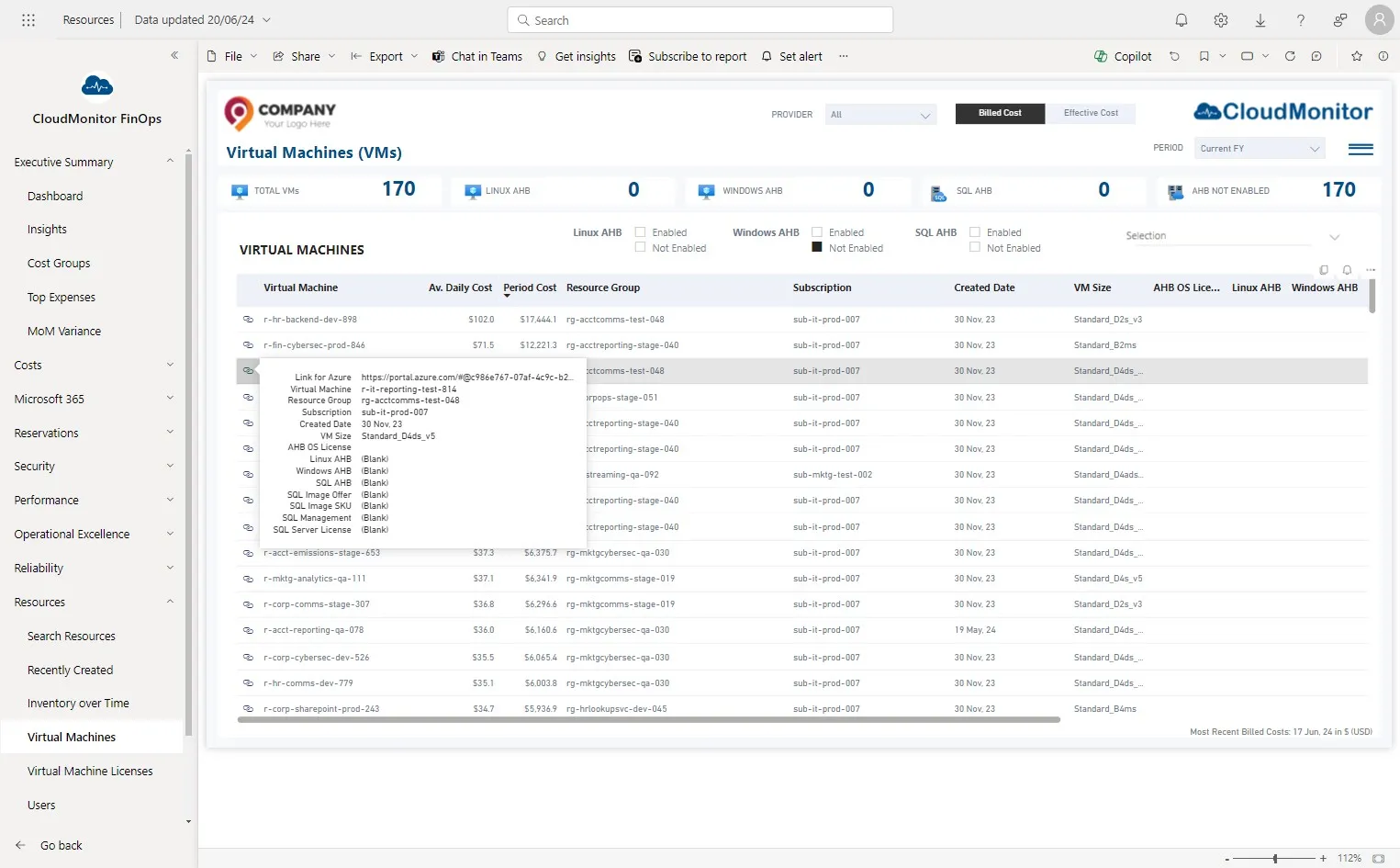
Step 5
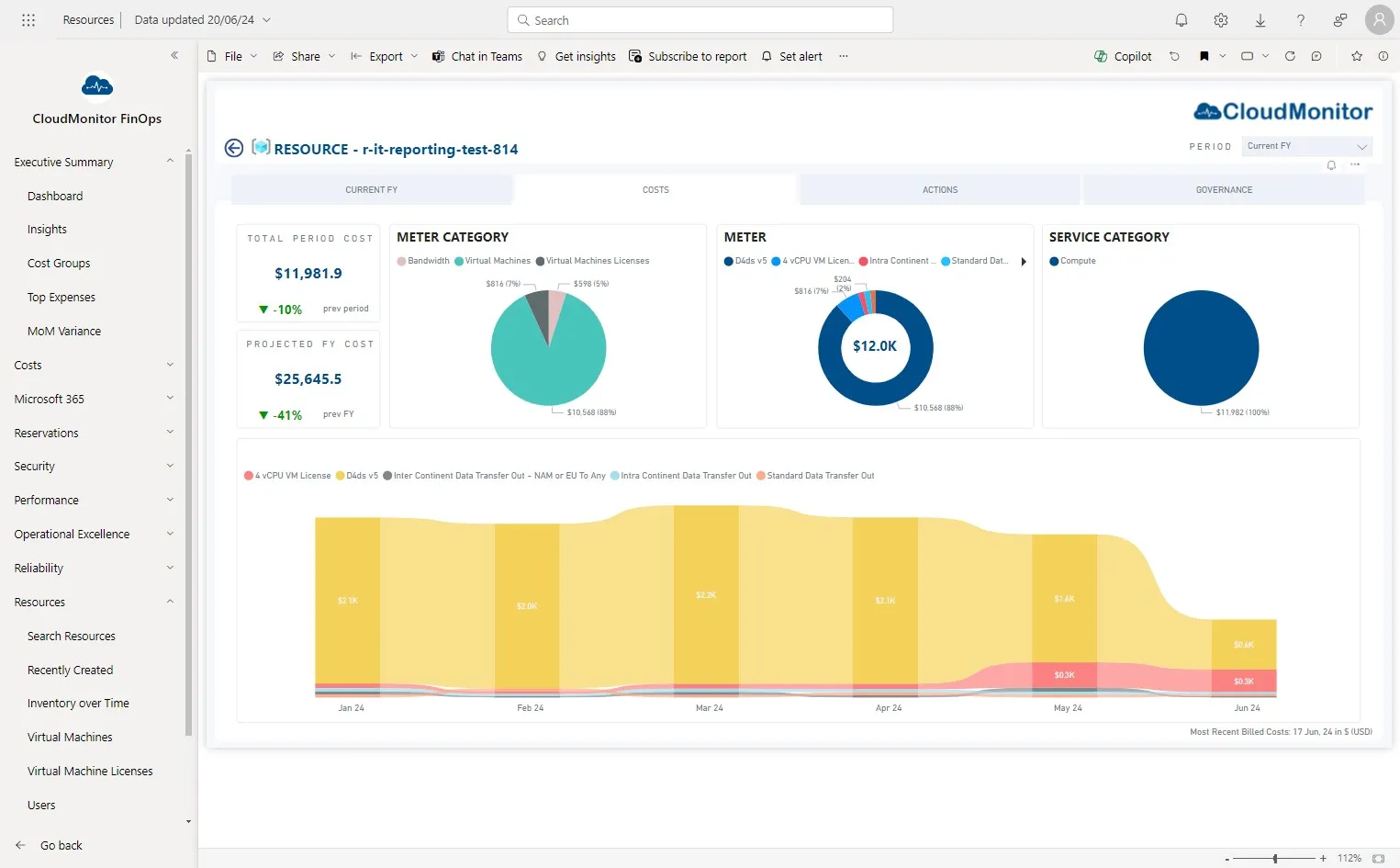
Section titled “Step 5”Users can drill through each VM and investigate further on costs of that resource.
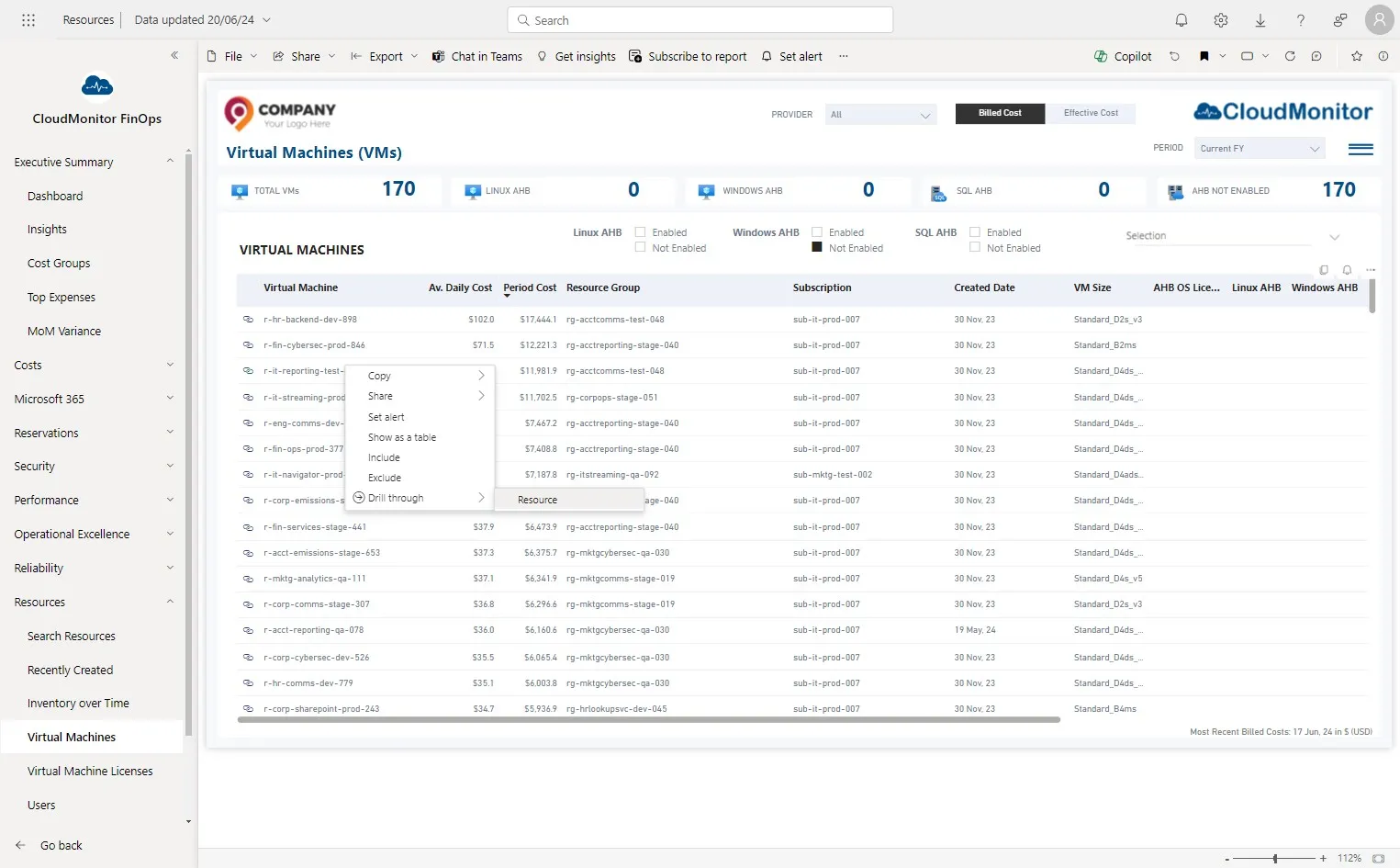
Step 6
Section titled “Step 6”More details are accessible by clicking on these tabs.
Decisions can then be made using the available information whether the virtual machine can be moved to an Azure Hybrid License