Ask Finn about your costs
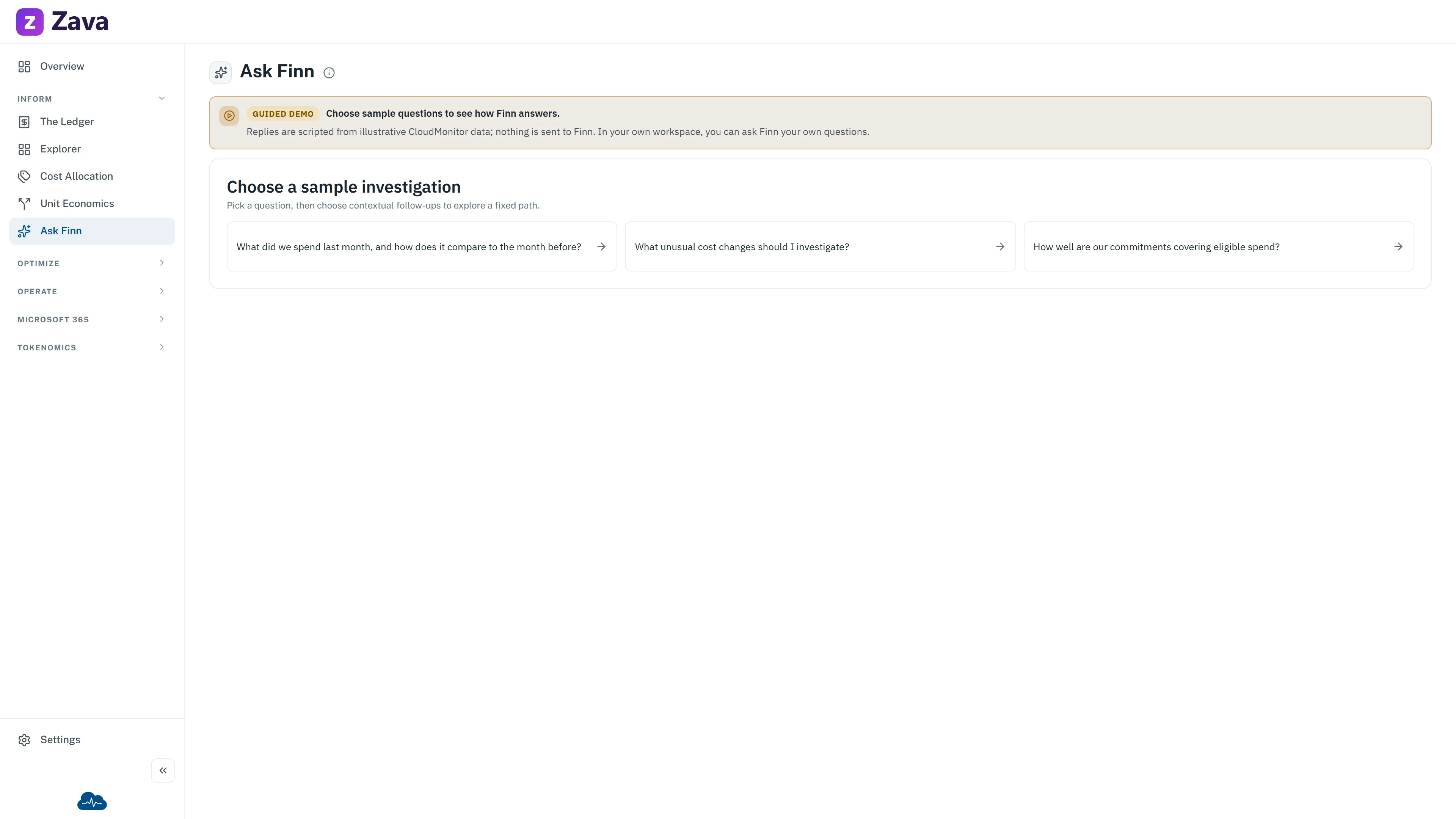
Finn is CloudMonitor’s read-only cost assistant. Ask about spend, cost groups, savings, commitments or anomalies and get an answer grounded in your organisation’s cost data.
You’ll find Finn in the Inform group, and in the help button in the bottom-right corner of every screen.
Before you ask, the screen explains the current processing boundary. Answers are machine-generated; your question and the data retrieved to answer it are processed by an external AI service. The deployed answer path uses a server-side service identity and a fixed semantic-model connection with SSO disabled. It does not use your delegated SSO identity or an OBO token. Answers use all organisation cost data and are not narrowed to your personal report permissions.
Starting an investigation
Section titled “Starting an investigation”Choose one of the six starter questions, or select Browse more below them to search the supported question catalogue by topic. The catalogue lists the same question cards as the starters, grouped by topic, and you can narrow it by Focus — FinOps, Finance, Engineering or Executive — and by Cloud. Those filters change only which questions are listed: every answer still covers your whole organisation. Close the catalogue again with its X or Show fewer questions. You can type your own question at any time.
An answer stays in a conversation with the question that produced it. Ask a suggested next question or type a follow-up and Finn uses the visible turns as context. Choose New conversation to clear that context. The thread lasts only for the current application session and cannot be reopened or shared. Each submitted question and its outcome are kept in an administrator-only audit record; answer text is not stored in that record.
Asking well
Section titled “Asking well”The single most important thing: the question carries its own scope. Unlike every other screen, Finn ignores the top-bar filters — so put the period, the provider, the cost group and the cost basis into the sentence.
Not: what did we spend? (with Last 30 Days set at the top)
But: what did we spend on storage last month, for the Platform cost group?
That keeps the investigation explicit. Follow-ups can refer to an earlier visible answer, but Finn still does not silently inherit a filter from another screen.
Ask for billed or amortised cost explicitly if the distinction matters — see effective cost vs billed cost.
Reading and using an answer
Section titled “Reading and using an answer”Finn renders headings, lists and small tables instead of showing their Markdown characters. When the answer path supplies validated structured evidence, it can also show a table or chart alongside the explanation. Period, cost basis, scope, data freshness and sources appear only when the answer path supplies them; Finn does not guess missing evidence from its own prose.
After an answer you can:
- Copy the question, answer and available analysis context.
- Report wrong when the configured answer service supports recorded feedback.
- Ask one of the complete suggested next questions.
- Open a read-only Explorer investigation when the answer includes a validated hand-off.
Finn cannot create or change budgets, allocation rules, tags, resources or other customer data. Unknown or malformed actions are ignored rather than turned into links.
What it’s good and bad at
Section titled “What it’s good and bad at”Good at the specific factual question: what did X cost, which service grew most, how does this month compare to last.
Less good at anything you intend to act on directly without checking. Treat an answer as an investigation, not an approval. If a number is going in a report, open The Ledger with the same scope and confirm it.
In demo mode you read, you don’t ask
Section titled “In demo mode you read, you don’t ask”Demo mode shows a recorded conversation instead of a live one:
A recorded conversation, so you can see how Finn answers.
Finn answers from your own cost data, and this demo has none, so you cannot ask it anything here. Every question and answer below was recorded from a sample organisation. In your own workspace you type the question and Finn computes the answer.
So you can read real questions and real answers and see the shape of a Finn investigation, but the question box is not live. That’s deliberate: answering invented questions about a fictional company would teach you nothing about your own spend and would be easy to mistake for real. To ask your own questions, turn demo mode off on your profile page.
If the build ships without the sample transcript you’ll see No recorded conversations in this build instead. Ask Finn works normally in a workspace connected to your cost data.
Unavailable states you might hit
Section titled “Unavailable states you might hit”Answer service unavailable:
Finn is temporarily unavailable
Finn remains in the menu and the help panel when its assistant binding, relay, or runtime readiness is incomplete. An admin can’t repair that answer path from Settings. Contact support.
Where to go instead
Section titled “Where to go instead”Use The Explorer when you need to shape and save a durable view. Finn’s conversation is deliberately session-only.