The Ledger
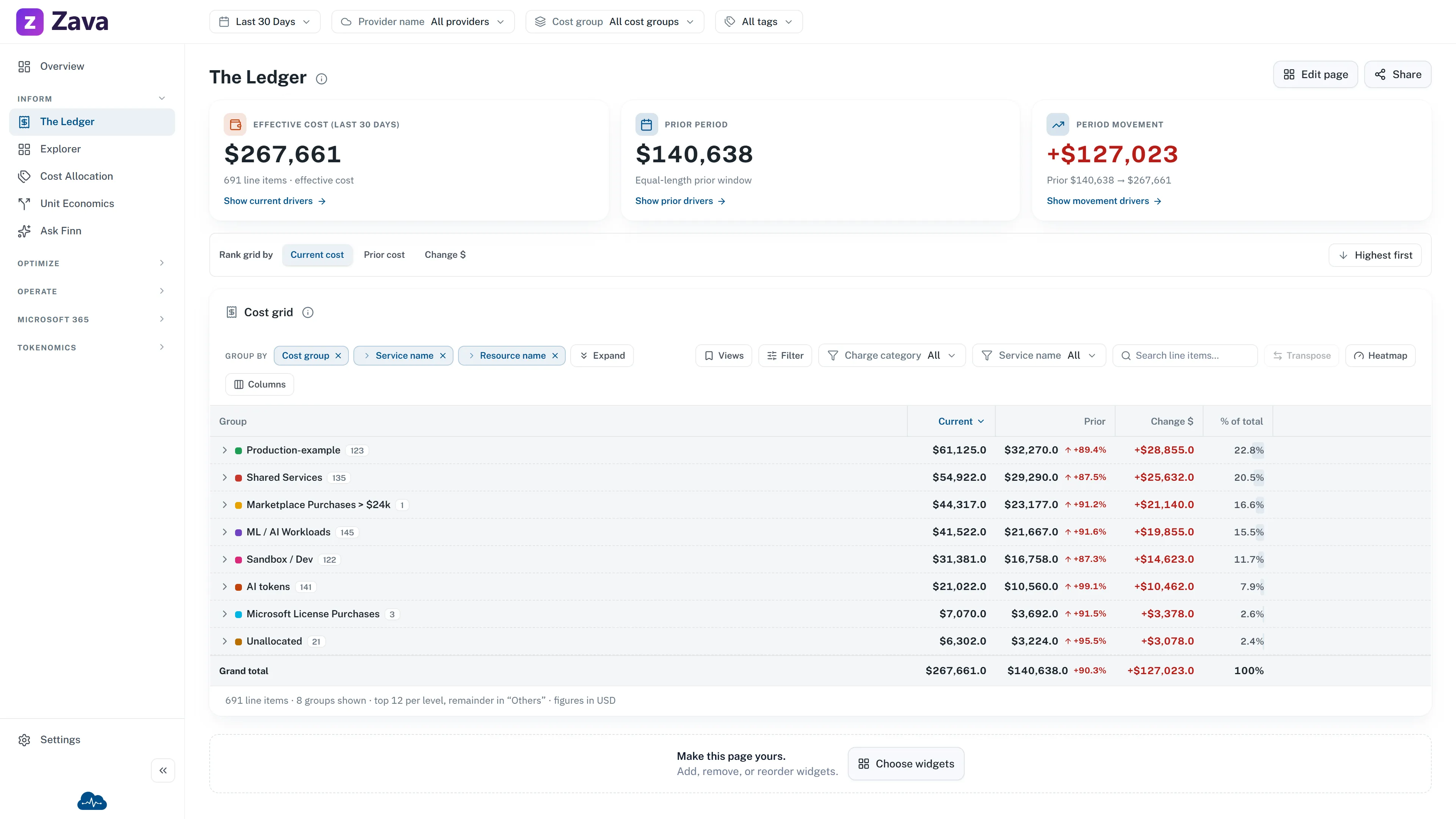
The Ledger is the unified bill across every source you’ve connected. One row per charge, nothing summarized away, and every other cost number in CloudMonitor reconciles back to it.
If you learn one screen properly, make it this one.
Grouping is how you use it
Section titled “Grouping is how you use it”The bill flat is unreadable. Group by rolls it up, and you can stack three levels — which is what turns a total into an explanation.
It groups by provider first, then whatever you choose: service, charge type, cost group, subscription, region, or a virtual tag.
A pattern that answers most questions:
- Group by cost group, then service, then resource.
- Expand the group whose number moved.
- Expand the service inside it.
- You’re now looking at the specific resource, with the team that owns it already established.
Four clicks from “the bill went up” to something you can act on.
”Others”
Section titled “”Others””Where there’s a long tail, the Ledger shows the biggest groups and rolls the rest into Others. That row is the exact remaining total, not a sample — the column still sums to your real bill.
It’s there so a large estate stays fast. Expanding a group queries only that group’s next level rather than everything at once.
Regions
Section titled “Regions”There’s no separate region report — grouping the Ledger by region replaced it, and the map lives here. Old links to Cost by Region still work and land here.
Every filter applies
Section titled “Every filter applies”The Ledger honors all of them: period, provider, cost group, virtual tags and your cost basis. That makes it the natural place to check a number you saw somewhere else — set the same filters and the figures agree, because they’re the same rows underneath.
Saving what you built
Section titled “Saving what you built”Once you’ve got a grouping worth keeping, save it as a view. It reappears next time rather than being rebuilt. See working with tables.
Where to go next
Section titled “Where to go next”- Preset groupings of this same data, one click each: Cost by service, team and more.
- A more visual slice-and-dice: The Explorer.
- Spend that belongs to nobody: Unallocated Costs.