Microsoft 365
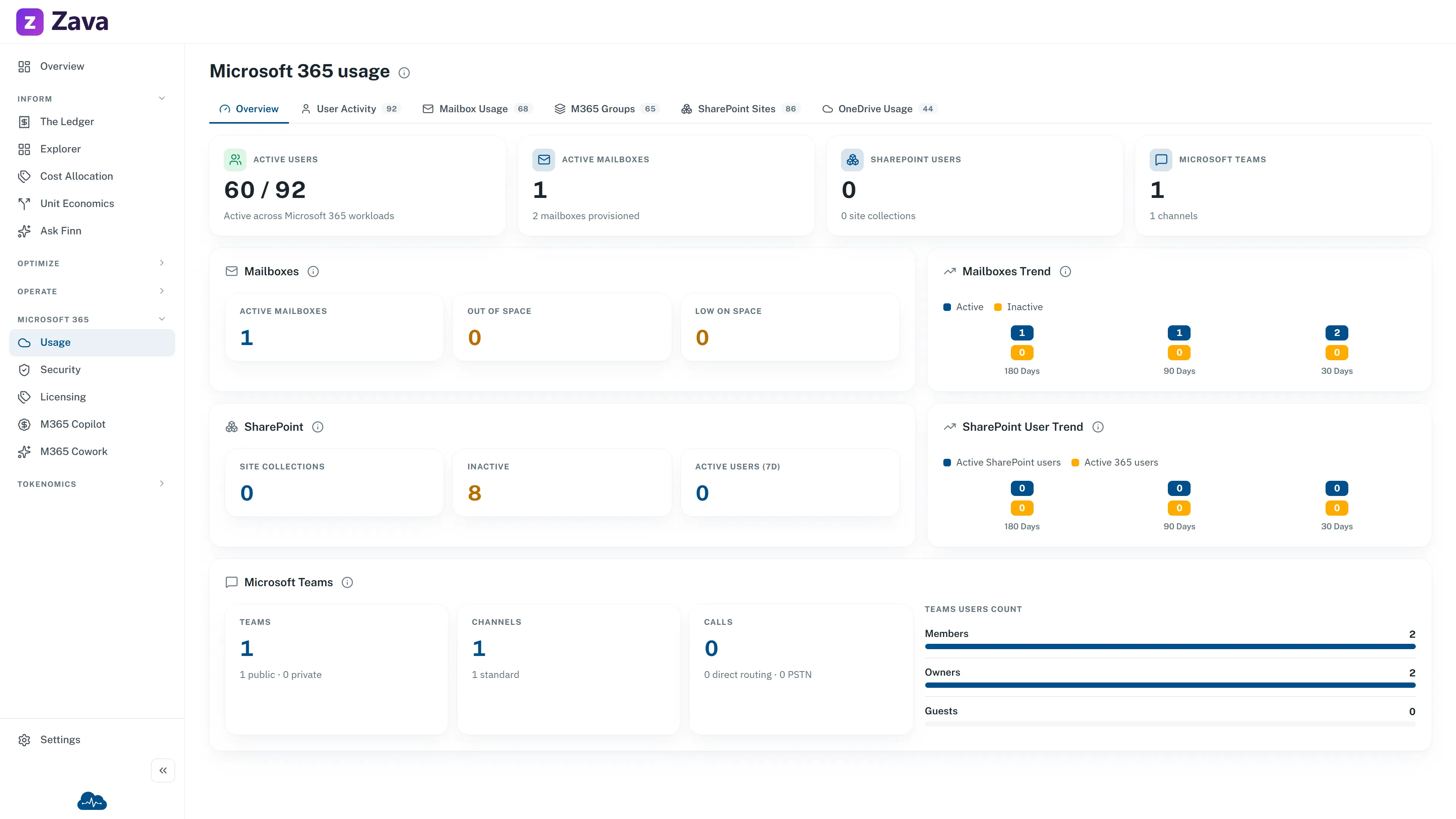
Microsoft 365 licensing is often the second-largest technology bill after cloud, and it’s usually managed somewhere else entirely. This screen brings it alongside your cloud spend.
Connecting it is a separate step — see how to connect Microsoft 365.
The tabs
Section titled “The tabs”| Tab | Answers |
|---|---|
| Usage Analytics | How much the tenant actually uses what it pays for |
| Users & Licenses | Who has which licences |
| Product Licenses | What you own by product, and how much is assigned |
| Mailbox Usage | Mailbox sizes and growth |
| SharePoint Sites | Site inventory and storage |
| OneDrive Usage | Per-user storage |
| M365 Groups | Groups and their membership |
| User Activity | Who is active, and who isn’t |
| Password Expiry | (no data — see below) |
| License Spend | (no data — see below) |
The question worth asking first
Section titled “The question worth asking first”Assigned versus active. A licence assigned to someone who hasn’t signed in for three months costs exactly the same as one in daily use.
Product Licenses plus User Activity is where that shows up, and it’s usually the fastest money on this screen. Unlike cloud rightsizing, reclaiming a licence needs no change control and no risk assessment — someone just stops having it.
Two tabs with no data
Section titled “Two tabs with no data”For licence cost, use the Azure spend reports — Microsoft 365 subscriptions billed through Azure appear there like any other charge.
Filters barely apply
Section titled “Filters barely apply”Only the cost basis, and even that only affects licence cost figures.
Period, provider, cost group and virtual tags are all greyed out with reasons: these are current snapshots of your tenant rather than a cost window, Microsoft 365 has no cloud-provider dimension, licences aren’t allocated to cost groups, and none of this data carries resource tags.
That last one matters if you were hoping to charge Microsoft 365 back by team — you can’t from this screen today.
Freshness
Section titled “Freshness”Microsoft 365 syncs daily, so a change made this morning appears tomorrow. A newly authorized connection shows Authorization pending until the first sync lands.