Savings & Waste
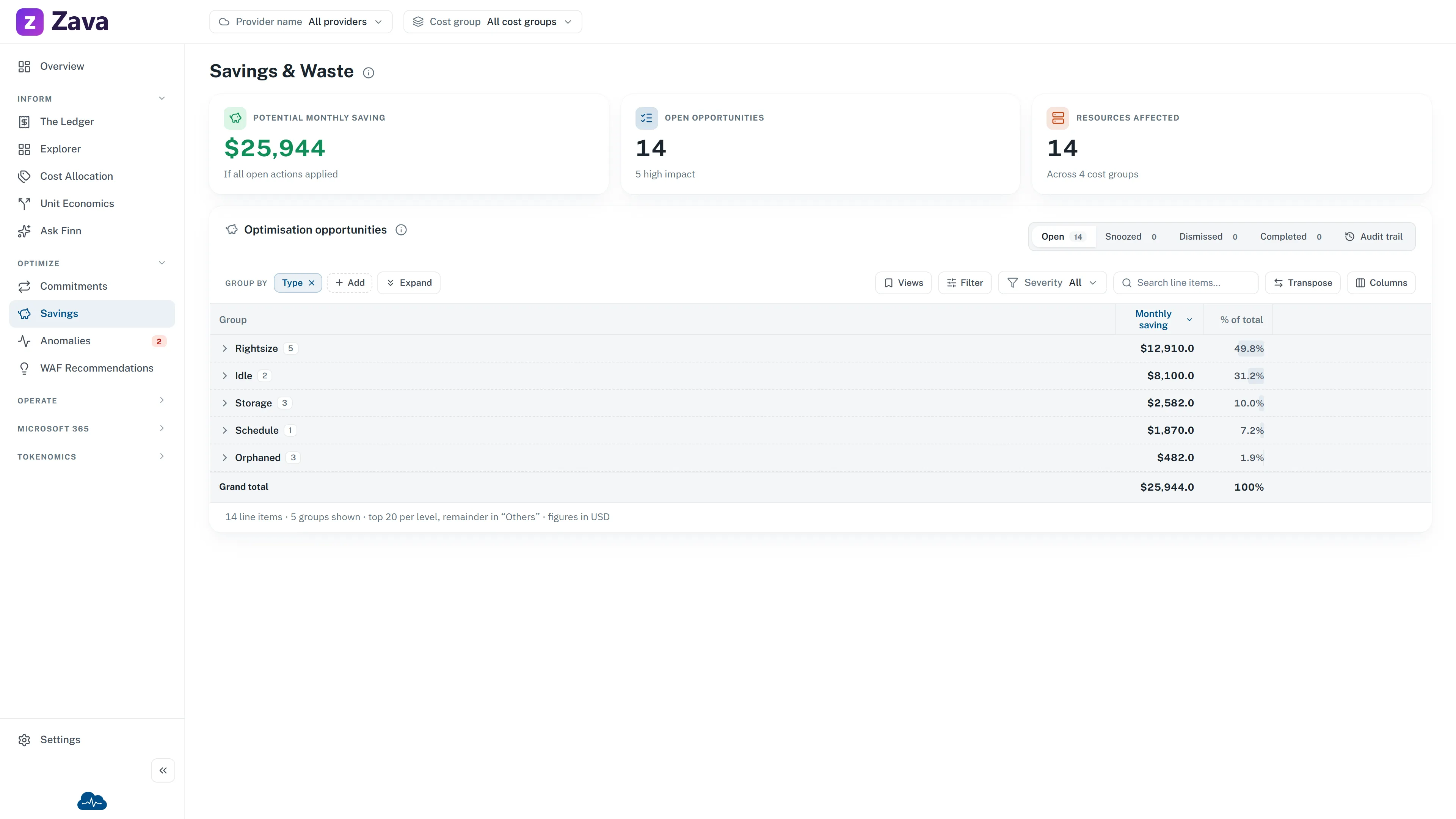
Every waste and rightsizing opportunity across your estate, ranked by how much it saves. This is where you go when you have time to spend well rather than a fire to put out.
Four views of one list
Section titled “Four views of one list”Savings & Waste is everything. Three tabs slice it:
| Tab | What it finds |
|---|---|
| Right-sizing | Resources running larger than their workload needs — drop a size or enable autoscale |
| Idle & Orphaned | Idle services and orphaned resources still on the bill — deallocate or delete |
| Storage Optimization | Tiering, replication and snapshot hygiene |
Same underlying recommendations, filtered. Start on the combined list, sort by saving, and work down — the ranking already tells you where the effort pays.
The numbers
Section titled “The numbers”Potential monthly saving is what you’d save If all open actions applied. It’s an upper bound, not a forecast: some recommendations won’t be appropriate for your workload, and that’s what dismissing them is for.
Open opportunities counts only items still open — postponed, dismissed and completed ones are excluded, so the number reflects work actually outstanding.
Resources affected counts distinct resources, so one resource with three recommendations counts once.
Working through them
Section titled “Working through them”Each row has a ⋮ menu with the same triage actions used across CloudMonitor:
- Comment/Send — reassign to someone with a note. Opens a pre-filled email containing the item and a link back to it.
- Postpone — snooze for a day, three days, a week, two weeks or a month. Moves to Postponed.
- Dismiss — with a reason, minimum a few words. Moves to Dismissed.
- Reopen — brings a postponed or dismissed item back.
- Open in Azure portal — straight to the resource.
Anyone in the relevant cost group can triage. Everyone can open the resource in Azure.
There is no “mark as done”. Once you act on a recommendation, it stops being detected and closes itself on the next run. Dismissing is for “we’ve considered this and we’re not doing it” — and the reason is what stops the same argument being had again in three months.
Why there’s no date filter
Section titled “Why there’s no date filter”Recommendations don’t have a window. A finding is either current or it isn’t. CloudMonitor hides the Period chip rather than showing one that does nothing.
Provider and cost group both apply — they match the affected resource — so you can hand a team exactly their list.
Where cost optimization sits
Section titled “Where cost optimization sits”If you’re looking for the Well-Architected cost pillar, it’s this screen. WAF Recommendations covers the other four pillars — reliability, security, operational excellence and performance — and links here for cost.