Virtual Machines
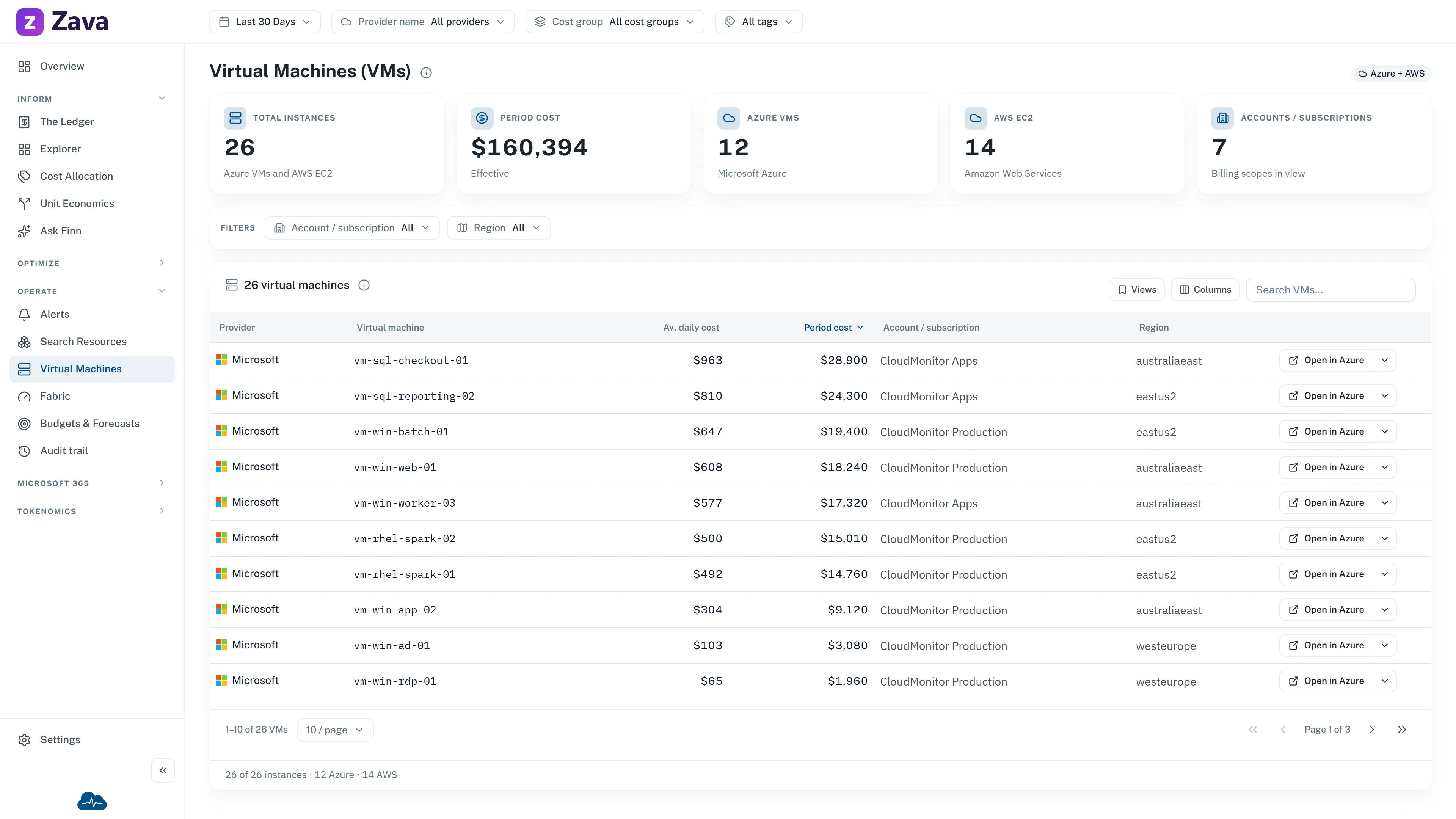
Virtual machines get their own report because they carry a cost lever nothing else does: licensing.
The app describes it as:
Every VM in the estate and where Azure Hybrid Benefit is applied across Linux, Windows and SQL — with size, cores, created date, OS licence and cost. Azure only.
Why licensing deserves a screen
Section titled “Why licensing deserves a screen”A Windows or SQL Server VM includes the license in its hourly rate unless you tell Azure you already own one. Azure Hybrid Benefit is the mechanism for saying so, and it can take a meaningful chunk off the rate.
The catch is that it has to be applied per VM. Nobody notices when it isn’t, because the machine works perfectly — it just costs more. Which makes it exactly the kind of thing worth a report rather than a spot check.
This is the only screen that shows where the benefit is applied and where it isn’t, across Linux, Windows and SQL.
What’s in the table
Section titled “What’s in the table”Size, cores, created date, OS license and cost per VM, plus Total VMs across the estate.
Sort by cost and read the license column down the top rows — that’s the fastest pass. An expensive Windows VM without the benefit applied is either an oversight or a decision nobody wrote down.
Created date earns its place too: a machine created years ago that nobody has touched since is worth asking about.
Azure only
Section titled “Azure only”The page is marked Azure only, and the provider filter is grayed out with that reason. Hybrid Benefit is an Azure concept; there’s nothing to show for other providers.
Period and cost basis drive the cost columns. Cost group and virtual tags aren’t wired to this grid yet, and the chips say so rather than silently doing nothing.
Getting to a machine
Section titled “Getting to a machine”Each row’s ⋮ menu offers Open in Azure portal and Find in Search Resources, plus jumps to the resource group or subscription — and searching resources within either.
Use the Azure link to change something; use Search Resources when you want the wider context around it.
Related
Section titled “Related”Rightsizing recommendations for VMs live in Savings & Waste rather than here — this report is inventory and licensing, that one is what to do about it.