WAF Recommendations
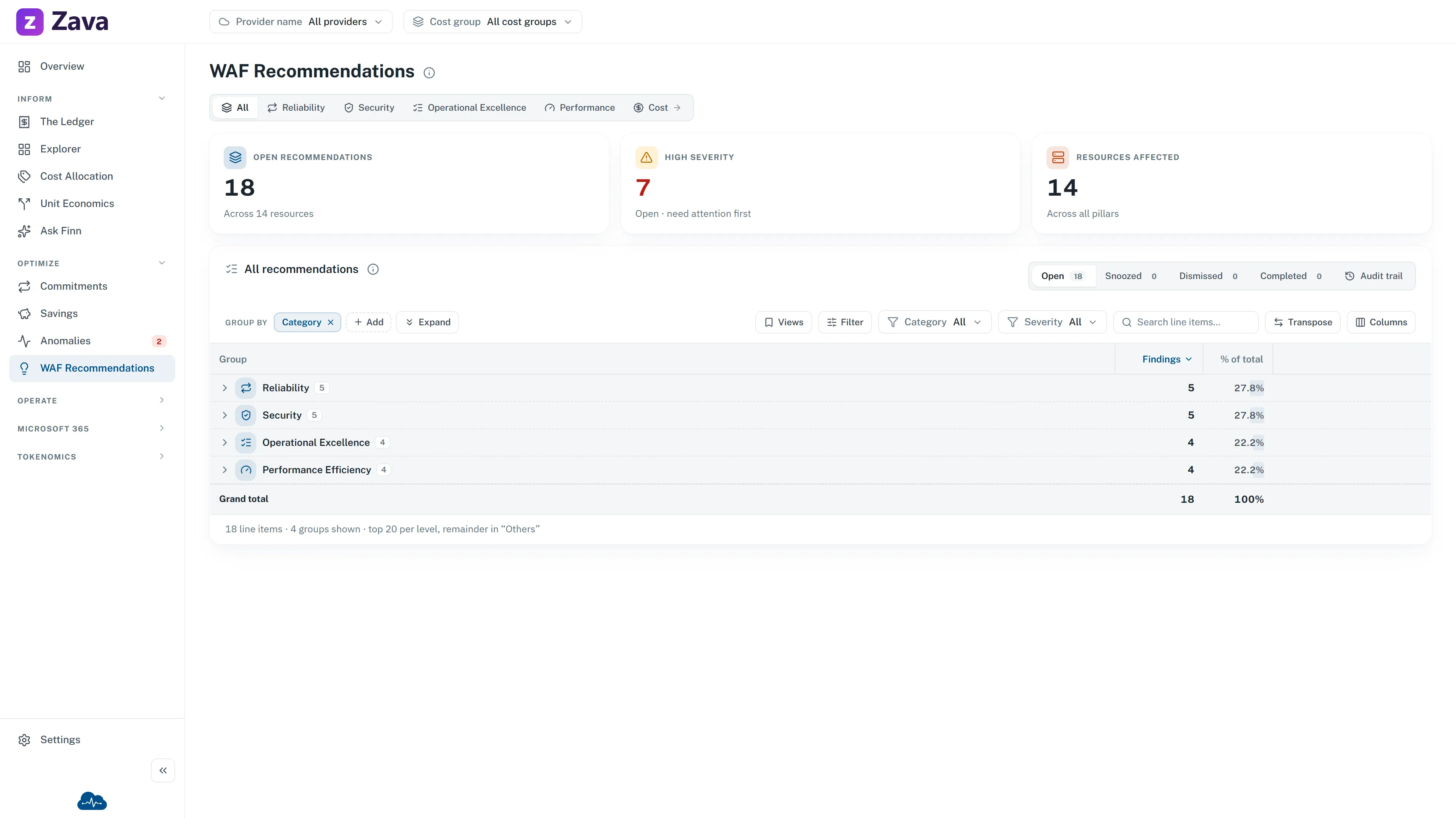
Cost isn’t the only way a cloud estate can be badly built. WAF Recommendations covers the rest: findings against Microsoft’s Well-Architected Framework, which is the industry checklist for whether something is built properly.
CloudMonitor is a cost tool, so why is this here? Because the same estate produces both, and the cheapest resource in the world is no bargain if it loses your data.
The pillars
Section titled “The pillars”| Pillar | What it looks for |
|---|---|
| Reliability | Redundancy, backups, failover and resiliency gaps |
| Security | Exposure, identity, encryption and Defender findings |
| Operational Excellence | Monitoring, automation, tagging and deployment hygiene |
| Performance Efficiency | Scaling, SKU fit and throughput bottlenecks |
The default view is All recommendations across every pillar; each pillar has its own tab.
There’s a fifth pillar, cost optimization, and it isn’t here. Selecting it takes you to Savings & Waste — Cost Optimization — opens the Savings page under Optimize. One list of cost actions rather than two.
The numbers
Section titled “The numbers”Open recommendations across however many resources, High severity as the subset needing attention first, and Resources affected counting distinct resources — one resource with several findings counts once.
Unlike Savings & Waste, there’s no money figure. The measure is a count of findings, because “unencrypted storage account” doesn’t have a price attached. The cost-basis chip is grayed out for the same reason.
Working through them
Section titled “Working through them”Identical triage to everywhere else: Comment/Send to reassign with a note, Postpone, Dismiss with a reason, Reopen, and Open in Azure portal. Advisor-sourced findings also offer a link to the underlying Advisor recommendation.
Anyone in the relevant cost group can triage. Nothing is marked complete by hand — a finding closes when the underlying issue is actually fixed and the next assessment stops detecting it.
Filters
Section titled “Filters”Provider and cost group apply, matched via the affected resource, so a team can be handed their own list.
The Period chip is hidden. These findings are timeless — a resource either has the problem now or it doesn’t — so a date range never applied.
Using it well
Section titled “Using it well”Two suggestions.
Sort by severity and work the top. The list is long by nature; a full assessment of any real estate produces hundreds of findings, and treating it as a backlog to clear rather than a queue to triage is how it gets abandoned.
Filter to one cost group and hand it over. Security and reliability fixes usually belong to the team that owns the resource rather than to whoever runs cost. Scoping the list and sending it is faster than explaining it.